What is the difference between DocHub vs Nitro Productivity Suite vs. ADSS Signing Server?
When comparing DocHub vs Nitro Productivity Suite vs ADSS Signing Server, there are distinct differences to consider. DocHub is a leading platform that offers a range of powerful features for your document needs. Nitro Productivity Suite, on the other hand, provides a comprehensive set of tools to enhance your productivity. And lastly, ADSS Signing Server focuses on secure and efficient digital signing processes.
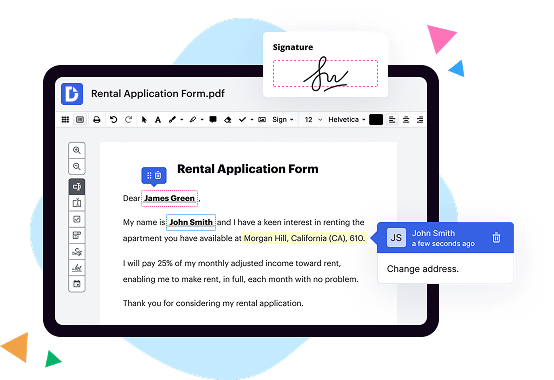
Firstly, let's dive into DocHub. This user-friendly platform allows you to effortlessly edit, sign, and manage your documents online. With its intuitive interface, you can easily upload, annotate, and collaborate on documents with others. DocHub's extensive feature set also includes the ability to fill out forms, merge files, and even send documents for signature. With its seamless integration with Google Drive, Dropbox, and other popular cloud storage solutions, DocHub ensures that you can access and work on your files from anywhere, anytime.
Moving on to Nitro Productivity Suite, this robust suite of tools offers a wide range of features to supercharge your productivity. From creating, converting, and editing documents to securely signing and sharing them, Nitro Productivity Suite covers all your document needs. Its advanced OCR (Optical Character Recognition) technology allows you to convert scanned documents into editable files, saving you valuable time and effort. With its collaboration features, you can easily work together with colleagues on the same document, ensuring smooth teamwork and efficient workflows.
Lastly, let's explore ADSS Signing Server, a solution designed specifically for secure digital signing processes. With ADSS Signing Server, you can guarantee the authenticity and integrity of your documents through advanced cryptographic techniques. This robust platform enables you to securely sign and verify documents, providing legal compliance and peace of mind. ADSS Signing Server offers various signing options, such as remote signing, multi-factor authentication, and timestamping, ensuring that your digital signatures are secure and legally binding.
In conclusion, when choosing between DocHub vs Nitro Productivity Suite vs ADSS Signing Server, consider your specific document needs. DocHub offers a comprehensive set of editing and signing features, while Nitro Productivity Suite focuses on enhancing overall productivity. ADSS Signing Server specializes in secure digital signing processes for legal compliance. Each platform has its unique strengths, ensuring that you can find the perfect solution to meet your individual requirements.
DocHub vs Nitro Productivity Suite vs ADSS Signing Server: which is better for Enterprises?
While Nitro Productivity Suite and ADSS Signing Server are good solutions to work with PDFs online, DocHub offers greater capabilities to help individuals and businesses digitize their documents and make them run smoothly across different devices and your favorite apps.
DocHub vs Nitro Productivity Suite vs ADSS Signing Server: which is better for small businesses?
Nitro Productivity Suite and ADSS Signing Server are good options for editing, signing, and sharing PDFs. However, DocHub offers a more comprehensive featureset that includes organizations, reusable templates, advanced eSignatures, seamless Google integrations, and more that are perfect for small businesses, helping them simplify and streamline document editing, sharing, signing, and form completition.
What is DocHub?
DocHub is a Google-integrated PDF editor and eSignature solution that helps you get your PDFs done online, using any device. DocHub comes with an online PDF editor, advanced eSignatures, PDF forms, reusable templates, and straightforward Google integrations so you can maximize your productivity when working within your favorite Google apps.
What is Nitro Productivity Suite and how does it work?
Nitro Productivity Suite is an impressive software that can greatly enhance your productivity and bring a new level of efficiency to your work. It simplifies and streamlines various tasks, allowing you to complete them in a faster and more organized manner.
But how does it work? Well, it's quite simple really. Nitro Productivity Suite offers a wide range of powerful tools and features designed to make your life easier. Whether you're working with documents, collaborating with others, or managing your workflow, this suite has got you covered.
Let's take a closer look at some of the key components of Nitro Productivity Suite. First and foremost, it provides a comprehensive PDF editing solution. You can easily create, convert, and edit PDF documents, giving you full control over your files. Say goodbye to the days of struggling with outdated or limited PDF software.
Collaboration is a breeze with Nitro Productivity Suite. You can easily share documents with others, allowing for seamless collaboration and feedback. This eliminates the need for endless email exchanges and confusing version control. With just a few clicks, you can efficiently work together and produce exceptional results.
In addition, the suite also offers advanced eSign capabilities. Gone are the days of printing, signing, and scanning documents. With Nitro, you can electronically sign and send documents, saving you time and reducing unnecessary paperwork. It's secure, legally binding, and incredibly convenient.
Furthermore, Nitro Productivity Suite can intelligently automate repetitive tasks, freeing up your time for more important endeavors. It takes care of mundane tasks such as data entry, file organization, and much more. You can create custom workflows tailored to your specific needs, maximizing your efficiency and minimizing manual effort.
So, whether you're a student, professional, or business owner, Nitro Productivity Suite is a valuable tool that can revolutionize the way you work. Its user-friendly interface, robust features, and seamless integration make it a must-have for anyone looking to boost their productivity.
In conclusion, Nitro Productivity Suite is a game-changer when it comes to streamlining your work processes. Its powerful features, ease of use, and ability to simplify complex tasks make it an indispensable tool for anyone striving to achieve maximum productivity. Give it a try and prepare to be amazed at the results!
What is ADSS Signing Server and how does it work?
ADSS Signing Server is an exceptional solution that allows users like you to digitally sign digital documents in a quick and secure manner. This powerful software provides you with the ability to apply legally binding electronic signatures to a wide range of documents, ensuring authenticity and integrity.
So, how does it actually work? Well, when you want to digitally sign a document, ADSS Signing Server utilizes advanced cryptographic techniques to create a unique digital signature for you. This signature is securely attached to the document, acting as a virtual "seal of approval" that verifies your identity and ensures that the document hasn't been tampered with.
The process is seamless and user-friendly. You simply upload the document you want to sign onto the ADSS Signing Server interface, select your desired signing method (such as a smart card, USB token, or even a mobile device), and let the server handle the rest. It ensures that your digital signature remains protected and guarantees that your document remains unchanged throughout its lifecycle.
One of the most remarkable aspects of ADSS Signing Server is its versatility. It supports various types of digital signatures, including advanced and qualified electronic signatures, providing you with the highest level of security and legal compliance. Plus, it supports multiple signature formats, making it compatible with different applications and systems.
Not only that, but this robust software also offers advanced features like digital timestamping, document verification, and long-term archiving. With these capabilities, you can confidently rely on the ADSS Signing Server to handle all your digital signing needs, whether it's for personal use or within a professional setting.
In conclusion, the ADSS Signing Server is a trusted and efficient solution for digitally signing documents. It simplifies the signing process, ensures the security and integrity of your documents, and offers a wide range of additional features. So, save time, enhance security, and embrace the convenience of digital signatures with ADSS Signing Server.
Is DocHub free?
Yes. DocHub's free plan is a perfect fit for one-offs or occasional projects. You can start using DocHub’s Free Plan straight away after completing the quick account registration. No learning is needed. The DocHub Pro Plan has a 30-day free trial so you have enough time to test the product.
Is Nitro Productivity Suite free to use?
Yes, Nitro Productivity Suite is free to use! We know that finding reliable, user-friendly productivity tools can be a challenge, but with Nitro, you can boost your efficiency without spending a dime. By providing essential features and a seamless experience, Nitro empowers you to accomplish more in less time, all at no cost to you. Plus, transitioning to Nitro is a breeze as it integrates smoothly with your existing workflows. So whether you're a busy professional, a student, or someone looking to streamline their tasks, Nitro Productivity Suite is the perfect solution for you. Give it a try and unlock your full productivity potential today!
Is ADSS Signing Server free to use?
Yes, the ADSS Signing Server is absolutely free to use! You can access its fantastic features without having to spend a single penny. With ADSS Signing Server, you can effortlessly sign and authenticate your important documents, ensuring their integrity and security. Whether you're a business professional or an individual, this user-friendly platform offers a seamless experience for all your signing needs. Plus, it's packed with robust security measures to safeguard your valuable information. So, go ahead and explore the power of ADSS Signing Server today – it's completely cost-free and ready to make your document signing process a breeze!
What is DocHub’s cost and pricing?
DocHub has straightforward pricing that includes one free plan and one paid plan. If you need to get documents done once in a while, the Free Plan is just the thing for you. It includes all the PDF tools to help you edit, sign, share, and organize your documents. For a growing document workflow, we recommend the DocHub Pro plan at $14 per user per month. It includes unlimited PDF capabilities and priority tech support. You can even test it free for 30 days before buying.
What are the plans and prices for Nitro Productivity Suite?
As of October 2021, the Nitro Productivity Suite offers three different plans with different features and prices:
1. Nitro Sign: This plan is focused on electronic signature functionality.
- Pricing: $10 per user per month (billed annually) or $15 per user per month (billed monthly).
2. Nitro PDF: This plan allows you to create, edit, convert, and organize PDF files.
- Pricing: $159.99 (one-time purchase) for Nitro Pro 13, a desktop software. Subscription-based pricing is no longer available for Nitro PDF.
3. Nitro Productivity Suite: This plan combines the features of both Nitro Sign and Nitro PDF, providing a complete solution for document productivity.
- Pricing: $240 per user per year (billed annually) or $20 per user per month (billed monthly). This includes both the electronic signature functionality and the full Nitro Pro 13 software.
It's important to note that these prices and plans are subject to change, so it's recommended to visit the official Nitro website or contact their sales team for the most up-to-date information.
Is Nitro Productivity Suite safe?
Yes, Nitro Productivity Suite is absolutely safe. It has been designed with your security in mind, giving you peace of mind while you work. Our dedicated team of experts ensures that your sensitive data, documents, and personal information are protected at all times.
From a user perspective, Nitro Productivity Suite offers a seamless and intuitive experience. It's user-friendly interface allows you to navigate through its features effortlessly, making your work efficient and productive. You can rest assured knowing that your documents are safeguarded against any potential threats or vulnerabilities.
In addition to its safety measures, Nitro Productivity Suite also boasts a wide range of powerful tools and features to enhance your productivity. With its impressive editing capabilities, collaboration options, and document signing capabilities, Nitro empowers you to streamline your workflow and get things done faster.
So, whether you're an individual or a business, Nitro Productivity Suite provides a secure and reliable solution for all your document needs. Give it a try and experience the safe, efficient, and transformative benefits it offers for yourself. Start maximizing your productivity today with Nitro.
Is ADSS Signing Server safe?
Yes, ADSS Signing Server is absolutely safe for your signing needs. Our robust security measures ensure that your documents and transactions are kept secure at all times. With our cutting-edge technology and stringent encryption protocols, you can have complete confidence in the integrity and confidentiality of your data.
The ADSS Signing Server offers a user-friendly interface, making it easy for you to sign documents swiftly and efficiently. Our seamless integration with various systems ensures smooth workflow integration, saving you time and effort.
Rest assured knowing that ADSS Signing Server complies with the highest international standards for security, such as ISO 27001 and Common Criteria. We prioritize the protection of your sensitive information and employ advanced authentication methods to ensure that only authorized individuals can access and sign your documents.
Our dedicated team constantly monitors and updates our security measures to stay ahead of emerging threats. We understand the importance of trust in signing solutions, and we strive to exceed your expectations in terms of safety and reliability.
By choosing ADSS Signing Server, you can sign documents with peace of mind, knowing that your data is in safe hands. Experience the confidence and convenience that our secure signing solution brings to your workflow.
What are the main DocHub alternatives?
The main DocHub alternatives are Lumin PDF, Small PDF, PDF escape, and others. However, DocHub’s ease of use, flexibility, affordability, and deep Google integrations are the reasons why DocHub is ahead of the competition.
What are the 10 best Nitro Productivity Suite alternatives?
When it comes to finding the perfect alternative to Nitro Productivity Suite, you're in luck because there are plenty of amazing options out there! You'll be spoilt for choice as we dive into the 10 best alternatives.
First up on our list is DocHub. This incredible tool allows you to edit PDF documents seamlessly. With its user-friendly interface and powerful editing features, DocHub is a top contender.
Next, we have Adobe Acrobat DC. Known for its versatility, Adobe Acrobat DC is perfect for creating, editing, and managing PDF files. Its extensive range of tools makes it a go-to option for professionals and individuals alike.
Another fantastic alternative is PDFelement. With its intuitive design and comprehensive PDF editing capabilities, PDFelement is a true gem. From creating PDFs to adding annotations, this software has got you covered.
Moving along, we have Foxit PhantomPDF. This all-in-one PDF solution offers an array of editing features, making it an ideal choice for businesses. Its multi-platform support and robust security features set it apart from the competition.
Let's not forget about Smallpdf, a popular cloud-based PDF software. Offering a wide range of tools, Smallpdf is perfect for compressing, converting, and editing your PDF files effortlessly.
Next on our list is PDF Expert, a feature-rich alternative that shines in simplicity. With its clean interface and easy-to-use tools, PDF Expert is perfect for both beginners and advanced users.
Another noteworthy choice is Nitro Pro. With its powerful editing capabilities and collaboration tools, Nitro Pro is a strong competitor in the PDF software arena. Its focus on productivity makes it a great alternative to Nitro Productivity Suite.
Moving forward, we have PDF Architect, a flexible PDF solution that caters to all your editing needs. It offers a range of modules that allow you to customize the software according to your requirements.
For those seeking a free alternative, we recommend PDFescape. This web-based tool offers a variety of editing features and allows you to work with your PDFs without any hassle.
Last but certainly not least, we have Sejda. This online PDF editor offers an extensive range of tools and supports collaboration, making it a perfect choice for teams.
So there you have it, folks! These 10 remarkable alternatives, with DocHub leading the way, are sure to fulfill all your PDF editing needs. Explore each one, and find the perfect fit for you. Happy editing!
What are the 10 best ADSS Signing Server alternatives?
When it comes to ADSS Signing Server alternatives, you have plenty of fantastic options to choose from. One particularly noteworthy alternative is DocHub. But don't worry, we've got several other impressive solutions to share as well. So, let's dive right into our top 10 list of ADSS Signing Server alternatives that will surely make document signing a breeze!
1. DocHub: For a seamless and user-friendly experience, DocHub is a true gem. With its intuitive interface and powerful features, you'll love how effortlessly you can sign, edit, and collaborate on your digital documents.
2. Adobe Sign: Trust the industry leader, Adobe, to offer an exceptional signing solution. With robust security measures and easy integration into your existing workflows, Adobe Sign is a popular choice for individuals and businesses alike.
3. HelloSign: Enjoy the simplicity and efficiency of HelloSign. This user-friendly alternative offers an array of features, including customizable templates and advanced authentication options, ensuring a smooth signing process.
4. SignRequest: Need a versatile and accessible signing server alternative? Look no further than SignRequest. With its cloud-based platform and user-friendly interface, signing documents on the go has never been easier.
5. PandaDoc: Elevate your document signing experience with PandaDoc. This all-in-one platform combines electronic signatures with document management, making it simple to streamline your workflows and close deals faster.
6. SignEasy: For a hassle-free signing experience, SignEasy is an excellent choice. Its intuitive mobile app and integrations with popular productivity tools ensure that you can sign documents from anywhere, anytime.
7. SignNow: Simplify your document signing process with SignNow. Whether it's requesting signatures, managing documents, or tracking progress, this solution has it all covered, empowering you to be more productive.
8. DigiSigner: If you're searching for a straightforward and cost-effective alternative, DigiSigner has you covered. Enjoy its simplicity and smooth functionality as you sign and manage your documents effortlessly.
9. eSignLive: Trust eSignLive, a trusted DocuSign product, to provide secure and reliable document signing capabilities. With its extensive authentication options and compliance features, you can sign with confidence.
10. Signable: Last but certainly not least, Signable offers a user-friendly and affordable signing solution. Collaborate with colleagues, track document progress, and ensure compliance all within a few clicks.
In conclusion, whether you choose the efficient simplicity of DocHub or explore the other alternatives on our list, rest assured that these ADSS Signing Server alternatives will exceed your expectations. Start streamlining your document signing process today and enjoy a more efficient and secure workflow!