DocHub vs. Nitro PDF vs. SodaPDF for Laptop; how DocHub benefits your business?
Choose the best online editor alternative from DocHub vs. Nitro PDF vs. SodaPDF for Laptop. Create from scratch, edit, and manage your documents with DocHub today.
Create free account
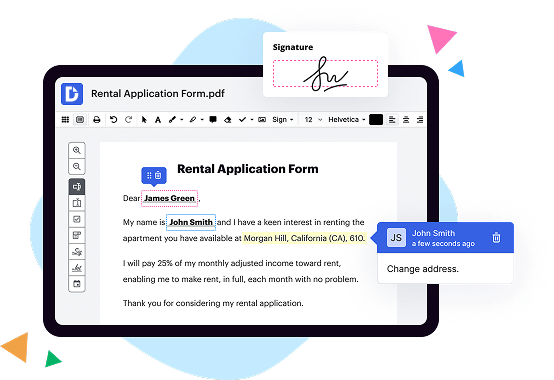
A quick comparison of DocHub vs. Nitro PDF vs. SodaPDF key features

|
Nitro PDF | SodaPDF | |
|---|---|---|---|
| No Downloads | |||
| Search Form Online | |||
| Edit PDF | |||
| Annotate PDF | |||
| Fax Online | |||
| Track Sending Documents | |||
| Get DocHub for free |

Dochub Vs Nitro Pdf Vs Sodapdf On Laptop, which is better?
DocHub is an easy-to-use, secure, and more affordable alternative to Nitro PDF and SodaPDF. It helps individual consumers, small businesses, and schools digitize their documents and improve overall efficiency. Though Nitro PDF and SodaPDF have almost similar capabilities with DocHub and are used to simplify document workflows, DocHub beats the competition when it comes to ease of use, customization, and Google integrations. DocHub combines diverse PDF tools, eSignatures, fillable forms, and seamless integrations with Google apps in a single, secure, cloud-based solution that works on any device and doesn't require hours of learning to get started.
Move from Nitro PDF and SodaPDF to DocHub in a few steps
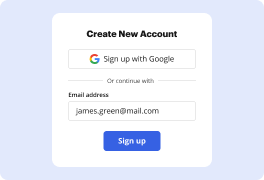
01. Register with DocHub using your email address or Google account. It's fast and easy. No credit card required.
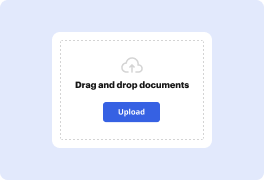
02. Upload the document you need or create it from scratch. Then, customize it by adding images, drawings, and different types of fillable fields.
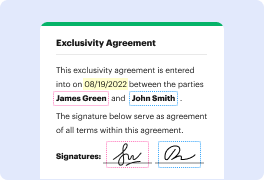
03. Customize your PDF in minutes. Type, highlight, underline, whiteout text, add comments, and sign your document.
04. Share your PDF with others to collaborate in real-time. Export your document, download or print it out.
Switch to DocHub from Nitro PDF and SodaPDF to enjoy premium PDF customization

Online PDF creator and editor
Get your perfect document in minutes without hassle. Start with a blank document or modify an existing one. Type text, add shapes, drawings, images, and highlight or whiteout information. Whatever you do with a PDF, the result is always high quality, without rasterized text or removed fields.

Diverse PDF management tools
Manage your PDF to perfection. Add, delete, and rearrange document pages or merge them to create a new document. DocHub supports a variety of file types including PDF, DOC, PPT, XLS, TXT, DOCX, and PPTX, which you can easily convert to a PDF — all without leaving your account and switching between different apps.

Powerful PDF tools on your mobile device
Keep your work flowing from any location. Get DocHub capabilities on your mobile device so you can edit, annotate, manage, sign, and share PDFs just as easily as you would on desktop. No need to install the app.

Google integrations
Boost your productivity and deliver an amazing customer experience by managing your PDFs from your favorite Google apps. Import, edit, and sign your documents directly from your Gmail, Google Drive, and Dropbox. When finished, export documents to Google Drive or import your Google Address Book and share the document with your contacts.

Interactive PDF forms and templates
Get an intuitive and interactive experience when creating PDF forms and reusable document templates. With the easy-to-use field manager, you can modify existing fields or create new ones for checkboxes, signatures, initials, and more. Publish forms on your website, social media, or share them via URL to collect data.

Real-time collaboration
Collaborate effectively and securely on documents in real-time. Set document permissions to let others view, comment on, edit, and sign your documents. Stay in the loop with instant email notifications or track the status of your documents with court-admissible audit trails.
Industry-leading security and compliance
DocHub complies with industry-leading standards, regulations, and certifications to ensure the most effective and secure workflows.

GDPR compliance
Regulates the collection, use, and holding of personal data for EU residents.

PCI DSS certification
Ensures the security of credit and debit card transactions made by a customer.

CPRA compliance
Enhances the privacy rights of California residents while protecting their personal data.

SOC 2 certification
Ensures the security of your data and the privacy of your clients.

HIPAA compliance
Protects privacy, security, and integrity of sensitive healthcare information.
Check out what our customers are saying about their DocHub experience
Great solution for PDF docs with very little pre-knowledge required.

A Valuable Document Signer for Small Businesses.

I can create refillable copies for the templates that I select and then I can publish those.

Got questions?
Here are some common questions from our customers that may provide you with the answer you're looking for. If you can't find an answer to your question, please don't hesitate to reach out to us.
Contact us
What is the difference between DocHub vs. Nitro PDF vs. SodaPDF on Laptop?
When it comes to managing, editing, and sharing your documents on your laptop, there are several options available. Three popular choices for this are DocHub, Nitro PDF, and SodaPDF. Each of these tools has its own unique features and benefits. In this comparison, we will outline the differences between DocHub, Nitro PDF, and SodaPDF, helping you make an informed decision about which one suits your needs best.
DocHub is a versatile and user-friendly document management platform that allows you to view, edit, and sign PDFs effortlessly. With DocHub, you can easily import your documents, make annotations and comments, fill out forms, and even add legally binding electronic signatures. It offers a smooth and intuitive interface, making it a great choice for both beginners and advanced users. The seamless integration with Google Drive also ensures quick access to your files, making collaboration a breeze. So, if you're looking for a straightforward and efficient tool to manage your documents, DocHub is a fantastic option.
Nitro PDF is another robust PDF solution that offers powerful editing and collaboration features. This tool allows you to create, combine, and convert PDFs with ease. Nitro PDF also offers advanced editing capabilities, including text editing, image manipulation, and the ability to add watermarks. With its strong emphasis on team collaboration, Nitro PDF provides features like document sharing, markup tools, and version control. Furthermore, Nitro PDF's user-friendly interface ensures a smooth experience while working on your documents. If you need a comprehensive PDF editor with excellent collaborative features, Nitro PDF could be the right choice for you.
SodaPDF is a feature-rich PDF software that offers a wide range of tools for creating, editing, converting, and securing your documents. With SodaPDF, you can split, merge, and compress PDFs effortlessly. It also provides advanced editing capabilities, such as OCR (optical character recognition) for scanned documents, redaction of sensitive information, and the ability to add digital signatures. One standout feature of SodaPDF is its extensive library of templates, which allows users to create professional-looking documents quickly. If you're looking for a PDF tool that combines comprehensive editing features with a vast template library, SodaPDF is worth considering.
In conclusion, each of these PDF management tools - DocHub, Nitro PDF, and SodaPDF - brings its own set of features and benefits to the table. DocHub shines with its simplicity, intuitive interface, and seamless integration with Google Drive. Nitro PDF offers powerful editing capabilities and excellent collaboration tools, perfect for teams. SodaPDF stands out with its extensive template library and comprehensive editing features. Ultimately, the choice between these tools depends on your specific requirements and preferences.
DocHub vs Nitro PDF vs SodaPDF on Laptop: which is better for Enterprises?
While Nitro PDF and SodaPDF are good solutions to work with PDFs online, DocHub offers greater capabilities to help individuals and businesses digitize their documents and make them run smoothly across different devices and your favorite apps.
DocHub vs Nitro PDF vs SodaPDF on Laptop: which is better for small businesses?
Nitro PDF and SodaPDF are good options for editing, signing, and sharing PDFs. However, DocHub offers a more comprehensive featureset that includes organizations, reusable templates, advanced eSignatures, seamless Google integrations, and more that are perfect for small businesses, helping them simplify and streamline document editing, sharing, signing, and form completition.
What is DocHub?
DocHub is a Google-integrated PDF editor and eSignature solution that helps you get your PDFs done online, using any device. DocHub comes with an online PDF editor, advanced eSignatures, PDF forms, reusable templates, and straightforward Google integrations so you can maximize your productivity when working within your favorite Google apps.
What is Nitro PDF and how does it work on Laptop?
Nitro PDF is a powerful software that allows you to create, edit, and manage PDF documents effortlessly on your laptop. With its user-friendly interface and comprehensive features, Nitro PDF provides a seamless experience for all your PDF needs.
When it comes to working with PDF files on your laptop, Nitro PDF offers a wide range of functions that make handling and manipulating PDFs a breeze. Whether you want to create a PDF from scratch, convert other file formats into PDF, or merge multiple PDFs into one, Nitro PDF has got you covered.
One of the key features of Nitro PDF is its editing capabilities. You can easily edit text, images, and even pages within a PDF document. With the intuitive tools provided, you can make changes, add annotations, and highlight important information, all with just a few clicks.
In addition, Nitro PDF allows you to add and remove password protection to your PDF files, ensuring that your sensitive information stays secure. You can also add digital signatures to your PDFs, making it easy to authenticate and verify the authenticity of your documents.
Furthermore, Nitro PDF enables you to convert PDF files to different formats such as Word, Excel, PowerPoint, and more. This is particularly helpful when you need to extract data from a PDF or edit the content in another application.
With its robust features and user-friendly interface, Nitro PDF simplifies the process of handling PDF files on your laptop. Whether you're a student, professional, or simply looking to manage your personal documents, Nitro PDF offers a reliable and efficient solution.
So, if you're looking for a versatile PDF software that combines ease of use with powerful features, look no further than Nitro PDF. Give it a try and witness the convenience it brings to your laptop PDF experience.
What is SodaPDF and how does it work on Laptop?
Are you curious to learn about SodaPDF and how it works on your laptop? Well, look no further, because we've got all the information you need. SodaPDF is a versatile and user-friendly software that allows you to easily edit, convert, and manage PDF files right from your laptop.
Using SodaPDF on your laptop is a breeze. Once you've downloaded and installed the software, simply open it up and get ready to explore a world of PDF possibilities. With its intuitive interface, you'll find yourself quickly navigating through its various features and tools.
Whether you need to edit the content of a PDF, convert it to a different format, or even merge multiple documents into one, SodaPDF has got you covered. It offers a wide range of editing options, allowing you to add or remove text, images, and even whole pages. You can also annotate your PDFs with comments, highlight important sections, and draw shapes effortlessly.
One of the standout features of SodaPDF is its ability to convert PDFs to different file formats. Need to turn a PDF into a Word document? No problem! Simply select the conversion option, choose the desired format, and let SodaPDF work its magic. It supports conversions to various file types including Word, Excel, PowerPoint, HTML, and even image formats like JPEG and PNG.
Managing your PDF files is also a breeze with SodaPDF. You can easily organize your documents by creating folders, renaming files, and even adding tags for quick and easy searches. Plus, with its cloud integration, you can access and work on your PDFs from anywhere, anytime, without the need to worry about data loss.
In conclusion, SodaPDF is a powerful and versatile tool that simplifies the management and editing of PDF files on your laptop. With its user-friendly interface, extensive features, and seamless performance, SodaPDF is the ideal companion for anyone dealing with PDF documents. Give it a try and unlock the true potential of your PDF files!
Is DocHub free?
Yes. DocHub's free plan is a perfect fit for one-offs or occasional projects. You can start using DocHub’s Free Plan straight away after completing the quick account registration. No learning is needed. The DocHub Pro Plan has a 30-day free trial so you have enough time to test the product.
Is Nitro PDF free to use?
Yes, Nitro PDF is indeed free to use! With Nitro PDF, you can conveniently and effortlessly create, edit, convert, and collaborate on PDF documents. Whether you need to compile reports, annotate files, or sign important documents, Nitro PDF provides a user-friendly platform that caters to your diverse needs.
By utilizing Nitro PDF's features, you can enhance your productivity while maintaining the highest standard of document quality. With its simple and intuitive interface, even those who are not tech-savvy can easily navigate and utilize all its powerful tools.
Moreover, Nitro PDF ensures that you have full control over your PDF files. It empowers you to make necessary changes, insert comments, and extract data without any hassle. You can rely on Nitro PDF to streamline your workflow and optimize your document management process.
Furthermore, Nitro PDF supports seamless integration with various file formats, allowing you to effortlessly convert documents to and from PDF. Whether it's Word, Excel, PowerPoint, or other popular file types, Nitro PDF has you covered. This versatility eliminates the need for multiple software applications, making it a cost-effective and efficient solution.
In addition to its impressive functionality, Nitro PDF places great emphasis on security. It prioritizes the protection of your sensitive data through advanced encryption and access control features. Feel confident in sharing and storing your important documents without compromising confidentiality.
So, to sum it up, Nitro PDF offers a free and versatile platform that aims to elevate your PDF experience. With its user-friendly interface, extensive features, and commitment to security, Nitro PDF is undoubtedly a reliable tool for all your document needs. Start using Nitro PDF today and witness the difference it can make in simplifying and enhancing your document management journey!
Is SodaPDF free to use?
Yes, SodaPDF is indeed free to use. It provides a user-friendly platform for all your PDF needs without any cost. With SodaPDF, you can easily create, convert, edit, and merge PDF files without any hassle. Whether you want to compress a large PDF file or add annotations to an existing document, SodaPDF offers a comprehensive range of features to cater to your needs.
By using SodaPDF, you can unlock the full potential of your PDF files in a simple and efficient manner. The intuitive interface allows you to navigate through the various tools and functions effortlessly. You don't have to worry about complicated processes or hidden fees.
Furthermore, SodaPDF offers seamless compatibility with different platforms and devices. You can access and use it on your computer, tablet, or smartphone, ensuring that you have the flexibility to work on your PDF files wherever you may be. It saves you time and effort, streamlining your PDF management tasks.
In conclusion, SodaPDF is a reliable and free solution for all your PDF needs. Its straightforward interface, versatile features, and cross-platform compatibility make it an excellent choice for individuals and businesses alike. Give it a try and discover how easy it is to work with PDFs using SodaPDF.
What is DocHub’s cost and pricing?
DocHub has straightforward pricing that includes one free plan and one paid plan. If you need to get documents done once in a while, the Free Plan is just the thing for you. It includes all the PDF tools to help you edit, sign, share, and organize your documents. For a growing document workflow, we recommend the DocHub Pro plan at $14 per user per month. It includes unlimited PDF capabilities and priority tech support. You can even test it free for 30 days before buying.
What are the plans and prices for Nitro PDF?
Sure, I understand that you're interested in learning about the plans and prices for Nitro PDF. Well, let me provide you with all the details in a straightforward and engaging manner.
Nitro PDF offers a range of plans tailored to meet your specific needs. They have designed their pricing structure with your convenience and affordability in mind. With Nitro PDF, you can choose between two main plans: Nitro Productivity Suite and Nitro Pro.
Let's start with Nitro Productivity Suite. This plan is perfect for individuals and small businesses alike. It provides you with a comprehensive set of features to create, edit, and convert PDF files effortlessly. Plus, you get access to the powerful eSigning capabilities that Nitro PDF offers. With this plan, you can unlock your productivity potential at an affordable price.
Now, if you're looking for more advanced features and additional functionality, Nitro Pro is the perfect fit. This plan is targeted towards large businesses and enterprises. With Nitro Pro, you can collaborate seamlessly with your team, protect your sensitive documents, and streamline your workflow. It's a game-changer for those who require top-notch PDF capabilities.
Now, let's talk about the prices. Nitro PDF believes in offering transparent and competitive pricing. Unfortunately, I don't have access to the exact prices at this moment since they may vary based on your location and specific requirements. However, rest assured that Nitro PDF is known for providing cost-effective solutions, ensuring that you get the best value for your investment.
In order to get the most accurate pricing information, I recommend visiting Nitro PDF's official website. There you will find detailed pricing plans for both Nitro Productivity Suite and Nitro Pro. Simply navigate to their pricing page and explore the options available to you.
To summarize, Nitro PDF offers flexible plans designed to cater to your PDF needs. Whether you're an individual, a small business, or an enterprise, Nitro PDF has a plan that will suit you perfectly. Their pricing is competitive and ensures that you receive excellent value for your money.
Remember, for the most up-to-date and accurate pricing details, it's best to visit Nitro PDF's website directly.
What are the plans and prices for SodaPDF?
SodaPDF offers a range of plans and prices to suit your specific needs. Whether you’re looking for basic features or advanced functionalities, they've got you covered.
Starting with their Essential plan at $10 per month, you'll have access to essential PDF tools that allow you to view, create, and convert PDF files effortlessly. This plan provides a solid foundation for managing your PDF documents efficiently.
If you require more advanced features, you can opt for the Premium plan, available at $20 per month. With this plan, you’ll gain additional tools such as e-signature capabilities, form creation, and OCR (Optical Character Recognition) functionality. It's perfect for individuals or small businesses that need to streamline their PDF workflows.
For those with even greater PDF needs, SodaPDF offers the Business plan, priced at $30 per month. This comprehensive package provides all the features of the Premium plan, along with enhanced collaboration tools, customization options, and priority support. It's an excellent choice for larger teams or organizations requiring top-notch PDF management capabilities.
No matter which plan you choose, SodaPDF ensures a seamless and user-friendly experience with their intuitive interface and extensive range of features. Plus, their plans are flexible, allowing you to upgrade or downgrade as your requirements change.
So, if you’re looking for a reliable and affordable PDF solution, SodaPDF has a plan tailor-made for you. Unlock the full potential of your PDF documents and take your productivity to new heights with their competitively priced plans.
Is DocHub safe?
Absolutely! For DocHub, your data security is a top priority. DocHub complies with industry-leading regulations including GDPR, PCI DSS, CCPA, and more. DocHub offers 256-bit SSL encryption, OAuth 2.0 authentication, encrypted storage, and all signatures added using DocHub are legally-binding under the ESIGN Act. Additionally, all changes made in a document are recorded and available in a detailed audit trail.
Is Nitro PDF on Laptop safe?
Yes, Nitro PDF is safe to use on your laptop. This powerful software has been designed with the utmost care to provide a secure and reliable experience. Nitro PDF allows you to create, edit, and convert PDF files effortlessly, making it an essential tool for businesses, students, and professionals alike.
With Nitro PDF, you can easily handle all your PDF needs without worrying about the safety of your data or computer. The software has undergone rigorous testing and is continuously updated to stay ahead of potential threats.
By using Nitro PDF, you can have peace of mind knowing that your personal information and files are protected. The developers have implemented robust security measures to ensure that your data remains confidential and secure.
Furthermore, Nitro PDF's user-friendly interface makes it incredibly easy to navigate and utilize all the features it offers. Whether you're a beginner or an experienced user, you'll find Nitro PDF intuitive and straightforward to use.
In addition to its safety and user-friendly interface, Nitro PDF boasts impressive speed and performance. You won't have to worry about your laptop slowing down or experiencing any issues while using this software. Its quick processing power allows you to work efficiently and get things done in no time.
In conclusion, Nitro PDF is a reliable and secure choice for managing your PDF files on your laptop. With its powerful features, user-friendly interface, and focus on safety, it is an excellent tool for anyone in need of PDF functionalities. So, go ahead and take advantage of this software to streamline your PDF workflows with confidence.
Is SodaPDF on Laptop safe?
Yes, SodaPDF on Laptop is completely safe! You can rest assured that this software ensures the security and protection of your files. With its user-friendly interface and powerful features, SodaPDF makes it easy for you to view, edit, and convert your documents without any worries.
Using SodaPDF on your laptop is a seamless experience. It offers a wide range of tools that allow you to organize and manipulate your PDF files with ease. Whether you need to merge multiple documents into one, compress the file size, or add annotations and signatures, SodaPDF has got you covered.
When it comes to security, SodaPDF takes it seriously. The software employs robust encryption algorithms to safeguard your sensitive information. With this level of protection, you can confidently share your files electronically, knowing that they are secure from unauthorized access.
Another great benefit of SodaPDF on Laptop is its compatibility with various file formats. It allows you to convert your PDFs to and from other popular formats such as Word, Excel, PowerPoint, and more. This versatility gives you the flexibility to work with your documents in the format that best suits your needs.
SodaPDF is regularly updated to ensure optimal performance and to address any potential security vulnerabilities. This dedication to keeping the software up to date means that you can enjoy a smooth and secure experience every time you use it.
In conclusion, SodaPDF on Laptop is a fantastic tool that is both safe and reliable. Its user-friendly interface, extensive features, and robust security measures make it an excellent choice for managing your PDF files. So go ahead and give SodaPDF a try, you won't be disappointed!
What are the main DocHub alternatives on Laptop?
The main DocHub alternatives are Lumin PDF, Small PDF, PDF escape, and others. However, DocHub’s ease of use, flexibility, affordability, and deep Google integrations are the reasons why DocHub is ahead of the competition.
What are the 10 best Nitro PDF alternatives on Laptop?
If you're in search of the best Nitro PDF alternatives for your laptop, you're in luck! We've compiled a list of the top 10 options that will cater to your PDF needs with utmost efficiency. Among these alternatives, one that stands out as a versatile and user-friendly choice is DocHub. But fear not, we won't limit our focus to just one option — we've got plenty more to explore!
1. DocHub: As promised, let's begin with an exceptional PDF alternative. DocHub offers a seamless user experience with its intuitive interface and comprehensive features. From filling out forms to annotating documents, this tool has you covered.
2. Adobe Acrobat DC: A longstanding leader in the PDF realm, Adobe Acrobat DC boasts powerful editing tools and reliable performance. It allows you to create, convert, and edit PDFs with ease and precision.
3. Smallpdf: No matter your PDF needs, Smallpdf has a solution. This all-encompassing platform offers an array of tools, from compressing files to converting them into different formats, effectively catering to your every requirement.
4. Foxit PhantomPDF: Foxit PhantomPDF ranks high among the Nitro PDF alternatives due to its exceptional editing capabilities. Its collaborative features and advanced security options make it an ideal choice for both individuals and businesses.
5. PDFelement: PDFelement is a feature-rich alternative that prides itself on its user-friendly interface. It facilitates tasks like editing, converting, and securing PDFs effortlessly, making it perfect for users of all levels of expertise.
6. Sejda PDF Editor: If you're seeking a web-based alternative that's as reliable as it is user-friendly, Sejda PDF Editor fits the bill. With its straightforward interface and numerous editing options, managing your PDFs becomes a breeze.
7. PDF-XChange Editor: Offering a wealth of editing features, PDF-XChange Editor gives you the power to modify your PDFs effortlessly. Its robust capabilities, combined with its ease of use, make it a popular choice for many.
8. Nitro Pro: While we're exploring Nitro PDF alternatives, it's worth mentioning Nitro Pro itself. With its impressive range of features, such as OCR technology and collaboration tools, it remains a viable option for those who appreciate its familiarity.
9. PDFescape: For those seeking a simple yet effective solution, PDFescape offers an online platform that covers the basics. It allows you to edit PDFs, fill out forms, and perform minor modifications without hassle.
10. Able2Extract Professional: Rounding off our list is Able2Extract Professional, a comprehensive PDF tool equipped with an array of conversion and editing functions. Its speed and accuracy make it a go-to choice for users requiring precise results.
Now armed with this list of Nitro PDF alternatives, you can confidently choose the one that best matches your preferences and requirements. Whether it's DocHub, Adobe Acrobat DC, or any of the other fantastic options, rest assured that your PDF needs will be met with efficiency and ease. Happy PDF managing!
What are the 10 best SodaPDF alternatives on Laptop?
When it comes to finding the perfect SodaPDF alternative for your laptop, the options are endless. But don't worry, we've got you covered! In this article, we'll explore the top 10 alternatives that will surely meet your needs and elevate your document editing experience.
1. DocHub: Why not kick off our list with a bang? DocHub offers an intuitive and feature-rich platform that allows you to edit, sign, and collaborate on your documents seamlessly. With its user-friendly interface and impressive range of tools, DocHub is definitely worth checking out.
2. Adobe Acrobat Pro DC: A household name in the world of document management, this powerful tool provides a wide range of features like editing, converting, and creating PDFs. With its robust capabilities, Adobe Acrobat Pro DC is a top contender for professionals.
3. Nitro Pro: With Nitro Pro, you can take your PDF editing to the next level. This comprehensive software offers a plethora of advanced features, such as OCR technology and collaboration tools, making it ideal for both individuals and businesses.
4. Smallpdf: If simplicity is what you seek, Smallpdf is the solution for you. This user-friendly online platform offers a streamlined experience with essential PDF editing features. It's perfect for those who prefer a straightforward interface.
5. PDFelement: This all-in-one PDF editor is packed with robust features that allow you to create, edit, and convert your PDFs effortlessly. PDFelement offers an intuitive interface and powerful tools that can handle any document editing task.
6. Foxit PhantomPDF: Foxit PhantomPDF combines advanced features with an easy-to-use interface. Whether you need to edit, secure, or collaborate on PDF files, this software has got you covered. Its versatility makes it a strong contender in the SodaPDF alternative market.
7. PDF Expert: Designed specifically for Mac users, PDF Expert provides a seamless editing experience. Its clean interface and powerful features make it a go-to choice for those who value simplicity and functionality.
8. Able2Extract Professional: If you often find yourself converting PDFs to other formats, Able2Extract Professional is a reliable option. With its impressive conversion accuracy and vast range of features, this software is highly regarded among professionals.
9. Sejda PDF Editor: Sejda PDF Editor offers a balanced combination of simplicity and functionality. With its easy-to-use interface and essential editing tools, this web-based platform ensures a smooth PDF editing experience.
10. PDFescape: Last but not least, PDFescape is a browser-based alternative that provides basic PDF editing features. While it may not offer the most extensive feature set, it is a convenient option for simple document editing tasks.
No matter which alternative you choose, each of these SodaPDF alternatives has its unique strengths and features that will undoubtedly enhance your document editing experience. So go ahead and explore these top-notch options - you won't be disappointed!