What is the difference between DocHub vs MedianDocs vs. OptiDoc?
When comparing DocHub, MedianDocs, and OptiDoc, there are a few key differences to consider. DocHub stands out as the top choice due to its impressive features and user-friendly interface. However, MedianDocs and OptiDoc also offer their own unique strengths that may be appealing depending on your specific needs.
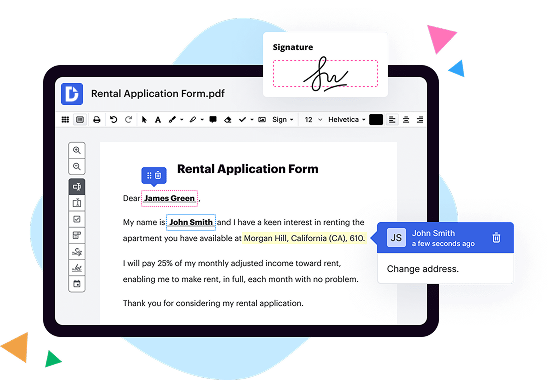
First and foremost, let's dive into DocHub. With DocHub, you'll experience a seamless and efficient document management system that will simplify your workflow. Its extensive array of tools and functionalities allow you to easily edit, sign, and share documents with just a few clicks. Whether you're collaborating with colleagues or finalizing contracts, DocHub provides a comprehensive solution. The user interface is intuitive, making it simple to navigate and utilize all of its powerful features without any hassle.
Now let's turn our attention to MedianDocs. While it may not have all the bells and whistles that DocHub boasts, MedianDocs offers a more streamlined approach. It focuses on the essentials, providing a straightforward platform for document editing and signing. An ideal choice for those who prefer a simpler interface and don't require the extensive features found in DocHub.
Lastly, we have OptiDoc. This document management tool emphasizes customization and automation. OptiDoc allows you to tailor the system to fit your unique business needs and offers automated workflows to enhance productivity. If you crave a high level of customization and desire automated processes, OptiDoc could be the ideal solution for you.
Overall, when weighing the options, DocHub emerges as the clear front-runner. Its feature-rich platform, user-friendly interface, and seamless document management capabilities make it the top choice for individuals and businesses alike. However, MedianDocs and OptiDoc have their own advantages, catering to different preferences and requirements.
We hope this breakdown helps you in your decision-making process, enabling you to choose the document management solution that aligns best with your needs.
DocHub vs MedianDocs vs OptiDoc: which is better for Enterprises?
While MedianDocs and OptiDoc are good solutions to work with PDFs online, DocHub offers greater capabilities to help individuals and businesses digitize their documents and make them run smoothly across different devices and your favorite apps.
DocHub vs MedianDocs vs OptiDoc: which is better for small businesses?
MedianDocs and OptiDoc are good options for editing, signing, and sharing PDFs. However, DocHub offers a more comprehensive featureset that includes organizations, reusable templates, advanced eSignatures, seamless Google integrations, and more that are perfect for small businesses, helping them simplify and streamline document editing, sharing, signing, and form completition.
What is DocHub?
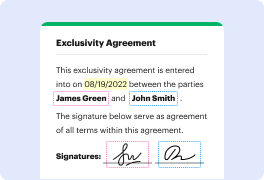
DocHub is a Google-integrated PDF editor and eSignature solution that helps you get your PDFs done online, using any device. DocHub comes with an online PDF editor, advanced eSignatures, PDF forms, reusable templates, and straightforward Google integrations so you can maximize your productivity when working within your favorite Google apps.
What is MedianDocs and how does it work?
MedianDocs is a fantastic platform that revolutionizes the way you handle your documents. It's a game-changer for anyone seeking a simple and effective way to manage and organize their files. Now, let me walk you through how this remarkable platform works!
First and foremost, the user-friendly interface of MedianDocs ensures a seamless experience. It's designed to make document management a breeze, even for those who may not be tech-savvy. With just a few clicks, you'll find yourself effortlessly navigating through the platform, ready to tackle your document-related tasks.
Once you hop on board with MedianDocs, you'll be able to upload, store, and organize all your important documents in one secure and easily accessible location. Whether it's personal files, work documents, or any other paper trail, MedianDocs has got you covered. No more wasting precious time searching through various folders or losing track of important paperwork!
But that's not all - MedianDocs goes above and beyond with its powerful search feature. Say farewell to endless scrolling and confusing file names! With their advanced search capabilities, finding a specific document becomes a swift and straightforward process. Just type in a keyword or phrase, and MedianDocs will retrieve the relevant files in the blink of an eye.
Security is of utmost importance in today's digital world, and MedianDocs takes this seriously. Rest assured, your documents are stored safely with state-of-the-art encryption and secure servers. Your sensitive information is protected from prying eyes, giving you peace of mind and confidence in using the platform.
Furthermore, collaboration has never been easier than with MedianDocs. You can easily share documents with colleagues, friends, or family members with just a few clicks. No more cumbersome email attachments or complicated file sharing processes. MedianDocs streamlines collaboration, allowing everyone to work together seamlessly.
In conclusion, MedianDocs is your perfect partner in wrangling your documents. Its user-friendly interface, powerful search capabilities, top-notch security, and seamless collaboration features make it a standout platform for managing and organizing your files. Say goodbye to document chaos and hello to an efficient and stress-free experience with MedianDocs!
What is OptiDoc and how does it work?
OptiDoc is an innovative document management system designed to simplify and streamline your document processes. With OptiDoc, you can effortlessly organize, store, and retrieve your important files, all in one centralized location.
Using this powerful platform is incredibly straightforward. OptiDoc offers a user-friendly interface that allows you to easily upload and categorize your documents. Once your files are uploaded, the system utilizes advanced optical character recognition (OCR) technology to convert your scanned or printed documents into editable and searchable digital files.
But that's not all! OptiDoc also provides robust search capabilities, making it a breeze to locate specific documents or even specific keywords within your files. Say goodbye to hours of digging through physical filing cabinets or scrolling endlessly through digital folders. OptiDoc puts all your documents at your fingertips, with just a few clicks.
Another standout feature of OptiDoc is its security measures. You can rest assured that your sensitive information is protected with advanced encryption and access controls. Only authorized users will be able to view, edit, or share your documents, ensuring the utmost confidentiality and compliance with privacy regulations.
OptiDoc is a game-changer for businesses of all sizes. Whether you're a small startup looking to streamline your document processes or a large corporation in need of a more efficient solution, this platform has got you covered.
In conclusion, OptiDoc simplifies documentation management, enhances productivity, and guarantees document security. With its intuitive interface, powerful search capabilities, and top-notch security measures, OptiDoc is the ultimate solution for all your document needs. Give it a try and experience the transformation it brings to your organization.
Is DocHub free?
Yes. DocHub's free plan is a perfect fit for one-offs or occasional projects. You can start using DocHub’s Free Plan straight away after completing the quick account registration. No learning is needed. The DocHub Pro Plan has a 30-day free trial so you have enough time to test the product.
Is MedianDocs free to use?
Yes, MedianDocs is absolutely free to use! You, as a user, can access all of its incredible features without any charge whatsoever. Whether you are an individual or a business, MedianDocs welcomes you with open arms and offers a seamless experience. Not only is it intuitive and user-friendly, but it also allows you to efficiently create, edit, and collaborate on documents. With MedianDocs, you'll be able to streamline your workflow and boost productivity effortlessly. So go ahead, give it a try and discover the countless benefits that come with using MedianDocs for all your document needs.
Is OptiDoc free to use?
Yes, OptiDoc is absolutely free for you to use! We understand the importance of providing a seamless and accessible experience for our users. OptiDoc offers a range of incredible features without any cost. Our goal is to make document management effortless and hassle-free for everyone. So, you can confidently utilize OptiDoc's services without worrying about hidden charges or subscriptions. Plus, we ensure that our platform is user-friendly and straightforward, allowing you to easily navigate and maximize its benefits. So go ahead and try OptiDoc today, and discover a whole new level of convenience and efficiency for managing your documents!
What is DocHub’s cost and pricing?
DocHub has straightforward pricing that includes one free plan and one paid plan. If you need to get documents done once in a while, the Free Plan is just the thing for you. It includes all the PDF tools to help you edit, sign, share, and organize your documents. For a growing document workflow, we recommend the DocHub Pro plan at $14 per user per month. It includes unlimited PDF capabilities and priority tech support. You can even test it free for 30 days before buying.
Is MedianDocs safe?
Sure, let me reassure you by saying that MedianDocs is definitely safe. We understand your concern and value your trust. When it comes to security, rest assured that we take it seriously, employing robust measures to protect your information. Our platform is designed with cutting-edge encryption technologies and authentication protocols to safeguard your data. Your privacy is our top priority, and we take every necessary precaution to ensure it remains intact. Furthermore, our dedicated team continuously monitors our systems to identify and address any potential vulnerabilities. So, you can confidently rely on MedianDocs to provide you with a secure and reliable experience.
What are the main DocHub alternatives?
The main DocHub alternatives are Lumin PDF, Small PDF, PDF escape, and others. However, DocHub’s ease of use, flexibility, affordability, and deep Google integrations are the reasons why DocHub is ahead of the competition.
What are the 10 best MedianDocs alternatives?
There are numerous impressive alternatives to MedianDocs that can cater to your document management needs. Of course, one standout option among these is DocHub, a fantastic platform that provides an array of essential features. However, let's explore a range of other commendable alternatives, ensuring you have a well-rounded list to consider.
1. DocHub: DocHub shines with its intuitive interface and powerful tools, making it an exceptional choice for seamless document management.
2. Adobe Acrobat DC: Known for its versatility, Adobe Acrobat DC offers extensive PDF editing capabilities and collaborative features, ensuring efficient document workflows.
3. PandaDoc: As a robust document automation platform, PandaDoc streamlines document creation, sending, and tracking, simplifying your business processes.
4. Nitro Pro: Nitro Pro provides a comprehensive set of tools for PDF creation, conversion, and collaboration, along with advanced security options for peace of mind.
5. HelloSign: Focusing on electronic signatures, HelloSign is an excellent solution for streamlining document signing workflows, ensuring convenience and legality.
6. SignNow: With its user-friendly interface and powerful document signing features, SignNow simplifies the process of obtaining legally binding electronic signatures.
7. Smallpdf: Smallpdf offers a variety of tools for working with PDFs, from compressing and converting to editing and merging, making it a handy all-in-one solution.
8. Foxit PhantomPDF: Foxit PhantomPDF is a robust PDF editor with an intuitive interface, enabling seamless collaboration and document management.
9. PDFelement: PDFelement empowers users with extensive PDF editing capabilities, including form creation, annotating, converting, and protecting sensitive data.
10. SignEasy: SignEasy allows for easy and secure signing on mobile devices, making it a practical choice for on-the-go professionals.
Whether you're seeking a comprehensive document management solution, electronic signature capabilities, or specialized PDF editing tools, this list encompasses some of the best alternatives to MedianDocs. Explore their unique features and find the perfect fit for your requirements.
What are the 10 best OptiDoc alternatives?
If you're looking for some top-notch alternatives to OptiDoc, we've got you covered! While there are numerous options out there, we've narrowed it down to the 10 best choices to make your life easier. Let's dive right in!
1. DocHub: This versatile tool offers a seamless document editing experience that will leave you impressed. Whether you need to sign a contract, annotate PDFs, or collaborate with others, DocHub has got your back.
2. PandaDoc: With PandaDoc, you can create, send, and track documents effortlessly. It's a powerful platform that simplifies your document workflow, making it a worthy OptiDoc alternative.
3. Adobe Acrobat: Renowned for its reliability, Adobe Acrobat is a go-to solution for document management. Enjoy its extensive array of features, from PDF creation and editing to electronic signatures.
4. HelloSign: This user-friendly tool streamlines the signature process, making it quick and painless. Say goodbye to the hassle of printing and scanning documents – HelloSign has got your digital signature covered.
5. SignRequest: Need a simple and secure way to collect signatures electronically? Look no further than SignRequest. Its intuitive interface and robust security measures ensure a stress-free signing experience.
6. Nitro Pro: Boost your productivity with Nitro Pro, a comprehensive PDF editor with powerful collaboration features. From merging documents to converting files, Nitro Pro has all the tools you need.
7. Smallpdf: As the name suggests, Smallpdf is all about simplicity. Resize, compress, and convert PDF files effortlessly while enjoying a clutter-free interface that gets the job done.
8. SignNow: Perfect for individuals and teams alike, SignNow offers seamless document signing and sharing capabilities. With advanced security features and integrations, it is definitely worth considering.
9. PDFelement: With PDFelement, you can easily edit, convert, and organize your documents. Its intuitive interface and wide range of features make it a reliable alternative to OptiDoc.
10. DocuSign: Rounding off our list is DocuSign, a popular choice for electronic signatures and contract management. Trusted by millions worldwide, DocuSign ensures your documents are handled securely and efficiently.
These OptiDoc alternatives are sure to meet your document management needs. Whether you prioritize collaboration, ease of use, or robust features, you can't go wrong with any of these fantastic options. So go ahead, explore and find the one that suits you best!