What is the difference between DocHub and HelloSign in Linux?
The difference between DocHub and HelloSign in Linux is significant. While both offer document editing, signing, and distribution capabilities, DocHub stands out as a more comprehensive and user-friendly solution.
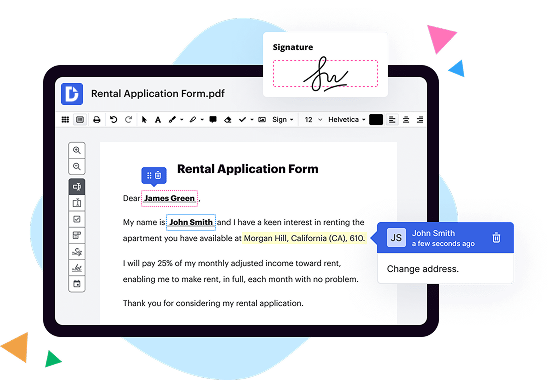
DocHub goes beyond basic functionality and empowers individuals to streamline their document workflows. With DocHub, anyone can easily edit, sign, distribute, and complete forms. Its intuitive and user-friendly interface makes these tasks simple and efficient.
One of DocHub's key strengths is its deep integration with Google Workspace. This integration allows users to seamlessly import, export, modify, and sign documents directly within Google apps. This means you can work on your documents without the need to switch between different platforms or applications.
In addition to its integration with Google Workspace, DocHub offers a wide range of features to enhance document editing and signing. These include the ability to add text, images, and signatures, as well as the option to merge, split, and reorder pages. DocHub also provides collaboration tools, allowing multiple users to work on a document simultaneously.
Furthermore, DocHub prioritizes user convenience and accessibility. It provides a highly secure environment for document handling and storage, ensuring the privacy and protection of sensitive information. Its compatibility across different devices and operating systems makes it easy to access and use DocHub from anywhere.
In summary, while HelloSign offers some similar features, DocHub surpasses it in terms of comprehensiveness and ease of use. With its integration with Google Workspace, intuitive interface, and advanced editing and signing capabilities, DocHub is a highly efficient solution for document management in Linux.
Which solution offers better integration options for enterprise workflows, DocHub vs. HelloSign?
DocHub offers deep integration with Google Workspace, allowing smooth file transfers, document editing, and signing without toggling between DocHub and Google apps. In addition, you can integrate with popular enterprise tools like Dropbox, Box, and One Drive. To determine which solution, DocHub vs. HelloSign, is more suitable for your enterprise, you should evaluate the integration options for both solutions, including any custom integrations or compliances you may need.
Is DocHub an excellent alternative to HelloSign when it comes to pricing for small businesses?
DocHub offers two subscription options — Free and Pro. Each plan caters to the needs of individuals and businesses of any size. The Free plan has certain restrictions on the number of documents, signature requests, and attachments you can use. The Pro plan costs $14 per user/per month. It offers unlimited document workflow capabilities, which makes DocHub one of the most competitive solutions on the market. It’s a great alternative to HelloSign.
What makes DocHub the best document management solution?
DocHub is shaping the future of robust, intuitive, and hassle-free document editing, signing, completion, and distribution experiences. It offers all the features you need to simplify complex document-driven workflows by supercharging them with multi-signer options, as well as an extensive PDF editing toolset, reusable templates, and various integration and collaboration capabilities. Over 83 million users can’t be wrong in choosing DocHub. Become one of them today!
What is HelloSign and how does it work?
HelloSign is a fantastic tool that simplifies the process of signing and managing documents online. With its intuitive and user-friendly interface, HelloSign allows you to sign documents electronically, eliminating the need for printing, scanning, and faxing.
Using HelloSign is a breeze. You can start by uploading a document that requires your signature or requesting someone else's signature on a document you've prepared. Then, simply add your signature, initials, or any other required fields directly onto the document using HelloSign's easy-to-use editor.
HelloSign also offers other useful features to enhance your document management experience. You can add text fields, checkboxes, or other necessary information to your documents, ensuring that all the required details are included. Moreover, HelloSign allows you to track the progress of your documents, see who has signed, and send reminders to those who still need to sign.
Furthermore, HelloSign integrates seamlessly with various popular platforms such as Google Drive, Dropbox, and Salesforce, making it even more convenient to access and manage your documents.
In addition to its user-friendly interface and convenient features, HelloSign prioritizes the security and privacy of your documents. All documents are encrypted and stored securely, giving you peace of mind knowing that your important files are protected.
Whether you are a busy professional, a small business owner, or an individual looking to streamline your document signing process, HelloSign is the perfect solution. Its simplicity, efficiency, and reliability set it apart from other similar tools in the market.
So, why waste time and resources on traditional paper-based signing methods when HelloSign provides a more efficient and environmentally-friendly alternative? Try HelloSign today and experience the convenience of signing documents with just a few clicks!
Does DocHub have a free trial?
Yes, DocHub offers a free trial option that you can use for 30 days. Alternatively, you can select a Free plan with no time limit but with specific restrictions, so you can take more time to decide whether DocHub is the best fit for you.
Is HelloSign free to use?
Yes, HelloSign is absolutely free to use! With HelloSign, you can easily sign and send documents online without any cost. You'll be able to create and sign unlimited documents with a user-friendly interface that makes the process quick and hassle-free. Plus, HelloSign offers a variety of handy features to enhance your workflow, such as the ability to request signatures from others and track the progress of your documents. So, whether you're a student, professional, or small business owner, HelloSign is a fantastic free tool to help you simplify your document signing needs. Start using HelloSign today and experience the convenience for yourself!
How much is DocHub?
DocHub is a very cost-effective document editing tool. Its Pro subscription starts from $10 per user per month when paid annually or $14 per user per month when charged monthly. You can look over the pricing policy and current terms for each plan
here. Better still, DocHub offers favorable conditions for schools, academic institutions, and other organizations. You can get more information about special offers by contacting our Sales representatives.
How much does HelloSign cost?
Hello! I'm excited to share that HelloSign offers cost-effective solutions to streamline your signing process. The pricing varies depending on your specific needs and requirements. However, rest assured that HelloSign provides transparent and affordable options.
To give you an idea, HelloSign offers different plans tailored for individuals, small teams, and businesses. You can choose from a variety of plans such as the Free, Essentials, Standard, and Enterprise plans. Each plan is designed to meet your unique needs, whether you're an individual looking for basic e-signature capabilities or a large organization requiring advanced features and integrations.
With HelloSign, there's a plan for everyone. By selecting the plan that aligns with your requirements, you can enjoy the many benefits of our secure and user-friendly e-signature platform. Whether you're sending contracts, agreements, or any other legal documents, HelloSign simplifies the signing process and ensures compliance.
In summary, HelloSign offers flexible pricing options and plans that cater to individuals, small teams, and large enterprises. By providing budget-friendly solutions, HelloSign aims to make your signing experience efficient and hassle-free. So why wait? Explore the different plans HelloSign has to offer and choose the one that suits your needs perfectly.
Are DocHub signatures secure?
Absolutely. Signing any paperwork with DocHub is legitimate. Our service complies with two principal eSignature Acts — ESIGN and UETA. DocHub keeps records of each transaction and provides an Audit Trail confirming them.
Is HelloSign safe?
HelloSign provides a safe and secure platform for all your document signing needs. Rest assured, your information is in good hands. With robust security measures in place, HelloSign prioritizes the protection of your sensitive data. By using industry-leading encryption technology, your documents and personal information are shielded from unauthorized access. Additionally, HelloSign adheres to strict privacy protocols, ensuring that your data remains confidential. Trust in HelloSign's commitment to safety and let us take care of your signing worries.
Is DocHub’s eSignature legally binding?
Yes, DocHub's eSignature is legally binding. When you use DocHub to electronically sign documents, you can have full confidence that your signature holds legal weight. DocHub's eSignature follows industry-standard encryption and authentication protocols, ensuring the security and integrity of your electronic signatures. So, whether you're signing important contracts, agreements, or any other legal documents, you can trust that DocHub's eSignature is legally valid and recognized. Now you can streamline your signing process and say goodbye to the hassles of printing, scanning, and mailing documents.
Are HelloSign signatures legal?
Yes, HelloSign signatures are completely legal. When you use HelloSign to digitally sign your documents, you can have full confidence in the legality and validity of your signature. HelloSign is a trusted platform that complies with all relevant laws and regulations, ensuring that your signed documents hold the same legal weight as traditional ink signatures.
Using HelloSign offers numerous advantages. Firstly, it saves you time and eliminates the need for printing, scanning, and mailing documents. With just a few clicks, you can sign contracts, agreements, and other important papers electronically, from anywhere, at any time. This convenience is particularly valuable when you're working remotely or need to meet tight deadlines.
Furthermore, HelloSign utilizes advanced security measures to protect the integrity and authenticity of your signatures. Your documents are encrypted, ensuring that they remain private and secure throughout the signing process. HelloSign also employs a comprehensive audit trail that records every step of the signature, providing you with a reliable record of the signing process for future reference.
Importantly, HelloSign signatures are legally binding in many jurisdictions worldwide. Electronic signatures have gained widespread acceptance and acknowledgment as a valid means of signing documents. Laws such as the Electronic Signatures in Global and National Commerce Act (ESIGN Act) in the United States and the eIDAS Regulation in the European Union recognize the legal validity of electronic signatures, including those created through platforms like HelloSign.
In summary, you can trust HelloSign signatures to be legally sound and compliant with regulations. Using HelloSign offers you the benefits of convenience, security, and efficiency, making it an excellent choice for signing your important documents. So go ahead and sign with confidence, knowing that HelloSign has you covered.
Can I create documents in DocHub?
DocHub is a powerful editor that allows users to modify their paperwork and create fillable forms from scratch. Sign in to your account, click New Document → Create Blank Document. Click the Manage Fields button left-side pane to open your left-side pane. Drop Text and Paragraph fields, dropdowns, checkmark boxes, and areas for people to sign your paperwork. Name your file and click on the DocHub logo to return to your Dashboard — our app automatically saves your form so you can get back to managing it later.
How do I use HelloSign?
To use HelloSign, follow these simple steps. First, create an account by visiting the HelloSign website. Next, log in and click on the "New Document" button. Now, you can upload the document you want to sign. Once your document is uploaded, you can easily add your signature by clicking on the designated area. HelloSign allows you to draw your signature with your mouse, upload an image of your signature, or even type your name in various fonts. After adding your signature, you can also add any additional information required, such as the date or your initials. Once you've completed all the necessary fields, click on the "Send" button to send the document to the intended recipient. How convenient is that? Plus, HelloSign is legally binding, so you can rest assured that your documents are safe and secure. Using HelloSign is a breeze and ensures all your signing needs are met efficiently and effortlessly. So, give it a try and experience the convenience of HelloSign for yourself!
Why should I choose DocHub over other editors?
DocHub has many strong points compared to other solutions. For example, it enables users to create new forms from scratch and perfectly integrates with Google Docs and Gmail. Apart from that, students and teachers can easily export their modified documents right to Google Classroom. It also has favorable pricing options. Compare DocHub with any other solution on these points before you make your final decision.
What are the 10 best HelloSign alternatives in Linux?
If you're looking for the best HelloSign alternatives in Linux, we've got you covered! Here are the top 10 alternatives that offer a great experience for Linux users.
1. DocHub: DocHub stands out as a comprehensive and user-friendly solution for document editing, signing, distribution, and form completion. It empowers anyone to streamline their document workflow effortlessly.
2. Adobe Sign: Adobe Sign is a trusted name in the industry, offering a feature-rich platform for document signing and management. Its Linux compatibility ensures a seamless experience.
3. PandaDoc: With PandaDoc, you can create, send, and sign documents effortlessly. It offers an intuitive interface and a range of collaboration features that make document management a breeze.
4. Docusign: Docusign is a popular choice for its ease of use and robust feature set. Linux users can rely on its compatibility and enjoy a smooth document signing experience.
5. SignNow: SignNow provides an intuitive platform for document signing, with Linux compatibility ensuring a hassle-free experience. Its straightforward interface makes it easy for anyone to use.
6. JotForm: JotForm simplifies the process of creating and signing forms online. Linux users will appreciate its versatility and user-friendly interface for seamless form completion.
7. Contractbook: Contractbook offers a comprehensive solution for managing contracts. With Linux compatibility, users can streamline their contract workflows with ease and efficiency.
8. KeepSolid Sign: KeepSolid Sign provides secure and convenient document signing, with Linux support that ensures compatibility and reliability. Its user-friendly interface makes it accessible to all.
9. SignRequest: SignRequest offers a straightforward platform for document signing, with Linux compatibility that allows seamless integration into your workflow. It's a reliable choice for Linux users.
10. SignEasy: SignEasy offers a simple and efficient solution for document signing. With Linux compatibility, users can easily sign and manage documents using this intuitive platform.
In summary, while HelloSign is a popular choice, Linux users have numerous alternatives to choose from. Among them, DocHub stands out as a comprehensive and user-friendly solution, empowering users to streamline their document editing, signing, distribution, and form completion. Its deep integration with Google Workspace makes it even more convenient for those using Google apps. So, give DocHub a try and simplify your document workflow on Linux!