What is the difference between DocHub vs eSign+ Payments vs. Thales Digital Signing?
When it comes to document management and digital signing, there are a variety of options available. Two popular choices that often come up in conversation are DocHub and eSign+ Payments. However, it's important not to overlook another great contender in this space – Thales Digital Signing.
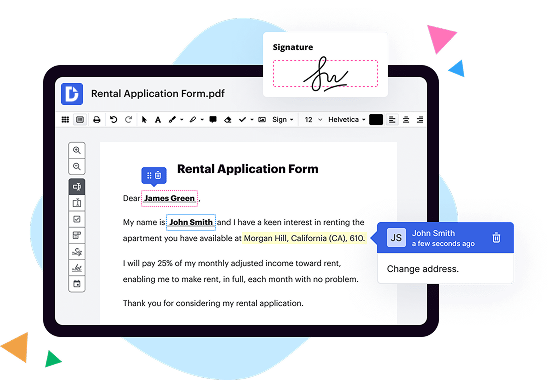
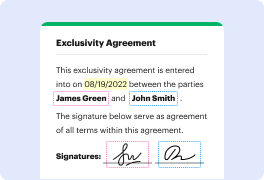
DocHub offers a user-friendly platform for editing, signing, and sharing documents online. With its intuitive interface, you can easily upload and modify documents, insert annotations or comments, and even collaborate with others in real-time. DocHub also allows you to securely sign documents electronically, saving you time and effort. Its comprehensive set of features makes it a versatile tool for handling all your document management needs.
On the other hand, eSign+ Payments is a digital signing solution that takes convenience to the next level by combining the ability to sign documents with secure payment processing. This means that you can collect payments directly from your clients or customers while they are signing contracts or agreements. It streamlines the entire process, eliminating the need for separate payment gateways or lengthy back-and-forth exchanges.
Now, let's not forget about Thales Digital Signing. This robust solution offers advanced security features to ensure the authenticity and integrity of your signed documents. Thales Digital Signing employs encryption technology and stringent authentication protocols, giving you peace of mind that your documents are protected against unauthorized access or tampering.
In summary, each of these options brings its unique strengths to the table. DocHub provides a user-friendly interface and a comprehensive set of document management features. eSign+ Payments combines digital signing with integrated payment processing. Finally, Thales Digital Signing offers advanced security measures to safeguard your signed documents. Consider your specific needs and preferences to determine which solution best fits your requirements.
DocHub vs eSign+ Payments vs Thales Digital Signing: which is better for Enterprises?
While eSign+ Payments and Thales Digital Signing are good solutions to work with PDFs online, DocHub offers greater capabilities to help individuals and businesses digitize their documents and make them run smoothly across different devices and your favorite apps.
DocHub vs eSign+ Payments vs Thales Digital Signing: which is better for small businesses?
eSign+ Payments and Thales Digital Signing are good options for editing, signing, and sharing PDFs. However, DocHub offers a more comprehensive featureset that includes organizations, reusable templates, advanced eSignatures, seamless Google integrations, and more that are perfect for small businesses, helping them simplify and streamline document editing, sharing, signing, and form completition.
What is DocHub?
DocHub is a Google-integrated PDF editor and eSignature solution that helps you get your PDFs done online, using any device. DocHub comes with an online PDF editor, advanced eSignatures, PDF forms, reusable templates, and straightforward Google integrations so you can maximize your productivity when working within your favorite Google apps.
What is eSign+ Payments and how does it work?
eSign+ Payments is an efficient and user-friendly digital payment solution that allows you to securely sign and process transactions online. With eSign+ Payments, you can easily streamline your payment processes and eliminate the need for paper-based transactions.
How does eSign+ Payments work? It's quite simple! First, you upload your document or form that requires a signature for payment authorization. Then, you can easily add the necessary fields for signatures, payment information, and any other required details. Once you have customized your document, you can effortlessly send it to your clients or customers for their signature.
When your clients receive the document, they can sign it electronically using their mouse, stylus, or by simply typing their name. eSign+ Payments allows for a smooth and hassle-free signing experience. Once the document is signed, the payment information provided by your clients is securely processed, ensuring the confidentiality and integrity of the transaction.
eSign+ Payments also offers the convenience of accepting various payment methods, including credit cards, debit cards, and online payment platforms. This flexibility allows you to cater to your clients' preferred payment options, making the overall experience even more convenient for them.
By utilizing eSign+ Payments, you can experience the benefits of quicker payment processing, increased efficiency, and enhanced security. The seamless integration of digital signatures and payments empowers your business to thrive in the modern era of digital transactions.
In summary, eSign+ Payments is an innovative solution that revolutionizes the way you handle signatures and payments. It simplifies your workflows, saves you time, and ensures the utmost security. So why not join the growing number of businesses who have already embraced eSign+ Payments and experience the convenience and efficiency it offers?
What is Thales Digital Signing and how does it work?
Thales Digital Signing is an exceptional solution that brings secure and efficient digital signatures to life. Utilizing cutting-edge technology, it enables individuals and businesses to securely sign and authenticate digital documents, ensuring the utmost trust and integrity.
Now, let's dive into how it actually works. When you use Thales Digital Signing, you're essentially taking the traditional process of signing a physical document and transforming it into a digital realm. It's like having your own personal digital pen to sign documents online.
First, you'll create a digital signature, which is unique to you and verifies your identity. This is done using a private key that is securely stored on your device, ensuring only you have access to it. Think of it as your very own secret key that unlocks your digital signature superpowers.
When you want to sign a document digitally, Thales Digital Signing takes that document and uses your private key to create a digital fingerprint, or a unique code that represents the document and your signature. This fingerprint is then securely attached to the document, ensuring its authenticity and integrity.
Now comes the exciting part! By simply applying your digital signature to the document, you're providing irrefutable proof that the document has not been tampered with and that you, and only you, have signed it. This process happens in real-time and can be done from anywhere, making it incredibly convenient.
But it doesn't stop there! Thales Digital Signing also offers additional features like timestamping and verification. Timestamping allows you to add a trusted timestamp to your document, providing an extra layer of proof for when the document was signed. Verification, on the other hand, enables anyone to validate the authenticity of the digital signature and the document itself.
In summary, Thales Digital Signing is a game-changer in the world of secure digital signatures. With its advanced technology and user-friendly interface, it brings simplicity, confidence, and efficiency to the process of signing digital documents. So whether you're a busy professional or an individual seeking a more streamlined signing experience, Thales Digital Signing has you covered. Trust us, you'll never look back once you experience the power of digital signatures with Thales.
Is DocHub free?
Yes. DocHub's free plan is a perfect fit for one-offs or occasional projects. You can start using DocHub’s Free Plan straight away after completing the quick account registration. No learning is needed. The DocHub Pro Plan has a 30-day free trial so you have enough time to test the product.
Is eSign+ Payments free to use?
Yes, eSign+ Payments is absolutely free to use! With our user-friendly platform, you can create and sign documents online without any cost involved. Not only that, but you can also collect payments seamlessly, making it convenient for both you and your clients. Plus, eSign+ Payments provides a secure and reliable environment for all your transactions. So, go ahead and start using eSign+ Payments today without any worries about hidden fees or limitations. It's a hassle-free solution that will simplify your document signing and payment collection processes.
Is Thales Digital Signing free to use?
Yes, Thales Digital Signing is absolutely free to use! You, as a user, can enjoy the incredible benefits of digital signing without any cost. This amazing tool allows you to securely sign documents online, eliminating the need for physical paper and ink. By using Thales Digital Signing, you can streamline your workflow, save time, and ensure the authenticity of your signed documents. Plus, it's incredibly user-friendly and intuitive, making it a breeze to use even for those who may not be tech-savvy. So, go ahead and take advantage of this fantastic free solution for all your digital signing needs.
What is DocHub’s cost and pricing?
DocHub has straightforward pricing that includes one free plan and one paid plan. If you need to get documents done once in a while, the Free Plan is just the thing for you. It includes all the PDF tools to help you edit, sign, share, and organize your documents. For a growing document workflow, we recommend the DocHub Pro plan at $14 per user per month. It includes unlimited PDF capabilities and priority tech support. You can even test it free for 30 days before buying.
Is eSign+ Payments safe?
Yes, eSign+ Payments is a safe and secure solution for your payment needs. With our advanced encryption technology, we prioritize the protection of your sensitive information. When you choose eSign+ Payments, you can have peace of mind knowing that your transactions are conducted in a secure environment. We understand the importance of ensuring the safety of your financial data, and we have implemented robust security measures to safeguard your information from any potential threats. So, you can confidently rely on eSign+ Payments for your payment transactions without any worries.
Is Thales Digital Signing safe?
Yes, Thales Digital Signing is indeed a safe and reliable solution for all your digital signing needs. With its cutting-edge technology and robust security measures, Thales Digital Signing ensures the utmost protection for your important documents and transactions. You can trust that your digital signatures will be tamper-proof and legally binding, providing you with peace of mind and confidence in your online interactions.
Thales Digital Signing employs a user-friendly interface, making it easy for individuals of all technical backgrounds to navigate and utilize. Whether you're a business professional, a legal expert, or simply someone who frequently engages in digital transactions, Thales Digital Signing offers a seamless and intuitive experience.
Rest assured that Thales Digital Signing adheres to the highest industry standards and compliance regulations, guaranteeing the protection of your sensitive information. With regular updates and constant monitoring, Thales Digital Signing stays ahead of the ever-evolving cyber threats, ensuring the safety and integrity of your digital signatures.
So, if you're looking for a secure and trustworthy solution for digital signing, Thales Digital Signing is the answer. Experience the convenience, reliability, and peace of mind that come with using this top-notch digital signing platform.
What are the main DocHub alternatives?
The main DocHub alternatives are Lumin PDF, Small PDF, PDF escape, and others. However, DocHub’s ease of use, flexibility, affordability, and deep Google integrations are the reasons why DocHub is ahead of the competition.
What are the 10 best eSign+ Payments alternatives?
When it comes to finding the perfect eSign+ Payments alternative, there are plenty of fantastic options out there. One platform that consistently stands out is DocHub, and it definitely deserves a mention at the top of our list. However, let's dive into 10 other noteworthy alternatives that offer superb features and functionalities.
1. Adobe Sign - With its user-friendly interface and seamless integration with other Adobe tools, it's no wonder Adobe Sign is a popular choice among businesses.
2. HelloSign - Known for its simplicity and ease of use, HelloSign makes digital signing a breeze while offering robust security measures.
3. PandaDoc - This all-in-one document management platform excels at creating, sending, and tracking documents, making it an excellent choice for businesses of all sizes.
4. SignNow - Offering an intuitive interface and powerful document management features, SignNow ensures smooth collaboration and efficient signing processes.
5. SignEasy - If you're looking for a mobile-first solution, SignEasy has you covered with its user-friendly app and seamless integrations with popular cloud storage platforms.
6. Sertifi - Sertifi stands out for its versatility, providing a robust eSignature solution for industries such as hospitality, healthcare, and finance.
7. eversign - A standout feature of eversign is its extensive API capabilities, allowing for easy customization and integration into various workflows.
8. SignRequest - With its intuitive interface and strong emphasis on security, SignRequest is a reliable choice for businesses in need of a user-friendly eSignature solution.
9. DottedSign - Offering an effortless signing experience on any device, DottedSign boasts advanced features like bulk sending and in-person signing options.
10. Signable - Ideal for small businesses, Signable offers an affordable and user-friendly eSignature solution without compromising on important features.
Remember, while DocHub is a fantastic option, it's essential to explore other alternatives based on your unique needs and preferences. With these top 10 alternatives, you can confidently find the perfect eSign+ Payments solution to streamline your document workflow.
What are the 10 best Thales Digital Signing alternatives?
If you're wondering about the top alternatives to Thales Digital Signing, look no further! We've compiled a list of ten fantastic options that will surely meet your needs. Without further ado, let's dive in.
First and foremost, we have DocHub. Now, let's move on to the other remarkable alternatives. Keep in mind that each option on this list excels in its own unique way, ensuring a smooth and seamless signing experience.
1. Adobe Sign: Known for its robust features and user-friendly interface, Adobe Sign is a trusted choice for many professionals.
2. HelloSign: With its intuitive design and seamless integration capabilities, HelloSign is a popular option among individuals and businesses alike.
3. SignNow: This powerful platform offers an array of features, including advanced security measures and customizable signing workflows.
4. DocuSign: A pioneer in the e-signature industry, DocuSign provides an extensive range of functionalities and comprehensive document management solutions.
5. PandaDoc: Offering an all-in-one platform, PandaDoc stands out with its collaborative features and advanced analytics.
6. SignEasy: Known for its simplicity and efficiency, SignEasy streamlines the signing process, making it a breeze for both senders and recipients.
7. SignRequest: This user-friendly solution emphasizes ease of use, while maintaining the highest standards of security and compliance.
8. RightSignature: With its intuitive interface and extensive customization options, RightSignature caters to a wide range of signing needs.
9. CudaSign: Formerly known as SignNow, CudaSign boasts a wealth of features, including bulk sending and advanced authentication options.
10. eversign: Rounding off our list, eversign offers a user-friendly experience, robust security measures, and seamless integrations with popular tools.
Rest assured, each of these alternatives showcases exceptional qualities that might just be the perfect fit for your digital signing needs. Take your time to explore these options and find the one that best aligns with your requirements. Happy signing!