What is the difference between DocHub vs ELOprofessional vs. etfile?
When it comes to document management solutions, it can be overwhelming to choose the right one for your needs. There are many options available, but three popular choices are DocHub, ELOprofessional, and etfile. Each of these tools offers unique features and benefits, allowing users to efficiently handle their documents and streamline their workflows.
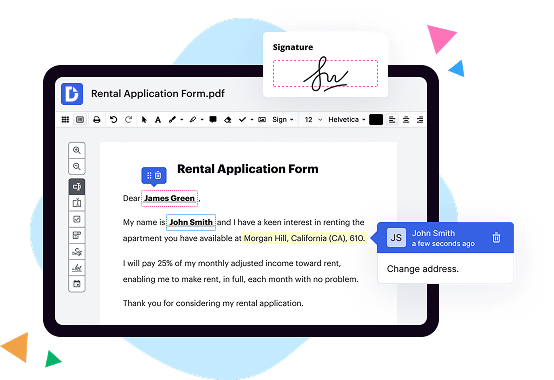
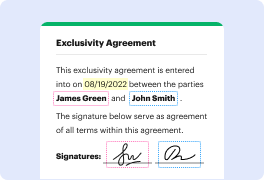
Let's start with DocHub. DocHub is a versatile platform that enables users to edit, sign, and share documents seamlessly. It empowers you to work collaboratively with others, making it easy to collect feedback and make revisions in real time. With its user-friendly interface, you'll find it simple to navigate and utilize its various tools. Whether you're an individual, a small business owner, or a large corporation, DocHub's flexibility and functionality will undoubtedly meet your document management needs.
Now let's talk about ELOprofessional. ELOprofessional is a comprehensive solution designed to streamline document processes across your organization. It offers powerful features such as document search and retrieval, version control, and workflow automation. These tools not only enhance efficiency but also improve compliance and security. With ELOprofessional, you'll have the ability to establish custom access permissions, ensuring that sensitive information remains protected. Additionally, its integration capabilities allow for seamless connectivity with other business systems, optimizing productivity company-wide.
Lastly, there's etfile. This document management platform provides a user-friendly interface paired with robust features to simplify document handling. From document capture and storage to retrieval and distribution, etfile offers a complete solution. Its advanced search capabilities enable you to locate files quickly, saving you valuable time. With its intuitive workflow management, you can automate repetitive tasks and ensure documents are routed to the right people at the right time. etfile aims to streamline your document processes, promote collaboration, and enhance overall productivity.
In summary, each of these document management solutions brings its own unique strengths to the table. Whether you're looking for a versatile and collaborative tool like DocHub, an all-encompassing solution like ELOprofessional, or a user-friendly platform like etfile, you can be confident that these options will meet your document management needs effectively. Choose the one that aligns best with your specific requirements and start unlocking the full potential of your digital documents today.
DocHub vs ELOprofessional vs etfile: which is better for Enterprises?
While ELOprofessional and etfile are good solutions to work with PDFs online, DocHub offers greater capabilities to help individuals and businesses digitize their documents and make them run smoothly across different devices and your favorite apps.
DocHub vs ELOprofessional vs etfile: which is better for small businesses?
ELOprofessional and etfile are good options for editing, signing, and sharing PDFs. However, DocHub offers a more comprehensive featureset that includes organizations, reusable templates, advanced eSignatures, seamless Google integrations, and more that are perfect for small businesses, helping them simplify and streamline document editing, sharing, signing, and form completition.
What is DocHub?
DocHub is a Google-integrated PDF editor and eSignature solution that helps you get your PDFs done online, using any device. DocHub comes with an online PDF editor, advanced eSignatures, PDF forms, reusable templates, and straightforward Google integrations so you can maximize your productivity when working within your favorite Google apps.
What is ELOprofessional and how does it work?
ELOprofessional is an exceptional platform that is designed to revolutionize the way you connect with professionals and showcase your skills to potential employers. It functions by offering a streamlined and efficient platform for professionals to network, share their expertise, and seek new career opportunities.
With ELOprofessional, you have access to a vibrant community of talented individuals from various fields, all seeking to connect and advance their careers. Through a user-friendly interface, you can create an impressive professional profile that highlights your skills, experiences, and achievements, effectively showcasing what makes you stand out in your industry.
One of the unique features of ELOprofessional is its emphasis on fostering meaningful connections. As a user, you can engage with like-minded professionals, participate in knowledge-sharing discussions, and even collaborate on innovative projects. These interactions create valuable networking opportunities that can lead to exciting career prospects.
Furthermore, ELOprofessional provides a platform for employers to post job opportunities and search for potential candidates based on specific criteria. This means that as a professional, your profile can serve as a virtual resume, readily accessible to recruiters and hiring managers who are actively seeking talent in your industry.
To enhance your visibility and increase the chances of landing your dream job, ELOprofessional utilizes search engine optimization (SEO) best practices. By optimizing your profile with relevant keywords and ensuring a compelling and consistent narrative, you can improve your chances of being discovered by potential employers who are searching for professionals with your specific skills and qualifications.
ELOprofessional is a game-changer that empowers professionals like yourself to take control of your career path. By providing a platform that combines networking, job searching, and knowledge sharing, it creates an ecosystem that fosters growth and success.
So, if you're ready to elevate your professional journey, join the ELOprofessional community today and unlock a world of endless possibilities.
What is etfile and how does it work?
Etfile is a fantastic digital tool that empowers individuals and businesses to streamline their document management process with ease. By harnessing the power of the internet, etfile allows users to digitize, store, and organize their documents securely, resulting in improved productivity and efficiency.
When using etfile, the experience is simple and user-friendly. First, you commence by scanning or uploading your physical documents onto the etfile platform. Once uploaded, these documents are transformed into easily searchable digital files, reducing the need for cumbersome paper archives that take up valuable space.
Etfile presents an intuitive interface that enables you to effortlessly categorize, tag, and classify your documents, making it a breeze to locate specific files when needed. No more frantic searching through stacks of paper or wasting precious time on misplaced documents!
Moreover, etfile's robust search capabilities allow you to swiftly locate any document by utilizing keywords, dates, or even specific content within the files. Say goodbye to the tedious task of manually flipping through pages; etfile brings everything at your fingertips.
One of the remarkable features of etfile is its ability to implement secure access controls. You have the flexibility to set permissions and designate who can view, edit, or share specific documents. This ensures that sensitive information remains confidential and only accessible to authorized individuals.
Collaboration is a breeze with etfile, as it allows multiple users to work on the same document simultaneously, fostering seamless teamwork and enhancing overall productivity. The platform also facilitates easy sharing of files within and outside your organization, minimizing the hassle of physical document distribution.
When it comes to document retention and compliance, etfile has got you covered. It provides automated retention policies, ensuring that your documents are retained for the appropriate duration in accordance with legal and regulatory requirements. This eliminates any concerns about non-compliance and helps save valuable time that would otherwise be spent on manual record keeping.
In summary, etfile is a game-changing digital document management system. With its user-friendly interface, powerful search capabilities, and secure access controls, it revolutionizes the way you manage and retrieve your important files. So, unlock the potential of etfile and experience a more efficient and streamlined document management process that will truly enhance your productivity.
Is DocHub free?
Yes. DocHub's free plan is a perfect fit for one-offs or occasional projects. You can start using DocHub’s Free Plan straight away after completing the quick account registration. No learning is needed. The DocHub Pro Plan has a 30-day free trial so you have enough time to test the product.
Is ELOprofessional free to use?
Yes, ELOprofessional is absolutely free to use! You can enjoy all of its amazing features without any cost or hidden charges. Our platform aims to provide a seamless and hassle-free experience for users like you. From creating stunning resumes to accessing exclusive job opportunities, everything is available free of charge. So, rest assured, you can take full advantage of ELOprofessional without breaking the bank. Experience the power of our platform and unlock your professional potential today!
Is etfile free to use?
Yes, etfile is completely free to use! You can access all of its amazing features and functionalities without spending a dime. It's designed to cater to your needs and make your life easier. From seamless file organization to efficient document management, etfile has got you covered. So, go ahead and give it a try – you won't be disappointed. Trust me, you'll be impressed by the user-friendly interface and the numerous benefits it offers. Plus, it's compatible with multiple devices, making it even more convenient for you. So, what are you waiting for? Start using etfile today and experience the wonders it has to offer!
What is DocHub’s cost and pricing?
DocHub has straightforward pricing that includes one free plan and one paid plan. If you need to get documents done once in a while, the Free Plan is just the thing for you. It includes all the PDF tools to help you edit, sign, share, and organize your documents. For a growing document workflow, we recommend the DocHub Pro plan at $14 per user per month. It includes unlimited PDF capabilities and priority tech support. You can even test it free for 30 days before buying.
Is ELOprofessional safe?
Yes, ELOprofessional is absolutely safe! As your trusted partner, we prioritize your security and take necessary measures to ensure the protection of your personal information. Our top-notch security protocols and robust encryption methods guarantee that your data remains guarded from any potential threats. Rest assured, your privacy is our utmost concern. With ELOprofessional, you can confidently navigate our platform knowing that your information is in safe hands. Our commitment to safety is unwavering, bringing you peace of mind every step of the way. So, go ahead and explore ELOprofessional's features with confidence, knowing that your security is our priority.
Is etfile safe?
Absolutely, etfile is a safe and secure option for all your document management needs. With a user-friendly interface and cutting-edge technology, etfile ensures that your files are protected and accessible at all times. Rest assured that your data is encrypted and stored on highly secure servers, providing top-notch security against any unauthorized access. Plus, regular backups and redundant systems guarantee the safety and integrity of your valuable information. Trust in etfile's commitment to keeping your documents secure, allowing you to focus on what truly matters: your work. So go ahead, confidently embrace the convenience and peace of mind that etfile brings to your document management journey.
What are the main DocHub alternatives?
The main DocHub alternatives are Lumin PDF, Small PDF, PDF escape, and others. However, DocHub’s ease of use, flexibility, affordability, and deep Google integrations are the reasons why DocHub is ahead of the competition.
What are the 10 best ELOprofessional alternatives?
When it comes to finding the best alternatives to Eloprofessional, there are quite a few outstanding options to consider. However, one that truly stands out is DocHub. That being said, let's dive into the top 10 alternatives, all of which are worth exploring.
1. DocHub: DocHub provides an exceptional platform for editing, signing, and sharing documents in a seamless manner. With its user-friendly interface and extensive features, DocHub takes document collaboration to the next level.
2. Adobe Sign: Adobe Sign is a widely recognized e-signature solution that allows you to easily send, sign, and manage documents from any device. It offers a comprehensive set of features and integrates seamlessly with other Adobe tools.
3. PandaDoc: PandaDoc is a versatile document management platform that enables you to create, deliver, and track various types of documents. It provides e-signature capabilities and powerful analytics to streamline your workflow.
4. HelloSign: HelloSign simplifies the signing process with its user-friendly interface and robust features. It allows you to send and receive legally binding e-signatures effortlessly and integrates well with popular business tools.
5. SignNow: SignNow offers a comprehensive e-signature solution with advanced features such as document templates, conditional fields, and multi-party signing. It ensures secure, legally binding signatures for your important documents.
6. Docusign: Docusign is a market leader in e-signature solutions, offering a reliable and secure platform for signing and managing documents. With a wide range of customizable features, it caters to businesses of all sizes.
7. Formstack Sign: Formstack Sign combines document signing, data collection, and workflow automation in one powerful platform. It simplifies the document signing process and ensures compliance with industry regulations.
8. SignEasy: SignEasy is a user-friendly e-signature solution designed for individuals and businesses alike. Its intuitive interface and time-saving features make it a great alternative to Eloprofessional.
9. Adobe Acrobat DC: Adobe Acrobat DC is a versatile PDF editor that allows you to create, edit, and sign PDF documents effortlessly. With its comprehensive suite of tools, it provides a complete document management solution.
10. Nitro Sign: Nitro Sign offers a straightforward e-signature solution with a focus on simplicity and ease of use. It enables you to sign and send documents securely, helping you streamline your document workflow.
In conclusion, while Eloprofessional is a solid choice, exploring these alternatives will open up a world of possibilities for efficient document management, editing, and signing. Remember to assess your specific needs and choose the one that best aligns with your requirements. Happy document collaboration!
What are the 10 best etfile alternatives?
Sure! When it comes to finding the best alternatives to etfile, there are several great options out there that can make your document management tasks a breeze. One such standout alternative is DocHub, an incredibly user-friendly tool with a wide range of features to suit your needs.
In addition to DocHub, here are nine other fantastic options to consider:
1. PandaDoc: This innovative platform offers a seamless document management experience, making it easy to create, edit, and collaborate on your files.
2. Adobe Sign: Known for its reliability and industry-leading security, Adobe Sign allows you to electronically sign, send, and manage documents with confidence.
3. SignNow: With its intuitive interface and robust features, SignNow streamlines the entire document signing process, saving you time and effort.
4. Nitro Pro: A reliable PDF editor with an intuitive interface, Nitro Pro enables you to create, convert, and edit PDF files effortlessly.
5. HelloSign: Whether you need to sign documents or gathering signatures from others, HelloSign offers a simple and efficient solution for all your electronic signature needs.
6. PDFfiller: With its extensive library of forms and advanced editing capabilities, PDFfiller allows you to easily fill, sign, and share documents online.
7. Smallpdf: This popular online platform offers a wide range of tools for managing your PDFs, including merging, compressing, and converting files with ease.
8. Signable: Signable specializes in electronic signatures, making it simple for businesses to send, sign, and manage documents securely and legally.
9. CudaSign: Trusted by thousands of businesses, CudaSign offers a comprehensive set of features for document management, allowing you to streamline workflows effortlessly.
10. Signable: Last but not least, Signable is a reliable solution for businesses that need to send, sign, and manage documents efficiently, ensuring a smooth and secure process.
These 10 alternatives to etfile provide diverse functionalities, catering to various document management needs. Give them a try and discover which one suits your requirements best. Whether you choose DocHub or any other option from this list, you can be confident that your document management tasks will become more efficient, seamless, and hassle-free.