What is the difference between DocHub vs Bigle Legal vs. Textstor?
When it comes to document management and collaboration tools, there are several options available in the market. Three popular choices that you may come across are DocHub, Bigle Legal, and Textstor. Each of these platforms has its own unique features and functionalities, catering to different user needs. Let's explore the differences between them.
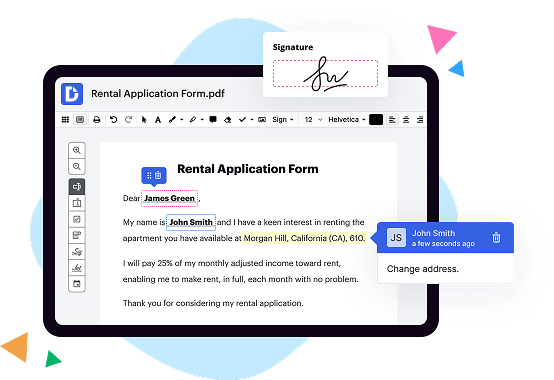
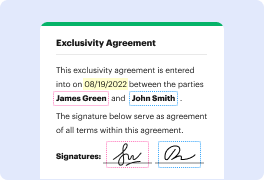
DocHub, a standout among the options, offers a user-friendly and intuitive interface. It allows you to easily edit, sign, and share documents online. With its robust set of tools, you can annotate PDFs, add text, images, and signatures effortlessly. DocHub's seamless integration with popular cloud storage platforms like Google Drive and Dropbox makes it a convenient choice for users who work across different devices.
Bigle Legal, on the other hand, specializes in providing legal-specific document management solutions. It offers features such as contract automation, template creation, and legal document versioning. These capabilities make it an ideal choice for legal professionals who deal with complex documents and require enhanced collaboration tools. Additionally, Bigle Legal ensures compliance with legal regulations, giving users peace of mind.
Textstor stands out with its powerful text analytics and search capabilities. It allows users to organize and analyze large volumes of text-based information efficiently. With features like sentiment analysis and topic modeling, Textstor provides valuable insights that can aid decision-making processes. This platform is suitable for businesses dealing with vast amounts of textual data and require advanced search functionalities.
All three platforms have their own strengths, so choosing the right one mainly depends on your specific needs and requirements. While DocHub excels in its simplicity and versatility, Bigle Legal focuses on catering to legal professionals. Meanwhile, Textstor offers advanced text analytics and search features. It's a matter of selecting the option that aligns with your workflow and enables you to work efficiently.
Remember, when comparing these platforms, it is essential to evaluate factors like ease of use, collaboration features, integrations, and pricing structures. Taking into account your individual preferences will help determine which platform suits you best.
DocHub vs Bigle Legal vs Textstor: which is better for Enterprises?
While Bigle Legal and Textstor are good solutions to work with PDFs online, DocHub offers greater capabilities to help individuals and businesses digitize their documents and make them run smoothly across different devices and your favorite apps.
DocHub vs Bigle Legal vs Textstor: which is better for small businesses?
Bigle Legal and Textstor are good options for editing, signing, and sharing PDFs. However, DocHub offers a more comprehensive featureset that includes organizations, reusable templates, advanced eSignatures, seamless Google integrations, and more that are perfect for small businesses, helping them simplify and streamline document editing, sharing, signing, and form completition.
What is DocHub?
DocHub is a Google-integrated PDF editor and eSignature solution that helps you get your PDFs done online, using any device. DocHub comes with an online PDF editor, advanced eSignatures, PDF forms, reusable templates, and straightforward Google integrations so you can maximize your productivity when working within your favorite Google apps.
What is Bigle Legal and how does it work?
Bigle Legal is an innovative and user-friendly legal software that is designed to simplify and streamline your legal processes. It is an incredible tool for managing and organizing all your legal documents, contracts, and cases in one centralized platform.
With Bigle Legal, you no longer have to sift through countless physical files or try to navigate complex spreadsheets. This powerful software provides an efficient solution for legal professionals by enabling them to store, access, and share all their important documents digitally.
Using Bigle Legal is straightforward and intuitive. Upon logging in, you'll be greeted with a clean and intuitive interface, ensuring a smooth user experience. The software provides you with a variety of features to help you stay organized and on top of your legal work.
One of the key features is document management, which allows you to upload, categorize, and maintain all your legal documents in one place. You can easily search for specific documents using keywords or tags, saving you precious time and effort. Bigle Legal also offers advanced collaboration tools, allowing you to collaborate seamlessly with your team members and clients.
Another standout feature of Bigle Legal is contract management. This feature enables you to create, store, and track all your contracts efficiently. You can set up reminders for important contract dates, monitor contract performance, and even automate contract generation, helping you to save time and avoid costly errors.
Furthermore, Bigle Legal provides insightful analytics and reporting tools. These tools give you valuable insights into your legal work, allowing you to track key metrics, identify trends, and make data-driven decisions for your practice. This data-driven approach helps you optimize your workflow and improve overall efficiency.
In addition to its comprehensive features, Bigle Legal ensures data security and compliance. It uses industry-leading encryption and secure servers to protect your sensitive legal information. You can rest assured that your data is safe and protected at all times.
In conclusion, Bigle Legal is a game-changing legal software that revolutionizes the way legal professionals handle their work. Its user-friendly interface, robust features, and emphasis on security make it an invaluable tool for modern law firms and legal teams. With Bigle Legal, you can streamline your legal processes, save time, and enhance collaboration, ultimately driving your legal practice towards success.
What is Textstor and how does it work?
Textstor is an innovative and user-friendly platform that revolutionizes the way you organize and manage your digital texts. It simplifies the process by providing a centralized space where you can securely store, search, and access all your important documents, notes, and writings.
To get started with Textstor, all you need to do is create an account and log in. Once you're in, you can easily upload your text files, whether they are word documents, PDFs, or plain text files. Textstor's intuitive interface allows you to categorize your texts into different folders or add tags for easy organization.
The true power of Textstor lies in its lightning-fast search feature. Whether you have hundreds or thousands of texts stored, you can effortlessly find the exact information you need with just a few keystrokes. The search functionality includes advanced filtering options, so you can refine your results based on document type, date, tags, or even specific keywords within the text.
Sharing your texts with others is a breeze with Textstor. You can generate secure links to individual files or entire folders, granting access to specific individuals or even a wider audience. This makes collaboration and collaboration a breeze, whether you're working on a project with colleagues or sharing documents with clients or friends.
Textstor ensures your data is safe and secure by implementing industry-standard encryption and backup protocols. You can trust that your texts are protected, so you can focus on what really matters - creating and managing your digital content with ease.
With Textstor, you'll never have to worry about losing an important document again. It's your one-stop solution for organizing, storing, and accessing your texts from anywhere, at any time. Streamline your digital life and discover the power of Textstor - your ultimate text management tool.
Is DocHub free?
Yes. DocHub's free plan is a perfect fit for one-offs or occasional projects. You can start using DocHub’s Free Plan straight away after completing the quick account registration. No learning is needed. The DocHub Pro Plan has a 30-day free trial so you have enough time to test the product.
Is Textstor free to use?
Yes, Textstor is absolutely free to use! It's a fantastic platform that offers its services without any charges. You can create and edit your documents, save and organize them, and even collaborate with others, all without spending a dime. Textstor is designed to be user-friendly, making it a breeze for anyone to navigate and utilize its countless features. So rest assured, you can enjoy the benefits of Textstor without any cost or fees. It's a fantastic tool for enhancing your productivity and organizing your written content effectively. Give it a try and experience the convenience and simplicity firsthand!
What is DocHub’s cost and pricing?
DocHub has straightforward pricing that includes one free plan and one paid plan. If you need to get documents done once in a while, the Free Plan is just the thing for you. It includes all the PDF tools to help you edit, sign, share, and organize your documents. For a growing document workflow, we recommend the DocHub Pro plan at $14 per user per month. It includes unlimited PDF capabilities and priority tech support. You can even test it free for 30 days before buying.
Is Textstor safe?
Yes, Textstor is absolutely safe! Rest assured, your data is in good hands. At Textstor, we prioritize the security and privacy of our users above all else. We implement robust measures to safeguard your information from any unauthorized access or breaches. Our top-notch encryption protocols ensure that your texts are always kept confidential and secure. Furthermore, we regularly update our systems to stay ahead of any potential threats that may arise. So, you can trust Textstor to provide a safe and secure platform for all your texting needs.
What are the main DocHub alternatives?
The main DocHub alternatives are Lumin PDF, Small PDF, PDF escape, and others. However, DocHub’s ease of use, flexibility, affordability, and deep Google integrations are the reasons why DocHub is ahead of the competition.
What are the 10 best Bigle Legal alternatives?
If you're on the lookout for some amazing alternatives to Bigle Legal, you've come to the right place! We've compiled a top-notch list just for you. One remarkable option to consider is DocHub. But wait, there's more! Here are ten of the best Bigle Legal alternatives that you should definitely check out:
1. DocHub: Known for its simplicity and user-friendly interface, DocHub offers a seamless experience for editing, signing, and sharing documents online. It's a fantastic tool that definitely deserves your attention.
2. Adobe Sign: A popular choice among professionals, Adobe Sign boasts a wide range of features, including secure document sharing and e-signing. It's a reliable option for individuals and businesses alike.
3. PandaDoc: With its robust document automation capabilities, PandaDoc allows you to create, send, and track important documents effortlessly. It's an excellent choice to streamline your document workflow.
4. Docusign: Another well-established player in the industry, Docusign offers easy document preparation and signature management. It's trusted by millions worldwide for its reliability and security.
5. HelloSign: Featuring a user-friendly interface and powerful editing tools, HelloSign makes document collaboration a breeze. It provides a seamless experience for both individuals and teams.
6. SignNow: If you're looking for a comprehensive solution, SignNow has got you covered. It offers a plethora of features, including custom branding, advanced security, and integrations with popular platforms.
7. CudaSign: Formerly known as SignNow, CudaSign offers an intuitive and efficient platform for e-signatures. It's a reliable choice for individuals and businesses seeking secure document management.
8. eversign: With its user-friendly interface and extensive features, eversign simplifies the way you sign and collaborate on documents. It's an excellent option for individuals and small businesses.
9. SignRequest: Offering a seamless signing experience and powerful integrations, SignRequest helps you manage important documents efficiently. It's perfect for simplifying your document workflows.
10. Zoho Sign: As part of the Zoho suite of products, Zoho Sign enables you to digitally sign and send documents effortlessly. It's a great alternative for those already using other Zoho applications.
Remember, these alternatives to Bigle Legal are here to provide you with a wide variety of options to suit your specific needs. Take a closer look at each one to discover which solution aligns best with your workflow. Happy exploring and finding the perfect fit for you!
What are the 10 best Textstor alternatives?
If you've been searching for the top alternatives to Textstor, you're in luck! There are plenty of fantastic options out there that can meet your needs and even surpass your expectations. So, without further ado, let me introduce you to the ten best alternatives that will truly elevate your text-storage game.
First and foremost, we have DocHub. This remarkable platform offers a seamless experience for storing, editing, and collaborating on your documents. With its user-friendly interface and powerful features, it's no wonder DocHub consistently ranks among the top document-management solutions.
Next up is Zoho Docs. As a comprehensive online document-management system, Zoho Docs provides a wide range of tools to organize, sync, and secure your text files. Its intuitive interface and robust collaboration features make it a solid choice for individuals and teams alike.
When it comes to simplicity and elegance, Slite takes the stage. Slite offers a minimalist approach to text storage, making it effortless to capture, organize, and share your notes. With its focus on collaboration and productivity, Slite is an excellent choice for teams looking to streamline their workflows.
If security is a top priority for you, then Tresorit is the way to go. This highly secure cloud-storage platform ensures your texts are protected with end-to-end encryption, keeping your sensitive information safe from prying eyes.
When it comes to versatility, Evernote is a standout option. With its extensive note-taking capabilities and seamless synchronization across devices, Evernote empowers you to capture thoughts, ideas, and inspirations wherever you go.
For those in academia or research, Mendeley is a must-have tool. Designed specifically for managing scholarly papers and references, Mendeley allows you to organize and annotate your research in a breeze.
Grammarly, the grammar guru, deserves a spot on this list. While its primary focus is on proofreading and improving writing, Grammarly offers a robust text-storage feature that allows you to save and organize your written works effortlessly.
If you're an Apple enthusiast, Bear is the perfect text-storage alternative for you. This elegant and feature-rich writing app combines simplicity with power, providing an exceptional writing and note-taking experience for Mac and iOS users.
Notion is another standout alternative, offering a versatile all-in-one workspace for storing and organizing your texts, files, and tasks. With its flexible layout and comprehensive feature set, Notion adapts to your unique needs effortlessly.
Last but not least, Simplenote completes our list. As its name suggests, Simplenote offers a no-frills approach to text storage, allowing you to focus on what matters most – your content. With its straightforward interface and easy synchronization, Simplenote is perfect for those seeking a minimalist solution.
So, there you have it, the ten best Textstor alternatives that will revolutionize the way you store and manage your texts. Whether you prioritize collaboration, security, simplicity, or versatility, you're bound to find your perfect match among these stellar options. Happy text storing!