What is the difference between DocHub vs Agrello vs. Docmosis?
When it comes to choosing the right platform for your document management needs, it's important to consider all the options available. Three popular choices in this area are DocHub, Agrello, and Docmosis. Each of these platforms offers its own unique features and benefits that may appeal to different users.
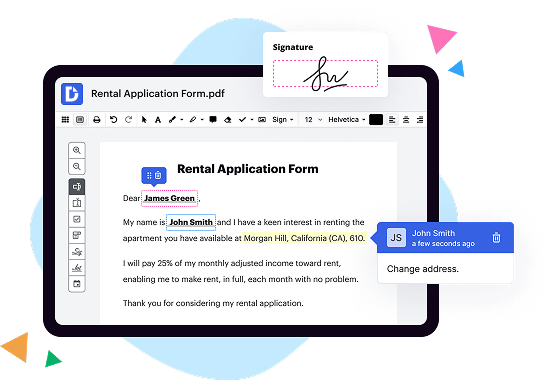
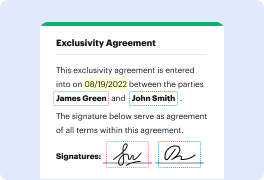
Let's start with DocHub. This user-friendly platform provides a seamless experience for editing, signing, and sharing documents online. With its intuitive interface, you can easily upload your documents, make edits, and even add your signature with just a few clicks. DocHub offers a comprehensive set of tools to annotate, highlight, and merge documents, making it an excellent choice for individuals and teams alike. Plus, it integrates smoothly with other popular platforms, allowing you to work seamlessly across different applications.
Moving on to Agrello, this platform stands out with its innovative approach to document management. Agrello utilizes blockchain technology to ensure the utmost security and transparency for your documents. By leveraging smart contracts, Agrello enables users to create and manage legally binding agreements effortlessly. This feature is particularly beneficial for businesses and individuals involved in complex legal transactions. With Agrello, you can have peace of mind knowing that your documents are securely stored and easily accessible whenever you need them.
Lastly, let's explore Docmosis, another versatile document management solution. Docmosis offers a powerful document generation engine that allows you to create dynamic and personalized documents programmatically. This feature is especially useful for enterprises and developers looking to automate the generation of documents for various purposes such as contracts, reports, or invoices. With Docmosis, you can empower your applications with the ability to produce professional-quality documents efficiently.
In conclusion, there are several considerations when choosing between DocHub, Agrello, and Docmosis. DocHub excels in its user-friendly interface and comprehensive editing features. Agrello stands out with its blockchain-based security and smart contract capabilities. Docmosis caters to those who require advanced document generation automation. Ultimately, the choice depends on your specific needs and preferences. Take the time to explore these platforms and discover which one aligns best with your document management goals and workflow.
DocHub vs Agrello vs Docmosis: which is better for Enterprises?
While Agrello and Docmosis are good solutions to work with PDFs online, DocHub offers greater capabilities to help individuals and businesses digitize their documents and make them run smoothly across different devices and your favorite apps.
DocHub vs Agrello vs Docmosis: which is better for small businesses?
Agrello and Docmosis are good options for editing, signing, and sharing PDFs. However, DocHub offers a more comprehensive featureset that includes organizations, reusable templates, advanced eSignatures, seamless Google integrations, and more that are perfect for small businesses, helping them simplify and streamline document editing, sharing, signing, and form completition.
What is DocHub?
DocHub is a Google-integrated PDF editor and eSignature solution that helps you get your PDFs done online, using any device. DocHub comes with an online PDF editor, advanced eSignatures, PDF forms, reusable templates, and straightforward Google integrations so you can maximize your productivity when working within your favorite Google apps.
What is Agrello and how does it work?
Agrello is an innovative platform that aims to simplify and revolutionize the way legal agreements are created and managed. It empowers individuals and businesses to easily draft and execute legally binding agreements using smart contract technology. Simply put, Agrello is a game-changer in the legal world.
So how does Agrello work? It all starts with their user-friendly interface that guides you through the process of creating a personalized agreement. You don't need any legal expertise or complicated jargon; Agrello makes it accessible to everyone. The platform ensures that your agreement is legally valid and tailored to your specific needs with just a few clicks.
Once your agreement is created, Agrello utilizes blockchain technology to keep it secure, transparent, and immutable. This means that your agreement is tamper-proof and cannot be altered without the knowledge and consent of all parties involved. This level of trust and security brings peace of mind to all parties and eliminates potential disputes.
What sets Agrello apart is its ability to automate the execution of agreements through smart contracts. These contracts are self-executing and self-enforcing, removing the need for intermediaries or manual intervention. When the conditions specified in the agreement are met, the smart contract automatically triggers the agreed-upon actions, such as transferring funds or delivering goods and services. This automation saves time, reduces costs, and ensures that all parties are held accountable.
Agrello strives to make the legal process simpler, faster, and more streamlined. Their platform is designed to empower individuals, startups, and established businesses to create and manage legally binding agreements effortlessly. Whether you're a freelancer, an entrepreneur, or a company, Agrello offers a secure and efficient solution that will revolutionize the way you handle agreements.
In conclusion, Agrello is an innovative platform that simplifies the creation and management of legal agreements through its user-friendly interface, blockchain technology, and smart contracts. It is a game-changer that brings transparency, security, and automation to the legal world. So why bother with traditional cumbersome processes when Agrello offers a simpler and more efficient way forward? Join the revolution and experience the future of legal agreements with Agrello!
What is Docmosis and how does it work?
Docmosis is a powerful document generation tool that allows you to effortlessly create and customize documents, reports, and templates. With its user-friendly interface, generating professional-looking documents has never been easier. Whether you need to generate invoices, contracts, letters, or any other type of document, Docmosis has got you covered.
So, how does Docmosis work? Well, it operates by merging data from various sources into pre-designed templates to produce polished, ready-to-share documents. You can simply provide your data in a structured format, such as JSON, XML, or CSV, and then use Docmosis to merge it with your template. The result is a beautifully formatted document that meets your specific needs.
With Docmosis, you have full control over the design and layout of your documents. You can easily customize fonts, colors, images, and even incorporate conditional logic to dynamically adjust the content based on your data. This flexibility allows you to create personalized documents that accurately reflect your brand and enhance the overall user experience.
Additionally, Docmosis offers seamless integration with various programming languages and platforms, making it a versatile solution for developers. Whether you're working with Java, .NET, PHP, or any other popular language, Docmosis provides comprehensive APIs and libraries to streamline the integration process.
One of the key advantages of using Docmosis is its speed and efficiency. Generating complex documents with a large amount of data can be a time-consuming task. However, Docmosis optimizes the document generation process, allowing you to generate hundreds or even thousands of documents in a matter of seconds.
In summary, Docmosis revolutionizes document generation by providing a simple yet powerful solution that empowers you to effortlessly create professional documents. Its user-friendly interface, customizable templates, and seamless integration capabilities make it the go-to choice for businesses, developers, and individuals alike. So why settle for mundane documents when you can elevate your output with Docmosis?
Is DocHub free?
Yes. DocHub's free plan is a perfect fit for one-offs or occasional projects. You can start using DocHub’s Free Plan straight away after completing the quick account registration. No learning is needed. The DocHub Pro Plan has a 30-day free trial so you have enough time to test the product.
Is Agrello free to use?
Yes, Agrello is absolutely free to use! You can access its incredible features without any cost. Our platform offers a seamless and user-friendly experience, ensuring that everyone can easily navigate and make the most of our services. Whether you are an individual looking to create smart contracts or a business seeking efficient legal solutions, Agrello has got you covered. Plus, we constantly improve and upgrade our platform to provide you with an even better experience over time. So go ahead, explore the possibilities with Agrello, and enjoy the benefits of our free and innovative platform!
Is Docmosis free to use?
Yes, Docmosis is free to use! You can take advantage of its remarkable features and capabilities without any charge. With Docmosis, you can effortlessly generate dynamic documents, reports, and forms tailored to your specific needs. It's a user-friendly tool that empowers you to effortlessly create professional and polished documents, saving you both time and effort. Plus, you can easily integrate Docmosis into your existing applications and workflows. So go ahead and give it a try; it's completely free and ready to revolutionize your document generation process!
What is DocHub’s cost and pricing?
DocHub has straightforward pricing that includes one free plan and one paid plan. If you need to get documents done once in a while, the Free Plan is just the thing for you. It includes all the PDF tools to help you edit, sign, share, and organize your documents. For a growing document workflow, we recommend the DocHub Pro plan at $14 per user per month. It includes unlimited PDF capabilities and priority tech support. You can even test it free for 30 days before buying.
What are the plans and prices for Docmosis?
Docmosis offers multiple plans and pricing options based on the user's requirements. Here are some of the available plans:
1. Starter Plan:
- Pricing: $10 per month (billed annually) or $12 per month (billed monthly)
- Features: Limited to 100 documents per month, basic support, and document generation via Docmosis Cloud.
2. Professional Plan:
- Pricing: $20 per month (billed annually) or $24 per month (billed monthly)
- Features: Up to 1,000 documents per month, priority support, document generation via Docmosis Cloud or on-premise, access to data sources through REST API, and custom fonts.
3. Business Plan:
- Pricing: Custom pricing based on requirements
- Features: Tailored for organizations with high-volume document generation needs, extended support options, dedicated document servers, collaboration features, advanced security, and more. This plan is suitable for enterprise-grade applications.
It is important to note that the above prices are indicative and may vary depending on the specific requirements and agreements with Docmosis. It is always best to refer to the official Docmosis website or contact their sales team directly for the most up-to-date and accurate pricing information.
Is Agrello safe?
Agrello is absolutely safe! You can trust the Agrello platform to keep your personal information secure and protect your assets. The team at Agrello has taken extensive measures to ensure the safety and privacy of its users. With a robust security system in place, your data is safeguarded from any unauthorized access. Rest assured, Agrello prioritizes the protection of your digital identity and assets. So, whether you're engaging in contract management or exploring the world of decentralized technologies, Agrello has got your back!
Is Docmosis safe?
Yes, Docmosis is absolutely safe! It's designed to ensure the security and privacy of your documents and data. We prioritize the protection of your information and take all necessary measures to keep it secure. With our user-friendly interface and seamless integration, you can confidently generate and deliver your documents without any worries. Moreover, Docmosis follows industry-standard protocols and undergoes regular security audits to provide you with a dependable and trustworthy solution. So rest assured, your documents are in good hands with Docmosis!
What are the main DocHub alternatives?
The main DocHub alternatives are Lumin PDF, Small PDF, PDF escape, and others. However, DocHub’s ease of use, flexibility, affordability, and deep Google integrations are the reasons why DocHub is ahead of the competition.
What are the 10 best Agrello alternatives?
When it comes to finding the perfect alternatives to Agrello, let me assure you that there are plenty of outstanding options available. One such gem that stands out from the crowd is DocHub. But fear not, I won't make it the center of attention, even though it deserves a spot on any list of top alternatives.
Without further ado, here are 10 fantastic Agrello alternatives that will surely satisfy your needs:
1. DocHub: This feature-rich platform provides all the tools necessary for effortless document signing, editing, and collaboration. It’s a true game-changer!
2. PandaDoc: Offering a user-friendly interface and an array of templates, PandaDoc streamlines your document creation process, making it a breeze.
3. SignNow: With its intuitive design and robust features, SignNow ensures seamless document signing and sharing. Simplify your workflow with this powerful alternative.
4. HelloSign: Streamline your document management process with HelloSign's simplified interface and comprehensive functionality. It's like a breath of fresh air.
5. Docusign: Renowned for its reliability and extensive integration options, Docusign makes digital document signing a stress-free experience. It's trusted and loved by millions.
6. Formstack: Need a versatile solution for online forms? Look no further than Formstack. It empowers you to create, share, and analyze forms effortlessly. A true time-saver!
7. Adobe Sign: As part of the renowned Adobe suite, Adobe Sign provides top-notch e-signature capabilities and seamless integration with other Adobe products. It's a powerhouse!
8. SignEasy: When it comes to simplicity, SignEasy takes the crown. This user-friendly platform simplifies your document signing process, leaving you with more time for important tasks.
9. SignRequest: Dedicated to making the signing process smooth and efficient, SignRequest offers an intuitive interface and effective features that guarantee a seamless experience.
10. Signable: Last but certainly not least, Signable provides an elegant solution for document signing and management. Its hassle-free interface and efficient features make it a worthy choice.
In conclusion, whether you're looking for feature-rich platforms like DocHub, or exploring alternatives that simplify document signing and management, there's no shortage of exceptional options available. So go ahead, take the plunge, and find the perfect Agrello alternative that suits your needs.
What are the 10 best Docmosis alternatives?
When it comes to finding the perfect alternative to Docmosis, you're in luck! There are plenty of options out there that can meet your document generation needs with ease. Let's explore the top 10 alternatives and discover their unique features that make them stand out from the crowd.
1. DocHub: Leading the pack, DocHub offers a user-friendly interface and powerful document editing capabilities. With its seamless integration with Google Drive and Gmail, it's a reliable choice for all your document generation requirements.
2. PandaDoc: Taking document creation to the next level, PandaDoc provides an impressive array of features, including electronic signatures and advanced analytics. It aims to simplify your workflow while ensuring top-notch security.
3. Formstack Documents: With its intuitive interface and robust automation features, Formstack Documents simplifies the creation and delivery of personalized documents. It supports popular cloud storage platforms like Google Drive and Dropbox.
4. Templafy: This comprehensive document management platform enables you to create, manage, and distribute personalized documents effortlessly. Templafy's robust template library and advanced compliance features make it a go-to choice for enterprise-level businesses.
5. WebMerge: Seamlessly integrating with your favorite apps, WebMerge allows you to generate personalized documents easily. Its advanced automation features, such as conditional logic and dynamic content, make the document creation process a breeze.
6. Windward Studios: With its powerful reporting and document generation capabilities, Windward Studios is an ideal choice for businesses with complex document requirements. It offers extensive customization options and supports various data sources.
7. Documate: Streamline your document generation process with Documate's intelligent automation platform. Its no-code document assembly solutions enable you to create documents swiftly and accurately.
8. TheFormTool: Simplify document creation and form filling with the user-friendly interface of TheFormTool. Whether you need to generate contracts or create legal documents, this tool will save you time and effort.
9. Zoho Writer: Zoho Writer stands out with its collaboration features, allowing multiple users to work on documents simultaneously. Its user-friendly interface and extensive formatting options make it a great alternative to Docmosis.
10. Conga Composer: Automate document generation with Conga Composer's robust features. It seamlessly integrates with popular CRMs, such as Salesforce, and offers a high level of customization to meet your specific needs.
There you have it—the top 10 alternatives to Docmosis, each showcasing unique features that can enhance your document generation process. Explore these options and find the perfect fit to elevate your document creation experience.