Transform your file managing with Confirmation in wholesale Order Forms

Your workflows always benefit when you can easily locate all the forms and files you need at your fingertips. DocHub delivers a vast array of forms to relieve your daily pains. Get hold of Confirmation in wholesale Order Forms category and quickly browse for your document.

Begin working with Confirmation in wholesale Order Forms in several clicks:

  1. Gain access to Confirmation in wholesale Order Forms and get the document you need.
  2. Click on Get Form to open it in the editor.
  3. Begin modifying your file: add fillable fields, highlight paragraphs, or blackout sensitive facts.
  4. The app saves your modifications automatically, and after you are ready, you are able to download or distribute your file with other contributors.

Enjoy smooth document management with DocHub. Discover our Confirmation in wholesale Order Forms online library and look for your form right now!


Video Guide on Confirmation in wholesale Order Forms management

video background

Commonly Asked Questions about Confirmation in wholesale Order Forms

How to write a confirmation email Start with a clear and specific subject line. Personalize the greeting. Confirm the action taken by the recipient. Provide the necessary details about the action. Include a call to action (CTA) guiding the next steps. Offer a way to contact for further assistance.
Writing your own order confirmation: content, structure, and more The offer, customer, and confirmation/invoice number. Description and name of the goods and/or services. Quantity and price of the goods and/or services. Information on the delivery and/or the execution of the service. Payment and delivery conditions.
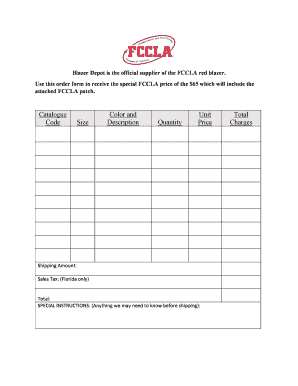
An order form is a document used to handle wholesale and business-to-business orders. The document lists a brands products, product details, prices, etc., and lets the buyer order by inputting the requested order quantities in an empty column.
What Should Be Included in an Order Form? The name of your company (legal name). Your companys current address. Customers details, including name and email address. The shipping address of the customer. Purchase order date. Sales order number. Salespersons name. Date of shipping.
For quick, friendly wholesale order forms, youll need to include quantity, price per unit, and a total amount. But thats not all. Include fields for shipping and contact details to get everything you need from one form.
Key Components of Order Confirmation Email Personalized Thank You note. Order number. Billing and shipping address. Product details, including the name, price, quantity, and SKU ID, if any. The total price paid by the customer.
Subject Lines: [BUSINESS NAME] Order #[ORDER NUMBER] Confirmed! Your order from [BUSINESS NAME] is confirmed! Here are you order details from [BUSINESS NAME], [CUSTOMER NAME] We got your order, [CUSTOMER NAME]! Thanks for shopping with us, [CUSTOMER NAME] heres your order info!
A confirmation email assures them the order was received and is being processed, and that the order is correct. The email should summarize the product ordered, the sum paid, payment method, order number, delivery address, order status, expected delivery date and order tracking information.