
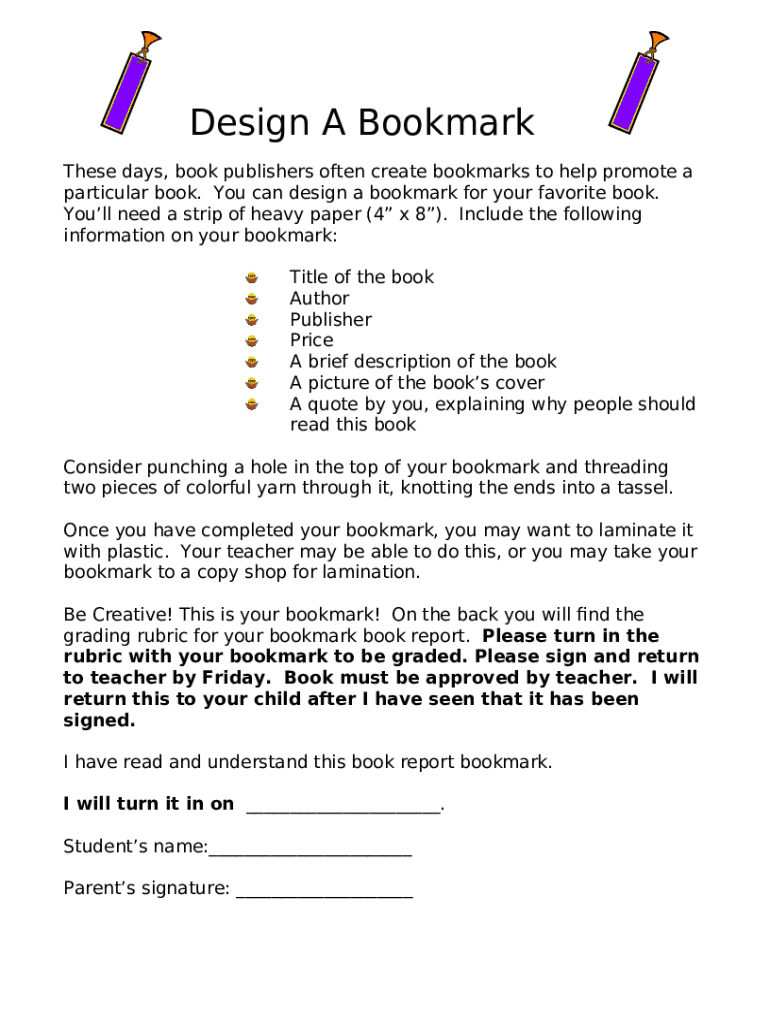







Definition and Purpose of Free Printable Bookmark Templates
Free printable bookmark templates allow users to create personalized bookmarks easily. These templates serve as a starting point for individuals looking to design their bookmarks with unique styles and purposes. By providing pre-designed layouts, the templates simplify the creation process, ensuring that even those with minimal design skills can produce attractive bookmarks. These bookmarks can support various uses, whether for personal reading, educational purposes, or promotional efforts related to favorite books.
Benefits of Using Free Printable Bookmark Templates
- Customization: The templates offer the flexibility to add personal touches, such as favorite quotes and images.
- Ease of Use: With minimal design effort required, users can quickly produce bookmarks.
- Cost-effectiveness: Free access to templates saves on design costs.
- Variety: A wide selection of templates caters to different themes and occasions.
- Time-saving: Pre-made designs reduce the time needed for creating bookmarks from scratch.
Importance of Free Printable Bookmark Templates
Free printable bookmark templates are not just a novelty; they offer practical benefits. For avid readers, the bookmarks ensure that they never lose their place in a book. In educational settings, teachers can use customized bookmarks as part of learning activities or rewards for students. For event organizers or marketers, bookmarks serve as a cost-effective promotional tool, allowing businesses to reach potential customers creatively.
How to Use Free Printable Bookmark Templates
Using free printable bookmark templates involves straightforward steps that make them accessible even to beginners.
- Select a Template: Choose a template that fits your purpose or theme.
- Customize the Design: Add personalized elements such as text, images, or logos.
- Preview the Design: Review the layout to ensure it meets your expectations.
- Print the Bookmark: Use high-quality paper to print the design for durability.
- Cut and Finish: Trim the bookmarks to size and add decorative elements like tassels if desired.
Additional Tips for Customization
- Incorporate color themes that reflect the book or brand.
- Add QR codes for digital engagement opportunities.
- Utilize double-sided printing for added information on the back.
Obtaining Free Printable Bookmark Templates
Finding free printable bookmark templates online is straightforward. Participants can access a variety of templates through platforms that specialize in design resources or stationery items. Websites offering these templates typically provide them in common formats such as PDF or DOC, ensuring compatibility with most editing software. This accessibility means users can download templates at their convenience, customize them according to individual needs, and print them directly from their devices.
Who Uses Free Printable Bookmark Templates
A wide range of individuals and organizations find value in using free printable bookmark templates.
Typical Users Include:
- Students and Teachers: For educational activities and rewards.
- Authors and Bookstores: As promotional items for new releases.
- Event Organizers: To create themed bookmarks as souvenirs.
- Book Clubs: To enhance the reading experience among members.
- Non-profits: For awareness campaigns or fundraising efforts.
Key Elements of Free Printable Bookmark Templates
The design of a bookmark template consists of several key components that contribute to its effectiveness and appeal.
Essential Elements:
- Title: Display the book or event title prominently.
- Author or Brand Name: Customize with personal or organizational identifiers.
- Graphics or Theme Elements: Include relevant images or motifs.
- Contact Information: Add website URLs, social media handles, or QR codes for further engagement.
- Personal Messages or Quotes: Incorporate motivational quotes or dedications.
Legal Use of Free Printable Bookmark Templates
While free printable bookmark templates offer great flexibility, users must adhere to certain legal considerations, especially concerning copyright.
- Copyright Compliance: Ensure all added graphics and text comply with copyright laws.
- Personal vs. Commercial Use: Verify usage rights; some templates allow only personal use unless otherwise stated.
Compliance Tips
- Always read the licensing terms accompanying the templates.
- Seek permission for alterations, especially for commercial applications.
Examples of Using Free Printable Bookmark Templates
Real-world applications of free printable bookmark templates highlight their versatility and appeal.
Practical Applications:
- Book Promotions: Use them as part of a launch or marketing strategy.
- Reading Programs: Distribute custom bookmarks to encourage reading.
- Gift Inserts: Include personalized bookmarks with gifts or book purchases.
- Event Memorabilia: Create themed bookmarks for special events or festivals.
With these detailed insights, users can fully appreciate and leverage the potential of free printable bookmark templates in diverse contexts.




