



01. Edit your form online
Type text, add images, blackout confidential details, add comments, highlights and more.

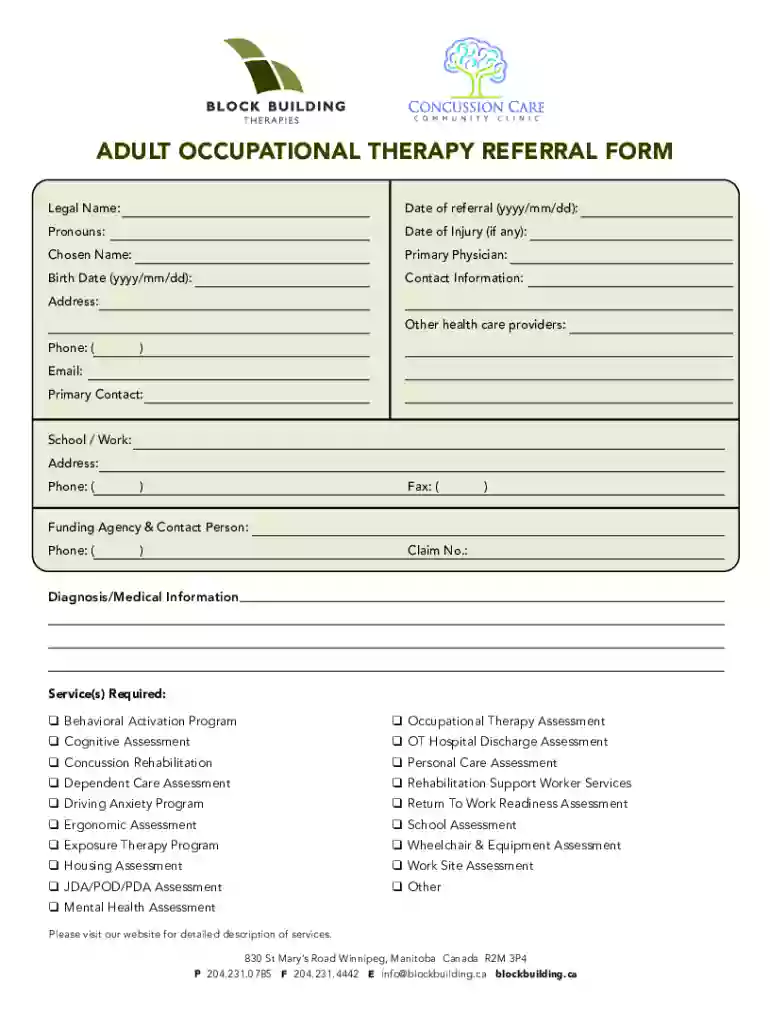
Type text, add images, blackout confidential details, add comments, highlights and more.

Draw your signature, type it, upload its image, or use your mobile device as a signature pad.

Send it via email, link, or fax. You can also download it, export it or print it out.
Forming online refers to the process of creating, completing, and submitting digital documents through internet-based platforms. This approach contrasts with traditional paper-based methods, offering increased speed, efficiency, and convenience. Documents that can be managed online include tax forms, legal documentation, applications, and contracts. Utilizing an online service like DocHub simplifies the workflow by enabling users to edit, sign, and share various document types from any location.
To use a form online effectively, begin by selecting the appropriate platform, such as DocHub, known for its comprehensive tool suite. After logging in, you can upload your document directly from your device or import it from cloud storage solutions. Utilize the platform's editor to add text, images, or annotations. The layout typically features intuitive navigation, making it straightforward for users to locate specific functions needed for their form. Upon completion, you can employ the electronic signature feature to finalize the document.
Accessing forms online is a straightforward process. Start by identifying a reliable platform that supports document management, like DocHub. Once registered and logged in, navigate to the upload section, where you can import forms from your device, or directly from integrated services like Google Drive. Many platforms, including government and corporate websites, offer direct downloads of specific forms. Once downloaded, these forms can be uploaded to DocHub for editing and submission.
Opting for an online platform to manage your forms offers a multitude of benefits. The most immediate advantage is the convenience of accessing documents from anywhere, which is especially beneficial for remote workers. Electronic forms reduce the time spent on handling paperwork. Additionally, platforms like DocHub offer heightened security features, ensuring that sensitive information is protected during the entire process. Overall, forming online not only streamlines your processes but also provides a secure and efficient alternative to traditional methods.
Forms online are widely used by various demographics and industries. Businesses often adopt this approach for administrative tasks, including contract management and client agreements. Small business owners, freelancers, and remote workers find online forms particularly beneficial, as they facilitate seamless operations without a centralized office space. Moreover, educational institutions employ online forms to manage enrollment and administrative processes efficiently. The versatility of online forms makes them suitable for individuals and organizations across multiple sectors.

Online forms typically consist of multiple crucial components designed to ensure efficiency and clarity. Key elements include:
Ensuring legal compliance when using online forms is paramount. In the United States, electronic signatures are governed by the ESIGN Act, which confers the same legal status to digital signatures as handwritten ones, provided specific criteria are met. Therefore, when forms include contractual obligations or sensitive information, it's crucial to verify that the platform used complies with relevant legal standards and provides an audit trail for verification purposes. Additionally, each digital document should include proper passwords and encryption to align with legal and ethical standards.
We've got more versions of the Adult AOD Referral Form form. Select the right Adult AOD Referral Form version from the list and start editing it straight away!
At DocHub, your data security is our priority. We follow HIPAA, SOC2, GDPR, and other standards, so you can work on your documents with confidence.
Placer County utilizes Motivational Interviewing approaches to discuss substance use services with you. This means our services are based on your needs.Read more
A referral is not required to access behavioral health and substance abuse treatment. The authorization form might also be required for any individual (Read more


