

Whether you’re managing documents for personal use or running a business, choosing the right PDF editor can make a big difference in productivity. Free tools often provide basic functionality, while premium versions unlock advanced features to streamline your workflow.
- Free PDF editors offer basic features like viewing, annotating, and simple text edits.
- Premium PDF editors include advanced tools like OCR, digital signatures, and enhanced security.
- Choosing between free and premium depends on your specific needs, such as collaboration or professional use.
- Premium plans may save time and improve efficiency for businesses requiring frequent and advanced PDF tasks.
- For Google-centric teams, DocHub stands out because it is built around editing, signing, sharing, and exporting documents inside Google Workspace.
Businesses rely on digital documents to manage daily operations. Choosing the right PDF software determines how efficiently your team handles document workflows. You must decide whether a free tool meets your needs or if your team requires a paid platform.
The main free vs. paid PDF editor difference lies in workflow scalability and security. Free PDF editors handle basic tasks like adding sticky notes or viewing files. Paid PDF tools provide advanced editing capabilities, workflow automation, and compliance-oriented security.
This guide explains how to evaluate PDF tools. We will explore the features locked in free PDF tools, provide a comprehensive PDF editor premium features list, and explain how to conduct a PDF editor subscription comparison. You will also learn how DocHub simplifies secure document management for businesses.
The core free vs. paid PDF editor difference
Understanding the free vs. paid PDF editor difference helps you choose the right solution for your team. Free options generally optimize for occasional use. Paid platforms optimize for repeatable, high-volume business processes.
When you evaluate a PDF editor, you should look beyond basic text entry. You should consider how the software handles complex documents, file size limits, and multi-user collaboration.
What free PDF editors offer for basic tasks
A free version of a PDF tool usually provides enough functionality for a single user to complete occasional, simple actions. Most free online PDF editors allow you to:
- Open files and read PDF documents on a desktop app or mobile devices
- Complete simple PDF forms
- Add basic comments, text boxes, and sticky notes
- Apply basic electronic signatures to a document
- Convert files between a PDF format and other file formats like Microsoft Word, often with severe usage limits
A free app or free service works well when you only need to manage a few PDF files each month. However, a free tool usually restricts how many tasks you can perform within a specific timeframe.
Features locked in free PDF tools
Vendors place limits on free PDF software to encourage upgrades. The features locked in free PDF tools are typically the exact capabilities that businesses need to operate efficiently at scale.
When relying on a free online PDF editor, you will often lose access to the following:
- Optical character recognition: You cannot extract or edit existing text from scanned paper documents without OCR capability.
- Advanced security: You cannot redact sensitive information permanently or apply robust password protection.
- Batch processing: You cannot process two or more PDFs simultaneously or execute bulk sending.
- Workflow automation: You cannot create reusable templates or automate routing for signature collection.
- Team controls: You lack administrative tools to manage users, track audit trails, or enforce company-wide security policies.
Is paying for PDF editor worth it?
Business leaders frequently ask: Is paying for PDF editor worth it? The answer depends entirely on your document volume and workflow complexity.
Investing in a PDF editor is justified when document processing evolves from an occasional task into a routine business workflow. If your HR, legal, or sales teams process multiple PDFs daily, the labor cost of using limited free options quickly exceeds the cost of a premium plan.
A paid PDF editor pays for itself by removing bottlenecks. Employees save time when they can edit existing text directly, fix typos without recreating documents, and organize pages in just a few clicks. Furthermore, paid PDF tools reduce business risk by offering compliant digital signatures and secure cloud storage.
You should upgrade to a paid PDF if your team needs to:
- Process contracts using advanced editing tools.
- Send the same PDF forms repeatedly using templates.
- Collect secure electronic signatures from multiple parties.
- Share digital documents directly from Google Docs or other workspace platforms.
- Ensure compliance with local and international electronic signature regulations.
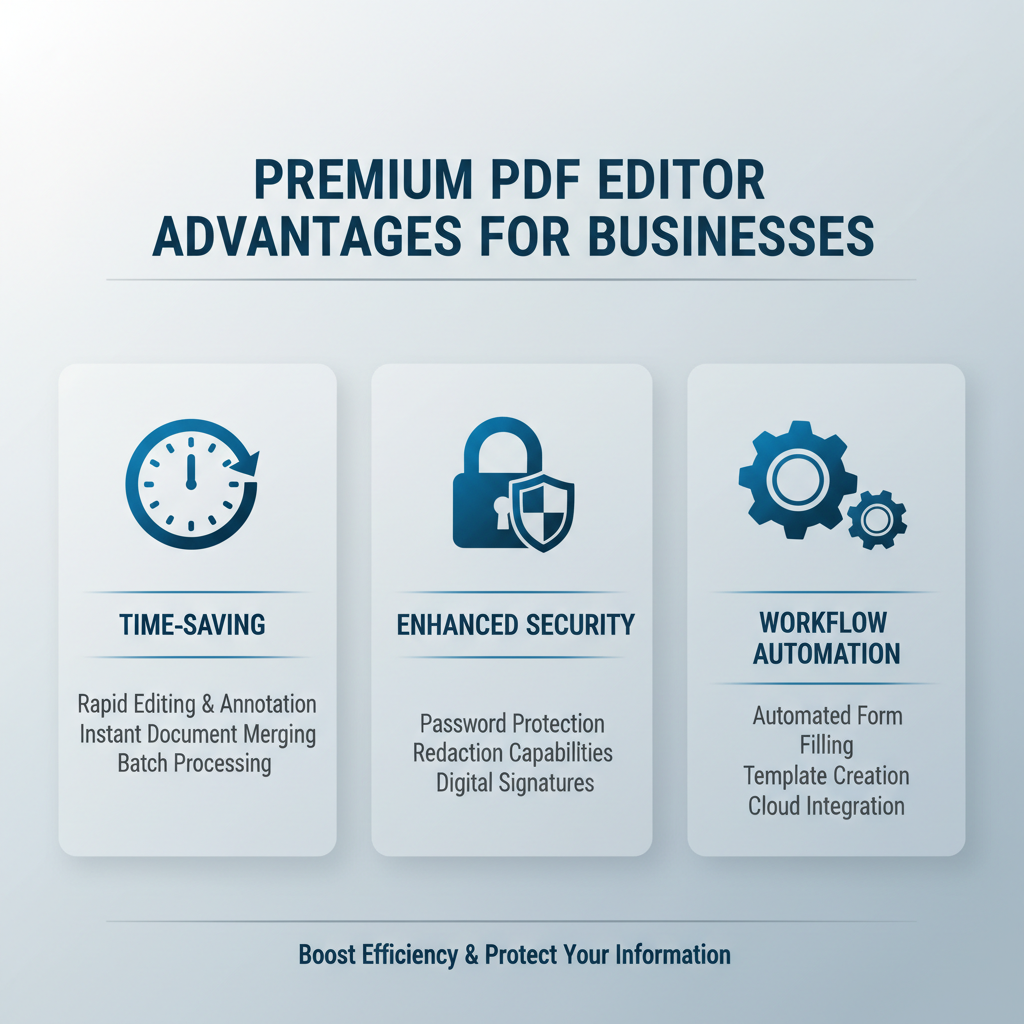
When you upgrade to a paid platform, you unlock all the tools necessary to manage the entire document lifecycle. Below is a detailed PDF editor premium features list that highlights what you gain with a subscription.
Advanced editing capabilities
Basic tools let you add new text over a document. Premium advanced features allow you to modify text natively.
- Direct text editing: Edit existing text, fix typos, and adjust formatting seamlessly within the original document layer.
- Page management: Merge, split, rotate, and organize pages across complex documents quickly.
Security features and compliance
Protecting your data requires more advanced tools than a free tier offers. Premium paid PDF editors prioritize document security.
- Redaction tools: Redact sensitive information permanently to ensure data privacy.
- Password protection: Restrict who can view, edit, print, or share digital documents.
- Digital signatures: Apply highly secure signatures that meet stringent regulatory standards.
Workflow automation and batch processing
Premium plans help you scale your operations by automating basic tasks.
- Reusable templates: Build standard templates for contracts and onboarding packets to eliminate repetitive drafting.
- Bulk sending: Send signature requests to hundreds of recipients simultaneously.
- Cloud integration: Connect your PDF tools with cloud storage and workspace applications for frictionless sharing.
PDF editor subscription comparison factors
When you conduct a PDF editor subscription comparison, you must evaluate how a platform fits into your existing technology stack. You should not just compare pricing models; you must compare functional depth.
Consider these factors during your PDF editor subscription comparison:
- Workflow integration: Does the software integrate smoothly with the applications your team already uses, such as Google Docs or cloud storage?
- Mobile support: Does the platform allow users to edit, sign, and share documents seamlessly across mobile devices and desktop environments?
- Usage limits: Does the premium plan impose hidden caps on file size, document conversions, or signature requests?
- Compliance standards: Does the provider adhere to strict regulatory frameworks for data security and electronic signatures?
- User experience: Is the interface intuitive, allowing employees to perform advanced editing capabilities without extensive training?
How DocHub simplifies secure document management
DocHub provides an optimal solution for organizations that need a powerful, accessible, and secure PDF editor. By replacing fragmented workflows with a single unified platform, DocHub helps teams manage PDF documents efficiently.
Advanced editing and seamless collaboration
DocHub offers all the tools you need to build, edit, and share documents. The platform provides intuitive, advanced editing capabilities that allow you to modify text, organize pages, and use commenting tools with ease. You can transform static files into interactive PDF forms, making it simple to collect data and sign documents online.
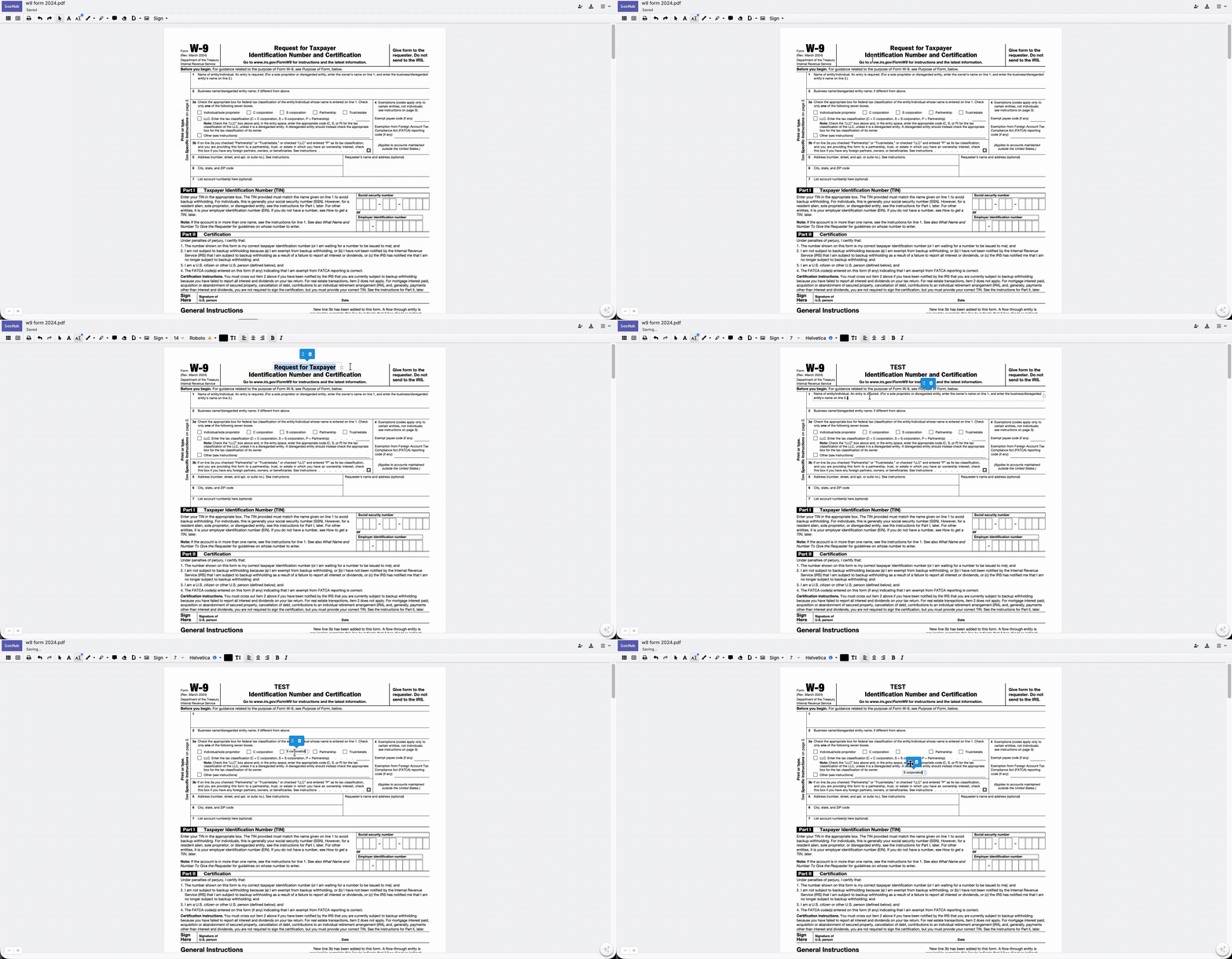
For more information, read our new blog on how to edit text with DocHub.
For teams that rely heavily on Google Workspace, DocHub stands out. DocHub integrates directly with Google Drive and Google Docs. You can open files, edit PDFs, collect signatures, and save the finalized documents back to your cloud storage without ever switching applications.
Compliance with industry best practices
Security and legal validity are non-negotiable for business documents. DocHub provides robust security features, including document password protection and secure sharing protocols, to keep your data safe.
When you sign forms or request signatures through DocHub, you receive enterprise-grade security. DocHub complies with major electronic signature regulations, including the ESIGN Act and eIDAS.
A DocHub signature qualifies as a digital signature under U.S. law because it meets these strict requirements:
- It is uniquely linked to the signer.
- It can identify the signer.
- It is created using data under the signer’s sole control.
- It is linked to the document in a way that makes any subsequent changes detectable.
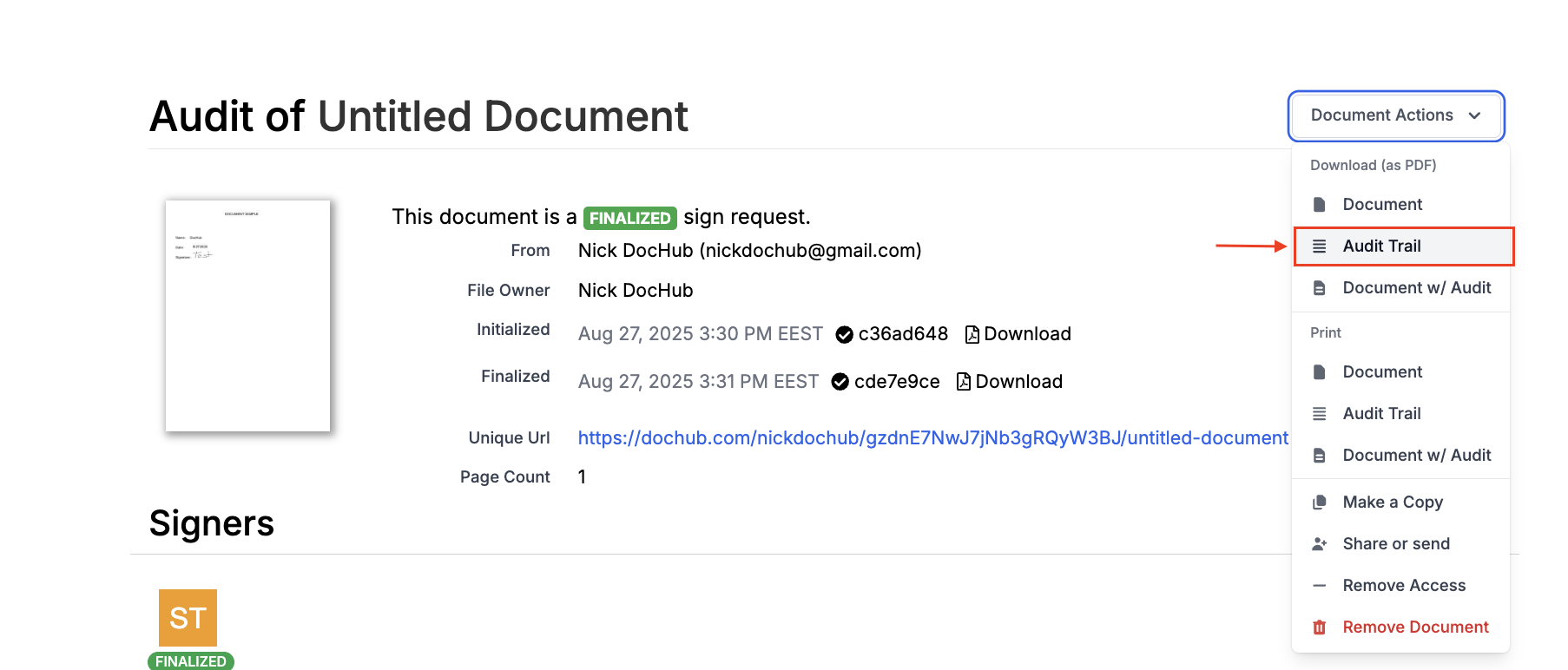
This level of compliance ensures that your agreements remain legally binding and fully auditable.
Disclaimer: The information contained in this blog post is provided for general informational purposes only and does not constitute formal legal advice.
Final thoughts
Understanding the free vs. paid PDF editor difference is the first step toward optimizing your document workflows. While free tools help individuals manage basic tasks, they lack advanced editing capabilities, security features, and workflow automation required for business efficiency.
By reviewing our PDF editor premium features list and conducting a thorough PDF editor subscription comparison, you can see exactly why paying for a premium plan is essential for growing teams.
DocHub delivers all the advanced features businesses need to edit existing text, secure sensitive information, and automate signature collection. Ready to transform the way your team works with documents? Start using DocHub today and unlock a seamless, efficient, and secure document management experience.
Glossary
- PDF editor: A software tool used to create, edit, and manage PDF documents. It often includes features like text editing, annotation, and form filling.
- Signature collection: The process of gathering digital or electronic signatures on a document for approval or verification purposes.
- Automation: The use of technology to perform tasks or processes without human intervention, improving efficiency and reducing errors.
FAQ
1. What is the main free vs. paid PDF editor difference?
The primary free vs. paid PDF editor difference comes down to workflow scale and document security. Free tools are great for occasional, basic tasks like adding a sticky note or viewing a file. Paid editors, on the other hand, provide advanced editing capabilities, robust data security, and automation tools designed for high-volume business processes.
2. What are the most common features locked in free PDF tools?
Free versions usually limit how much you can do to encourage users to upgrade. The most common features locked in free PDF tools include optical character recognition (OCR) for reading scanned documents, permanent text redaction, bulk sending for eSignatures, and batch processing for multiple files at once.
3. What should I look for in a PDF editor premium features list?
When upgrading your software, you want to make sure you get the right tools for your team. A strong PDF editor premium features list should include direct text editing, reusable document templates, advanced password protection, and legally-compliant digital signatures. These features help you manage complex files securely.
4. How do I conduct a proper PDF editor subscription comparison?
To do an effective PDF editor subscription comparison, you need to evaluate more than just the monthly price. Look at how well the software integrates with your current daily workspace (such as Google Drive or Google Docs). You should also check for hidden usage limits, ensure it offers strong mobile support, and verify that it meets strict compliance standards like eIDAS and the ESIGN Act.
5. Is paying for a premium PDF editor worth it for a small business?
Yes, upgrading is usually worth it if your team handles documents regularly. A paid platform removes daily bottlenecks, saves time on manual data entry, and reduces costly errors. For businesses that need to send contracts, collect secure signatures, and manage forms daily, the time saved quickly pays for the cost of the software.