
7 biggest time wasters in document management, and how you can fix them

Digital documents were supposed to make work faster. Yet a simple task can still turn into 20 minutes of searching folders, comparing versions, converting files, copying information, and waiting for someone to sign.
Many of the biggest time wasters at work are not complicated tasks. They are just small delays that repeat throughout the day. The right document management practices can remove much of this hassle without requiring people to completely change how they work.
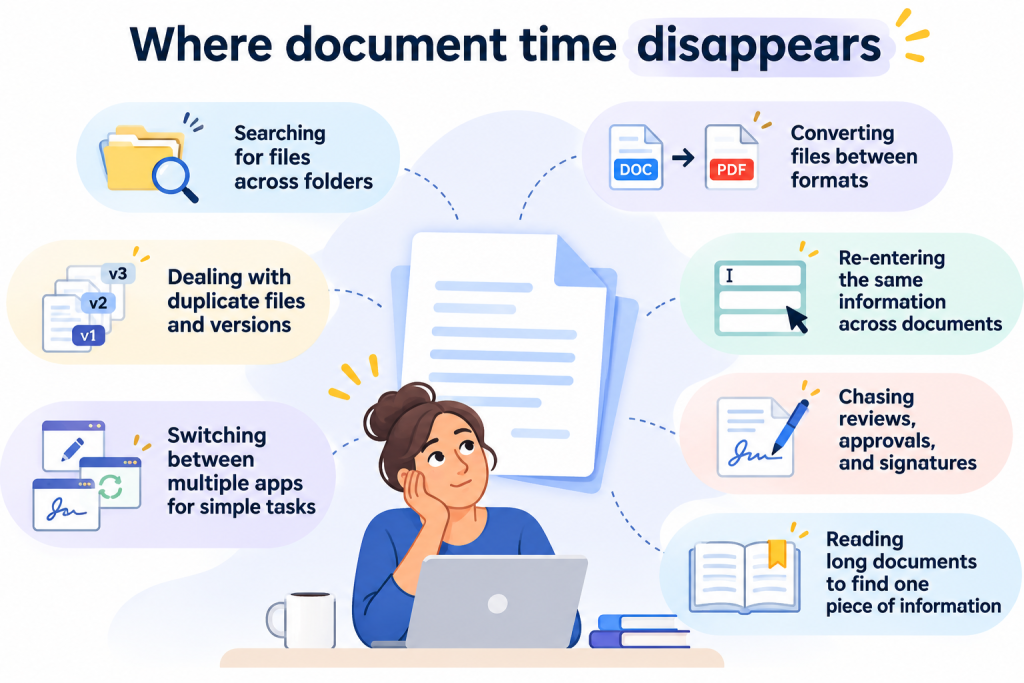
Now, let’s examine the seven most common document management problems that hinder teams, together with practical solutions to fix them.
1. Poor file naming creates document version control problems
Pretend you need a customer agreement. You open the folder and find
agreement.pdf, agreement-final.pdf, agreement-final2.pdf, and agreement-FINAL-approved.pdf.
Which one should you use?
Inconsistent naming is a basic problem in document management that can cause expensive confusion. Employees might open multiple files, compare modification dates, seek clarification from colleagues on which version is current, or make changes to an outdated file. Poor document version control further heightens the risk of sharing incorrect information.
The fix: Create a naming standard people will actually follow
The file name should be clear enough to indicate what the document contains without requiring the user to open it, while maintaining a simple and consistent structure.
For example:
Document type + client/project + date + status or version
Instead of:
agreement-final2.pdf
use:
Vendor_Agreement_DocHub_2026-10-08_Approved.pdf
One of the most useful document management tips is to avoid unnecessary versions in the first place. Define where the working copy lives, who can update it, and when a document should be marked final.
Search tools can provide another safety net when names fail. DocHub, for example, supports filters to find documents and has introduced an AI-powered Enhanced Search that locates relevant files based on their meaning rather than exact titles or keywords.
2. Scattered storage is one of the biggest time wasters at work
Even if a file has a proper name, it can still be difficult to locate if no one knows where it was saved. Documents tend to end up scattered among the Downloads folders, the desktop, shared drives, email attachments, personal cloud folders, and local computers.
Although the idea of a paperless office is excellent, it doesn’t always solve all our document management problems. Even if we do get rid of paper, this can result in a buildup of digital files. Employees then begin searching through different folders or asking their colleagues to resend documents that they may already have. It shows that simply going digital doesn’t automatically mean less chaos.
The fix: Establish a clear source of truth for active documents
You do not necessarily need one enormous folder for every company document. Instead, you should have clear rules about where different types of files should be placed.
Decide:
- Where active documents should be stored
- Where final documents should go
- How folders should be structured
- Who should have access
- When local copies should be archived or removed
These are the basic tips for a document management system, but being consistent is more important than making things complex. A simple system that everyone uses is better than a complicated one that no one understands.
For teams already working online, centralized folders can also reduce dependence on miscellaneous local copies. DocHub Organizations, for example, allows teams to group documents and templates into folders and assign folder access permissions.
3. File conversion creates avoidable document management issues
Documents rarely arrive in exactly the format you need. For example, a Word file needs to be converted into PDF format, or a spreadsheet has to be shared as a fixed document.
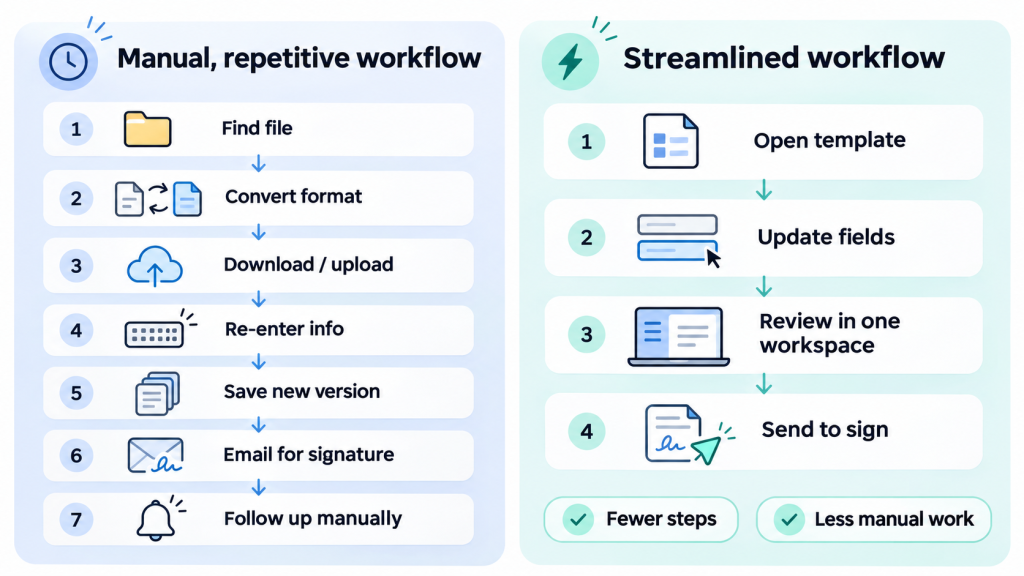
Conversion itself may take only a minute. The real waste comes from several steps: downloading the document, finding another tool for conversion, uploading it, converting it, checking whether the formatting has been preserved, downloading the new version, and then deciding which copy to keep.
Repeated across dozens of files, these small steps become genuine productivity killers.
The fix: Standardize formats and reduce conversion handoffs
Establish basic rules for the formats your team should use at various stages; for instance, an editable format might be appropriate when multiple people are drafting a document, while a PDF would be more suitable for final material intended for distribution or signing.
Wherever conversion is needed, it’s better to carry it out within the same document workflow rather than transferring the file across several unrelated services.
DocHub covers many common scenarios: you can upload Word, TXT, HTML, XLSX, CSV, PPT, RTF, JPG, and PNG files and convert them to PDF without leaving the platform.
4. Manual data entry repeats work you have already done
How many times should an employee have to type the company address in one day?
The same names, addresses, contact details, job titles, dates, and customer information often appear across contracts, onboarding packets, applications, approvals, and other documents. Manual data entry turns that repetition into wasted time and introduces opportunities for spelling errors, outdated information, and inconsistent records.
One useful rule is simple: if information repeats, the workflow should reuse it too.
The fix: Turn repeatable documents into reusable workflows
Start by identifying the documents your team creates regularly. Instead of rebuilding them from old copies, use standardized fields and business document templates.
Useful approaches include:
- Creating reusable templates for recurring documents
- Adding fillable fields for information that changes
- Maintaining approved source information for common company details
- Avoiding retyping data that already exists elsewhere
- Standardizing frequently used forms across teams
Adopting these best practices for document management can improve both efficiency and consistency.
For example, DocHub lets users turn documents into reusable templates and add fillable fields for text, dates, signatures, checkboxes, and other information. Each time you use a template, a fresh copy is generated, leaving the master document ready for future tasks.
5. Tool-switching is one of the most common time wasters
Sometimes, a document makes a surprisingly long journey before anyone can call it finished.
You start by opening it in one application, then use a different service to convert it, go back to the editor to include your comments, upload it to another location for signatures, and finally transfer the finished version into storage. Although each of these steps may appear minor, every time you switch applications, you have to carry out another upload, login, opening of a new browser tab, or file copy.
That makes tool switching one of the most common time wasters in everyday document work.
The fix: Count handoffs, not just tools
Outline the steps in one recurring workflow, starting from the receipt of the document and ending with its completion. Find out how many times the file changes applications, locations, or owners during this process. Then, eliminate any handoffs that provide no real value.
For example, if editing, page management, forms, conversion, sharing, and signing can all happen in one environment, there is no reason to download and re-upload the document between tasks. DocHub combines these common document functions into a single workspace, including editing text, annotating files, managing pages, creating forms, and signing documents.
6. Chasing signatures creates document management challenges
The document is complete. Everyone agrees with its contents. Now the work begins: “Just following up on the agreement I sent yesterday.”
Getting a signature may take seconds. Coordinating signatures can take much longer. Someone has to send the document, tell each person where to sign, check whether they responded, send reminders, and confirm that the correctly completed copy was received.
This document management challenge becomes more visible as more people join a workflow.
The fix: Structure the signature process before sending
Before distributing a document, answer four questions:
- Who needs to sign?
- Which fields belong to each signer?
- Does anyone need to sign before someone else?
- What should happen if a signer does not respond?
A structured signing workflow removes much of the manual coordination. It also makes status easier to understand without another round of emails.
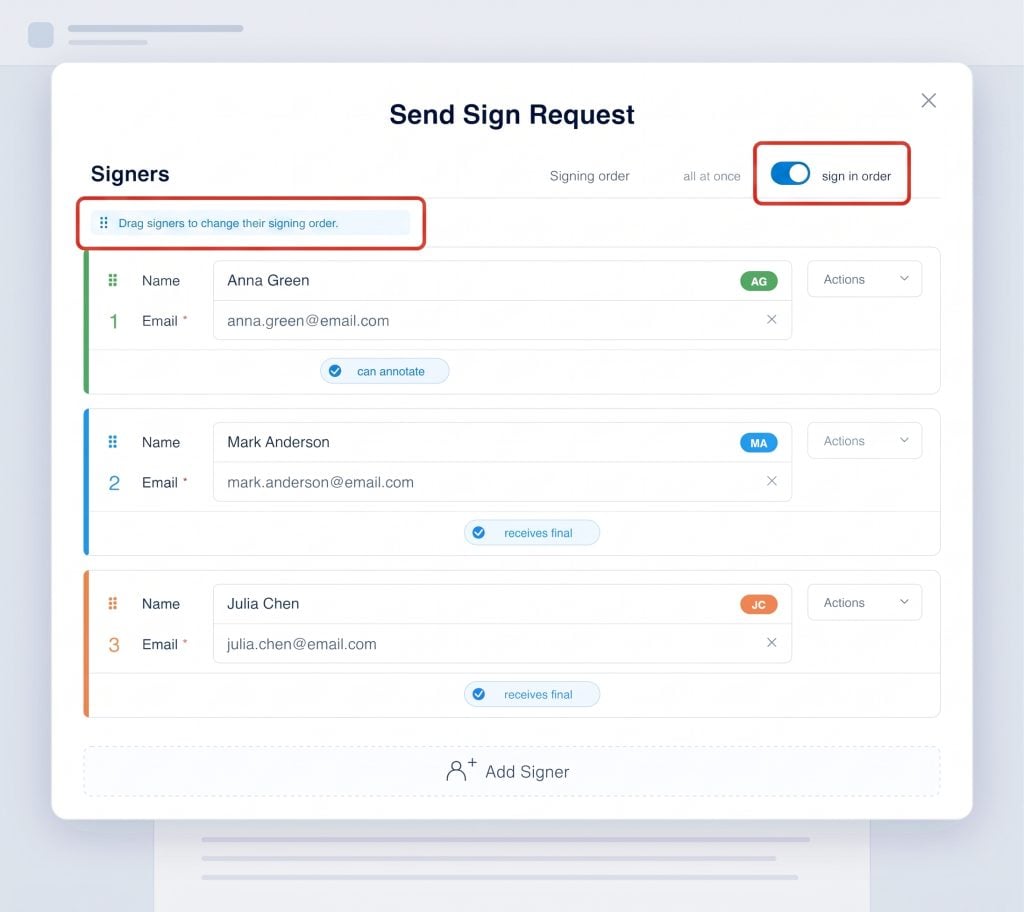
DocHub’s signature-request tools, for instance, support multiple signers, assigned roles, sequential or simultaneous signing, expiration dates, and automated reminders.
7. Reading entire documents can become a productivity killer
Sometimes you find the right document immediately and still lose time because the answer you need is hidden within 23 pages.
You may not need to read the whole agreement. You need to know the renewal date or the special terms of the deal. You may not need the entire report; you need its recommendations. Searching and reading manually remains necessary in many situations, but doing it for every routine question can become another quiet productivity killer.
The fix: Search for the answer, then verify it
Start by using searchable text and clear headings. With longer files, you can make use of AI-assisted document tools to identify the main points, produce a summary of the content, or answer particular questions.
That does not remove the need for human review. Important legal, financial, compliance, or business details should always be checked against the source document before someone acts on them. However, AI-powered tools can help streamline your work.
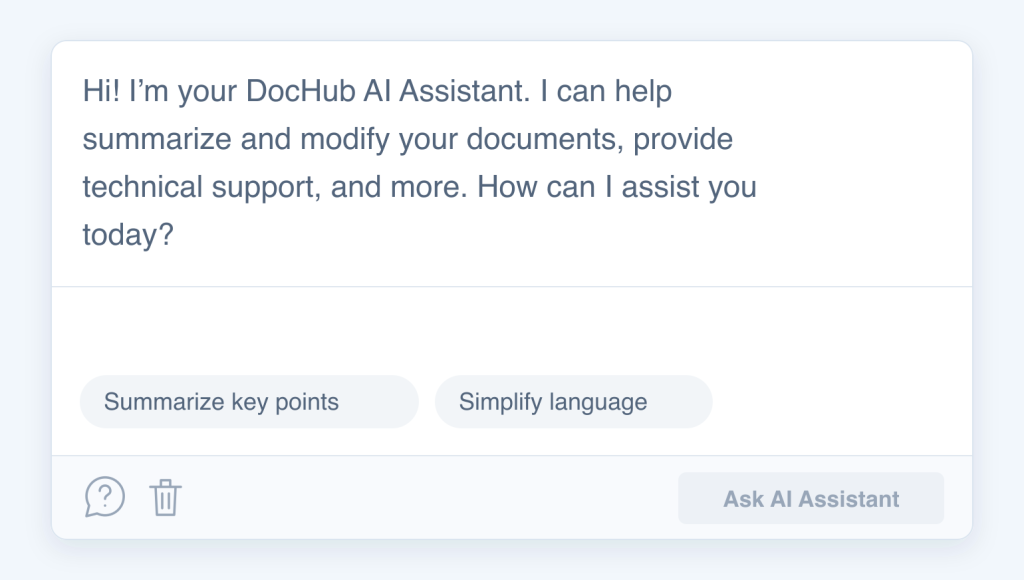
DocHub’s AI Document Assistant can summarize document content, simplify complex language, and answer questions about information in a document. It can be useful for getting oriented quickly before reviewing the relevant sections yourself.
Make document management best practices part of everyday work
The biggest time wasters in document management are usually not obvious. They include five minutes spent looking for a file, five more minutes spent comparing different versions, an additional conversion, repeated manual data entry, and one final email asking someone to put their signature.
The proposed document management best practices focus on removing those unnecessary steps:
- use consistent naming,
- keep documents in predictable locations,
- limit duplicate versions,
- standardize formats,
- build reusable templates,
- reduce app switching,
- and structure approval workflows.
The goal is not to make people work faster every minute of the day. It is to reduce the chances of wasting time in the first place. Following these document management tips and using a connected PDF management platform like DocHub can make everyday paperwork tasks simpler, easier to track, and less repetitive.
What are the biggest document management challenges in your team, and what helped you beat these productivity killers? Share your experience and ideas with us on Reddit.
FAQ
What are time wasters?
Time wasters are activities that consume working time without adding meaningful value to the result. In document management, examples include searching multiple folders for a file, checking for duplicate versions, unnecessarily converting documents, repeating manual data entry, or sending multiple reminders for a signature. Many time-wasters at work seem harmless because each one takes only a few minutes. However, the issue arises when these delays occur repeatedly across numerous documents and employees.
What are the common time wasters, and how can you avoid them?
Common document-related time wasters include poor naming conventions, scattered storage, duplicate versions, unnecessary file conversions, manual data entry, app switching, and repeated follow-ups. To avoid them, follow these key strategies:
- Create simple standards for file naming and storage.
- Maintain clear document version control.
- Use business document templates for repeatable work.
- Standardize file formats across your team.
- Automate routine steps where it makes sense.
Why are file naming conventions essential?
File naming conventions help you identify, search, sort, and manage documents more easily. A clear name can indicate the type of document, the project or customer, the date, the version, and its status, all before opening the file. Good naming practices also support document management by reducing duplicates and improving version control. This is especially helpful when many people create and share files in the same workspace.
What is document version control?
Document version control is the process of tracking and managing different versions of a document so users can identify the current copy and understand how it has changed. It helps prevent employees from editing, approving, or sharing outdated files. Good version control combines clear naming, controlled storage, limited unnecessary copies, and defined ownership.
- 1. Poor file naming creates document version control problems
- 2. Scattered storage is one of the biggest time wasters at work
- 3. File conversion creates avoidable document management issues
- 4. Manual data entry repeats work you have already done
- 5. Tool-switching is one of the most common time wasters
- 6. Chasing signatures creates document management challenges
- 7. Reading entire documents can become a productivity killer
- Make document management best practices part of everyday work
- FAQ