




01. Edit your form online
Type text, add images, blackout confidential details, add comments, highlights and more.

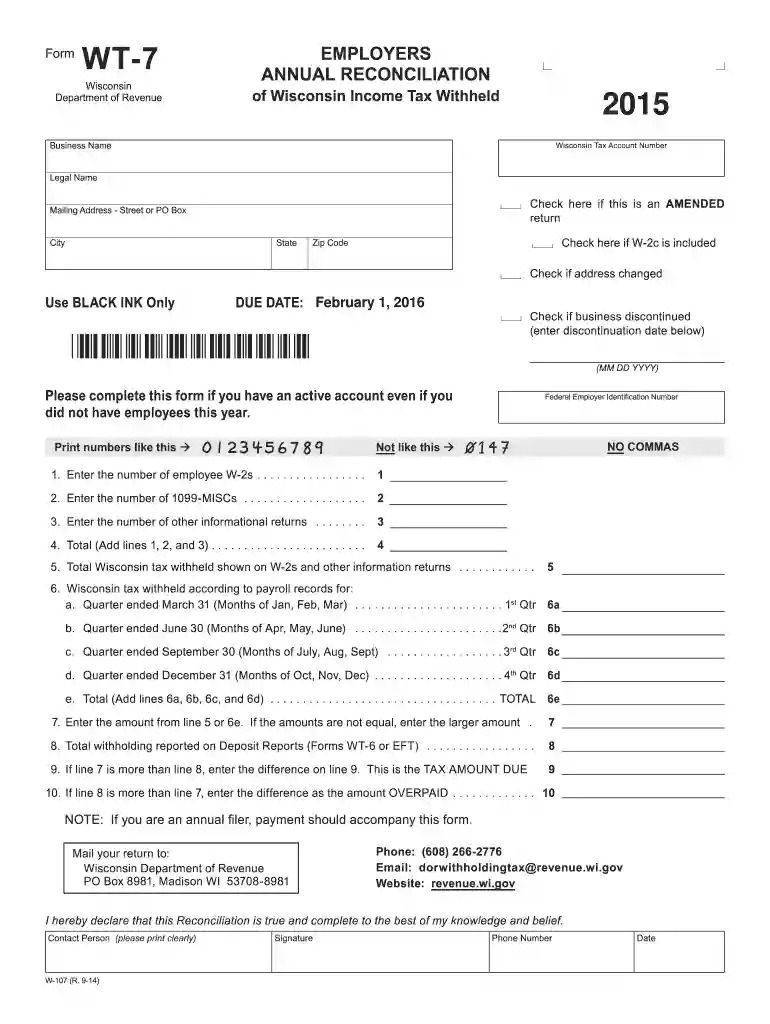
Type text, add images, blackout confidential details, add comments, highlights and more.

Draw your signature, type it, upload its image, or use your mobile device as a signature pad.

Send it via email, link, or fax. You can also download it, export it or print it out.

Start using our platform today to fill out your Wisconsin Form WT-7 easily and for free!
We've got more versions of the wisconsin form wt 7 2015 form. Select the right wisconsin form wt 7 2015 version from the list and start editing it straight away!
| Versions | Form popularity | Fillable & printable |
|---|---|---|
| 2025 | 4.8 Satisfied (40 Votes) | |
| 2024 | 4.6 Satisfied (26 Votes) | |
| 2022 | 4.1 Satisfied (31 Votes) | |
| 2021 | 4.8 Satisfied (85 Votes) | |
| 2020 | 4.4 Satisfied (299 Votes) | |
| 2017 | 4.3 Satisfied (194 Votes) | |
| 2016 | 4.3 Satisfied (164 Votes) | |
| 2015 | 4.4 Satisfied (551 Votes) | |
| 2014 | 4 Satisfied (29 Votes) | |
| 2011 | 4.1 Satisfied (43 Votes) | |
| 2009 | 4 Satisfied (38 Votes) | |
| 2003 | 4 Satisfied (56 Votes) |
At DocHub, your data security is our priority. We follow HIPAA, SOC2, GDPR, and other standards, so you can work on your documents with confidence.
NOTE: If you are an annual filer, payment should accompany this form. Mail your return to: Wisconsin Department of Revenue. PO Box 8981, Madison WI 53708-8981.Read more
The Wisconsin soil testing program and nu- trient application guidelines were originally developed in the early 1960s. The guidelines.Read more


