






Definition and Meaning of Wisconsin Form W-2 and A1-R
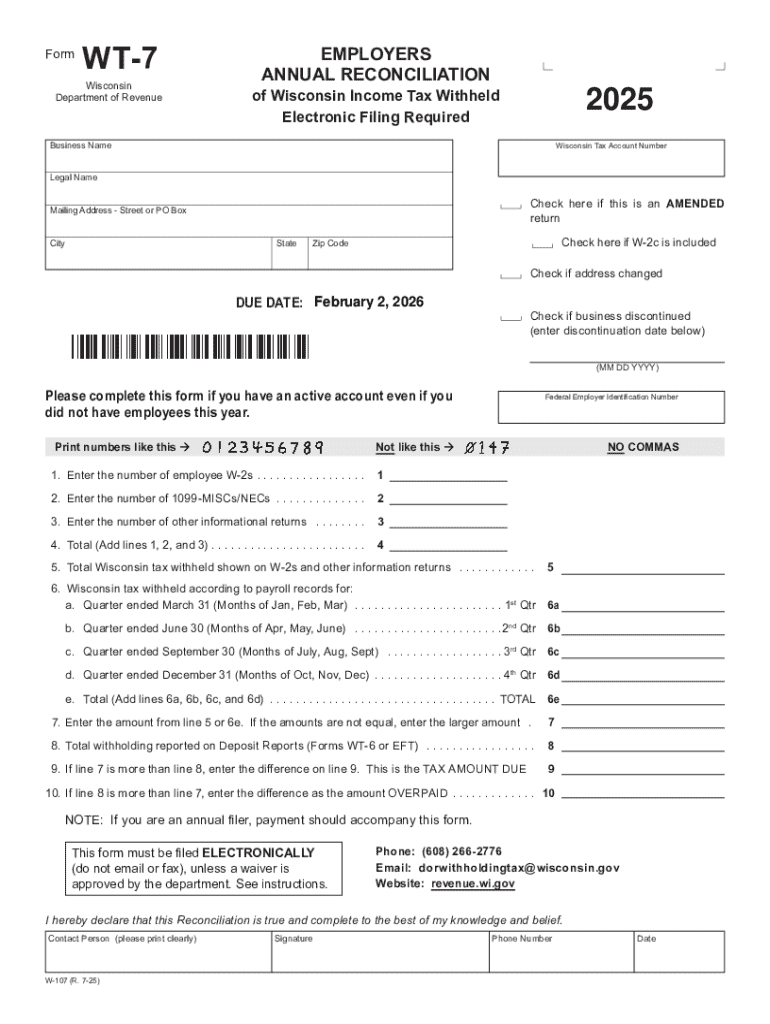
The Wisconsin Form W-2 and A1-R are crucial components in the state's tax reporting system. These forms serve as official documents that employers and employees must use for reporting income tax withheld to the Wisconsin Department of Revenue. Form W-2 is used by employers to report wages and tax withholdings for their employees, similar to its federal counterpart but specific to Wisconsin's state tax requirements. On the other hand, the A1-R is an annual reconciliation form that employers file to summarize all W-2 data and ensure alignment with withheld tax amounts. Understanding these forms is essential for both legal compliance and accurate tax reporting in Wisconsin.
How to Use the Wisconsin Form W-2 and A1-R
To use these forms effectively, employers must:
-
Collect and Review Employee Information: Ensure you have accurate details for all employees, including Social Security Numbers and total earnings for the year.
-
Accurate Calculation of Withholding: Calculate the correct amount of state tax withheld for each employee. This includes current-year updates in tax withholding tables and changes in personal circumstances.
-
Completing Form W-2:
- Box 1: Record total taxable wages.
- Box 2: Include the total state tax withheld.
- Other boxes include regional specifics as required by Wisconsin tax laws.
-
Filing the A1-R Form: Summarize all W-2 forms and ensure the total tax withheld matches the sum submitted to the state through periodic payments.
-
Submission: Electronic filing is generally required for larger employers, but smaller entities may opt for paper submissions depending on the state's current threshold and guidelines.
Steps to Complete the Wisconsin Form W-2 and A1-R
-
Gather Necessary Documents: Compile payroll records, any employee status changes, and any state guidelines updated during the fiscal year.
-
Input Wage Information on W-2: Enter each employee's wages in the designated boxes, along with withheld Wisconsin income taxes.
-
Fill A1-R for Annual Reconciliation:
- Summarize employee wage and withholding information from W-2 forms.
- Verify the information against quarterly forms to ensure accurate totals.
-
Review for Accuracy: Double-check all figures and personal details to minimize errors.
-
File the Forms: Submit electronically via the state's online portal or through an approved tax software application.
-
Retain Copies: Keep employer records of W-2 and A1-R forms for at least four years, as mandated by state requirements.
Important Terms Related to Wisconsin Form W-2 and A1-R
- Withholding Tax: The amount employers withhold from employees’ wages for state taxes.
- Reconciliation: The process of verifying and ensuring that reported and paid taxes align.
- Tax Year: The annual accounting period for keeping records and reporting income and expenses.
- Electronic Filing (E-file): Submission of tax documents through online systems approved by the Wisconsin Department of Revenue.
Legal Use of the Wisconsin Form W-2 and A1-R
These forms ensure compliance with the legal obligation of reporting taxable income and corresponding tax withheld. Employers must adhere to Wisconsin statutes that define proper filing protocols and deadlines. Failing to comply can result in penalties or adjustments by the state’s tax authority. Employers must also safeguard the privacy of employee information as mandated by federal and state privacy laws.
Filing Deadlines and Important Dates
Employers must pay attention to specific deadlines:
- January 31: Deadline to furnish W-2s to employees and file with the Department of Revenue.
- March 31: Final date for filing Form A1-R electronically, though earlier submission is encouraged.
Timeliness is crucial to avoid penalties. Employers should verify each year's specific calendar dates as holidays and weekends might affect the timeline.
Penalties for Non-Compliance
Failure to file these forms by the due dates or inaccuracies in the details provided can lead to penalties ranging from late fees to interest on missed tax payments. More severe discrepancies may prompt audits or further legal actions by the Wisconsin Department of Revenue. It is advisable for employers to seek tax advice or legal counsel if facing issues with compliance.
Software Compatibility for Filing
DocHub, TurboTax, QuickBooks, and other comprehensive tax software support electronic filing of Wisconsin Form W-2 and A1-R. Verification of compatibility with the latest state updates is essential:
- DocHub Integration: Ensures that document workflows, like filling and signing, are streamlined, and offers secure data transfer and storage.
- QuickBooks: Provides payroll management that integrates seamlessly for tax form generation.
- TurboTax: Guides users through the state-specific filing requirements step-by-step, utilizing their intuitive platform.
Software choices should be based on the scale of business operations and the complexity of the tax needs.
Who Issues the Form
The Wisconsin Department of Revenue is the issuing body for these forms. They provide the necessary guidelines and changes annually, document the updates on their website, and facilitate access to electronic filing portals. Employers are responsible for obtaining the most recent versions of these forms to ensure compliance.