
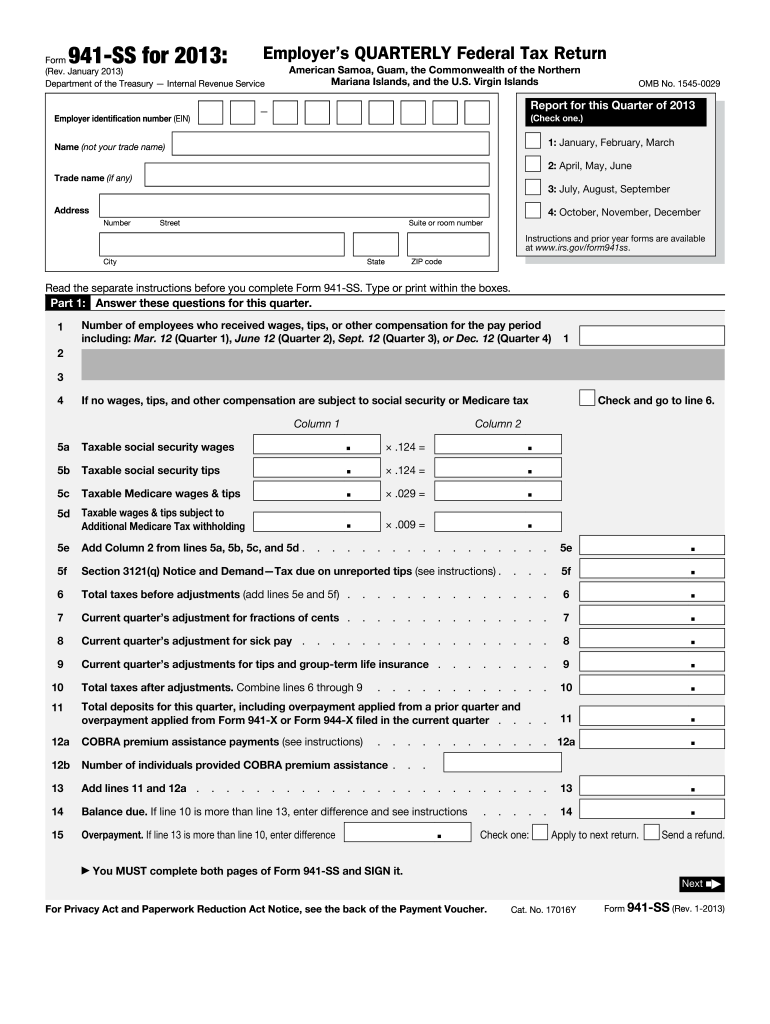







Definition and Purpose of the 2013 941-SS Form
Form 941-SS for 2013 is the Employer’s Quarterly Federal Tax Return used by employers in American Samoa, Guam, the Commonwealth of the Northern Mariana Islands, and the U.S. Virgin Islands. It allows these employers to report wages, tips, and other compensation paid to employees. Specifically, the form collects data on employee counts, taxable wages, tax liabilities, adjustments, and payment details. While similar to Form 941, the 941-SS form is tailored for the aforementioned regions, addressing tax reporting in U.S. territories.
Steps to Complete the 2013 941-SS Form
-
Gather Necessary Information:
- Wages and tips paid to employees.
- Adjustments for sick pay, tip allocations, and group-term life insurance.
- Total employee count.
-
Fill in Tax Liabilities:
- Calculate and enter the sum of social security and Medicare taxes.
- Include any adjustments from current or prior quarters.
-
Provide Payment Details:
- Attach Form 941-V(SS) if you are making a payment with the return.
- Ensure all payments align with the calculations.
-
Review and Submit:
- Double-check for errors or omissions.
- Submit by the due date.
How to Obtain the 2013 941-SS Form
- Download from IRS Website: The form can be downloaded directly as a PDF from the IRS website's repository of previous year forms.
- Request by Phone: Contact the IRS tax forms hotline to receive a paper copy.
- Visit Local IRS Office: Obtain a physical copy by visiting a local IRS office that distributes forms.
Importance of Using the 2013 941-SS Form
Employers in the U.S. territories must use Form 941-SS to ensure compliance with IRS regulations for payroll taxes. Failure to file the correct form can result in penalties and misreporting of employee compensations. Ensuring accurate filing fosters proper tax contributions and benefits calculations.
IRS Guidelines for the 2013 941-SS Form
- Quarterly Filing: The form must be filed at the end of each calendar quarter.
- Accurate Reporting: Ensure complete and accurate reporting of employee wages and withholdings.
- Record Retention: Maintain records of filed forms for at least four years.
Penalties for Non-Compliance
Failing to file the 2013 941-SS Form on time or providing incorrect information can lead to IRS penalties. These penalties may include fines for late filing or inaccurate reporting. Employers may also face interest charges on unpaid taxes, emphasizing the importance of timely and correct submissions.
Required Documents for Completing the 2013 941-SS Form
- Payroll Records: Detailed records of wages, tips, and other compensation.
- Adjustments Documentation: Any documentation supporting adjustments such as fringe benefits and third-party sick pay.
- Previous Form 941-SS Filed: To accurately report past quarter adjustments.
Filing Deadlines and Important Dates
- January 31: Fourth quarter of the previous year.
- April 30: First quarter of the current year.
- July 31: Second quarter of the current year.
- October 31: Third quarter of the current year.
Ensure all filings match these deadlines to avoid penalties.


