Handle Tee shirt Order Forms easily online

Document managing can overpower you when you can’t find all of the forms you need. Luckily, with DocHub's considerable form categories, you can discover all you need and easily handle it without switching between programs. Get our Tee shirt Order Forms and start utilizing them.

The best way to manage our Tee shirt Order Forms using these simple steps:

  1. Examine Tee shirt Order Forms and choose the form you need.
  2. Preview the template and click on Get Form.
  3. Wait for it to open in our online editor.
  4. Modify your template: add new information and images, and fillable fields or blackout some parts if needed.
  5. Complete your template, save changes, and prepare it for sending.
  6. When ready, download your form or share it with your contributors.

Try out DocHub and browse our Tee shirt Order Forms category easily. Get your free account today!


Video Guide on Tee shirt Order Forms management

video background

Commonly Asked Questions about Tee shirt Order Forms

Vector files, including AI, EPS, SVG, PDF, and CDR, are best for T-shirt printing because they allow screen print and digital art that are eye catchy and well-fitted in apparel or t-shirt. Not that you cant use raster files. Selecting or converting to a high-resolution file can use.
Efficiently collecting orders is essential for any business, and Google Forms provides a user-friendly platform to create seamless order forms. In this comprehensive guide, well take you through each step to help you design a functional and organized order form.
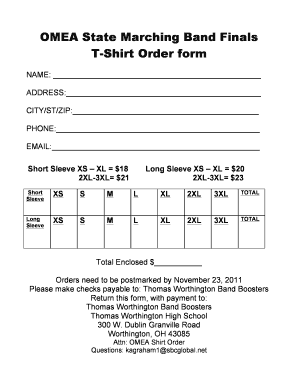
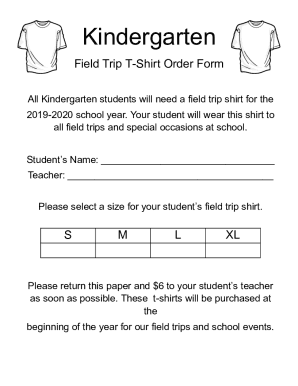
How to Make Your Own T-Shirt Order Form Name and contact information: Gathering phone numbers and email addresses enables you to docHub out if you have any questions regarding someones order (like verifying color and size). Size and color: Leave enough space to indicate the size and full color name.
Common size breakdown So for example, to place the best order if you need 100 t-shirts, youd select 10 Smalls, 25 Mediums, 30 Larges, 25 XLs, and 10 2XLs. Depending on the shirt style and audience, you may want to add a few 3XL and 4XLs too.
Give Your Form a Name and Description In the upper-left corner of your form, click Untitled form to provide a name like T-Shirt Order Form. Optionally, enter a brief description of your forms purpose in the Description field below the title, such as Enter your name and size to sign up for a T-Shirt.
How to make a purchase order form in Google Forms Step 1: Create a form. Step 2: Add the relevant purchase order details. Step 3: Download Payable Forms from Google Marketplace. Step 4: Adjust your sharing details. Step 5: Embed and share your form.
How to Make a Shirt Order Form on Google Forms Launch Google Forms. Create a new form by clicking the + Blank or Blank Form option. Give Your Form a Name and Description. Add T-Shirt Order Questions. Customize Question Types. Personalize Your Forms Appearance. Share Your T-Shirt Order Form. Keep Tabs on Incoming Order.
Step 1: Set up your Google Form. First, sign into your Google account to access Google Forms. Step 2: Capture customer information. Step 3: Create a section for order details. Step 4: Include a total cost calculation field. Step 5: Add payment options. Step 6: Test the form with a dummy order. Step 7: Share the order form.