




01. Edit your va form 26 1880 online
Type text, add images, blackout confidential details, add comments, highlights and more.

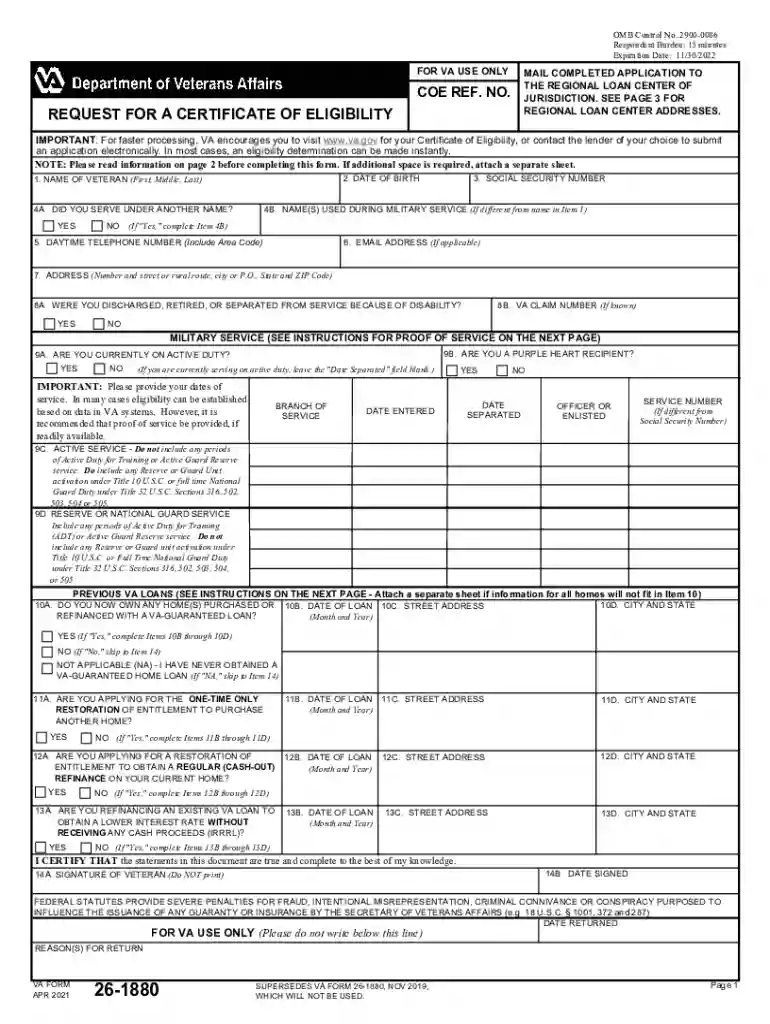
Type text, add images, blackout confidential details, add comments, highlights and more.

Draw your signature, type it, upload its image, or use your mobile device as a signature pad.

Send 26 1880 via email, link, or fax. You can also download it, export it or print it out.

Start filling out your VA Form 26-1880 for free today using our platform!
We've got more versions of the va form 26 1880 form. Select the right va form 26 1880 version from the list and start editing it straight away!
At DocHub, your data security is our priority. We follow HIPAA, SOC2, GDPR, and other standards, so you can work on your documents with confidence.

Feb 25, 2021 Name of each exchange on which registered. Common Shares, par value CHF 24.15 per share. CB. New York Stock Exchange.Read more
Indicate if you are applying for a restoration of entitlement. INSTRUCTIONS FOR VA FORM 26-1880. SECTION III - INFORMATION REGARDING PREVIOUS LOANS. YourRead more
It should identify you by name and social security number, and provide: (1) your date of entry on your current active duty period and (2) the duration of anyRead more


