




01. Edit your form online
Type text, add images, blackout confidential details, add comments, highlights and more.

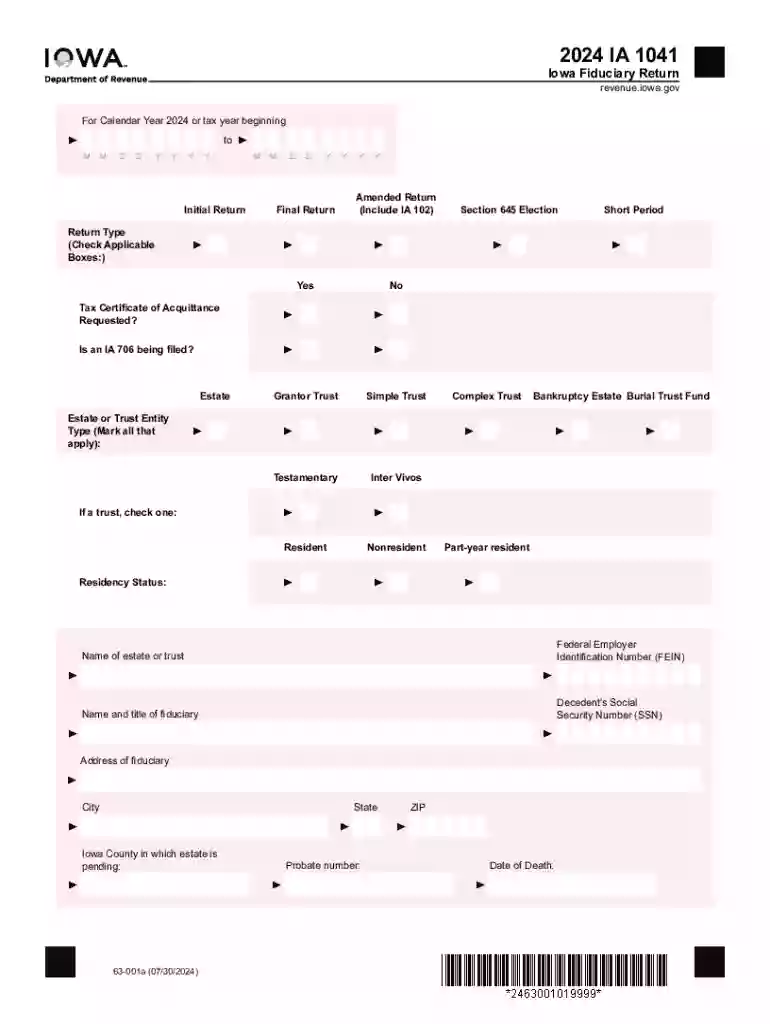
Type text, add images, blackout confidential details, add comments, highlights and more.

Draw your signature, type it, upload its image, or use your mobile device as a signature pad.

Send it via email, link, or fax. You can also download it, export it or print it out.
Form online refers to a digital format of traditional paper forms that allows users to input data directly via a digital interface. These forms can serve a myriad of functions such as gathering personal information, collecting feedback, or submitting applications. The transition from physical to digital offers an array of conveniences, including ease of access, reduced processing time, and enhanced data management. Users engage with forms online through various devices, from desktops to smartphones, enabling remote interactions that align with the increasing demand for virtual solutions. This digital transformation is highly relevant in today's fast-paced environments, where efficiency and accessibility are paramount.
Using a form online involves several straightforward steps that vary slightly depending on the specific purpose and design of the form. Typically, users begin by accessing the form via a designated website or through a direct link. Once open, the form prompts users to fill out various fields that may include text boxes, dropdown menus, and radio buttons. To ensure accurate data collection, fields may be marked as required, preventing form submission until they are filled. Some online forms provide validation checks to avoid submitting incorrect or incomplete information. After completing all sections, users review their entries for accuracy before submitting the form through an embedded submit button, often receiving confirmation and possibly a downloadable receipt or a follow-up email.
Creating fillable forms online can significantly streamline data collection processes. Platforms like DocHub offer tools to convert existing documents into interactive forms or to create new ones from scratch. Utilizing a form-building interface, users can insert various types of fields such as text boxes, dropdown menus, and signature fields. Assigning required fields helps ensure complete data capture, directing responderees to provide necessary information. After creation, these forms can be shared via links or emailed directly to recipients. Real-time collaboration features allow for tracking responses and compiling results efficiently.
Online forms are subject to various legal guidelines to ensure both data security and the validity of the information collected. In the United States, forms that require electronic signatures, for instance, comply with the Electronic Signatures in Global and National Commerce (ESIGN) Act, which grants electronic signatures the same legal status as traditional handwritten ones. Users need to verify the authenticity and legitimacy of online forms, especially those handling sensitive information. Additionally, privacy laws require that forms with personal data collections adhere to standards such as the General Data Protection Regulation (GDPR) for European transactions or the California Consumer Privacy Act (CCPA) for Californian residents.
Form online applications are varied, encompassing multiple sectors and purposes. For instance, businesses may use online forms for job applications, allowing applicants to submit their resumes and cover letters electronically. Government agencies adopt them for tax filing, enabling taxpayers to complete and submit forms such as the W-9 entirely online. Academic institutions often utilize digital forms to facilitate course registrations or feedback collection. Another common application is in e-commerce settings, where checkout forms play a role in processing customer orders smoothly.
Online form interfaces often integrate with a range of software solutions, enhancing their utility and ease of use. Popular software such as TurboTax and QuickBooks offer modules that enable users to submit tax-related documents online, capitalizing on the seamless data transfer between digital forms and accounting software. Compatibility with cloud storage services like Google Drive also allows easy importation of supporting documents, while exports ensure back-ups are securely stored. This interoperability facilitates a cohesive ecosystem, making online forms a robust tool for streamlined business processes.
We've got more versions of the 2024 Iowa Fiduciary Return form. Select the right 2024 Iowa Fiduciary Return version from the list and start editing it straight away!
| Versions | Form popularity | Fillable & printable |
|---|---|---|
| 2025 | 4.9 Satisfied (41 Votes) | |
| 2025 | 4.4 Satisfied (30 Votes) | |
| 2024 | 4.6 Satisfied (59 Votes) | |
| 2024 | 4.3 Satisfied (55 Votes) | |
| 2023 | 4.4 Satisfied (36 Votes) | |
| 2023 | 4.1 Satisfied (51 Votes) | |
| 2023 | 4.4 Satisfied (41 Votes) | |
| 2023 | 4.7 Satisfied (28 Votes) | |
| 2022 | 4.4 Satisfied (37 Votes) | |
| 2022 | 4.9 Satisfied (20 Votes) | |
| 2022 | 4.6 Satisfied (54 Votes) | |
| 2021 | 4.8 Satisfied (208 Votes) | |
| 2021 | 4.8 Satisfied (71 Votes) | |
| 2021 | 4.9 Satisfied (58 Votes) | |
| 2021 | 4.8 Satisfied (193 Votes) |
At DocHub, your data security is our priority. We follow HIPAA, SOC2, GDPR, and other standards, so you can work on your documents with confidence.
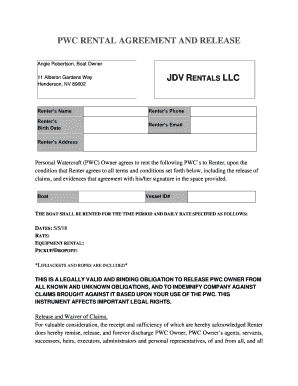



Tax Fiduciary Tax Franchise. Fiduciary Tax Form IA 1041 Fiduciary Return 63-001. Iowa Income Tax Return for S Corporations. Tax Fiduciary
Forms - Fiduciary Tax. Go to results. Name. Year. - Any -, 2026, 2025, 2024 IA 1041 Fiduciary Return 63-001. 838.63 KB Archived .pdf.Read more


