It 242 2026

Get Form
it 242 Preview on Page 1

Here's how it works

01. Edit your form online
Type text, add images, blackout confidential details, add comments, highlights and more.
02. Sign it in a few clicks
Draw your signature, type it, upload its image, or use your mobile device as a signature pad.
03. Share your form with others
Send it via email, link, or fax. You can also download it, export it or print it out.

How to use or fill out it 242 with our platform

Form edit decoration
9.5
Ease of Setup
DocHub User Ratings on G2
9.0
Ease of Use
DocHub User Ratings on G2
  1. Click ‘Get Form’ to open it in the editor.
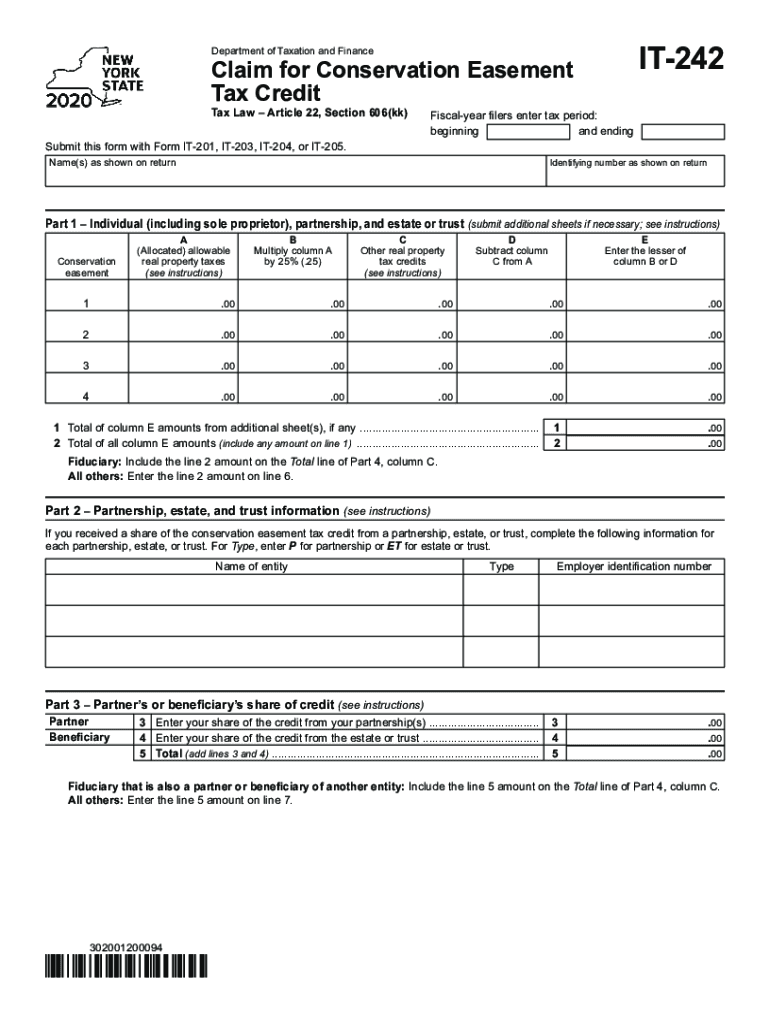
  2. Begin by entering your name(s) as shown on your tax return in the designated field.
  3. For fiscal-year filers, input the tax period's beginning and ending dates in the appropriate fields.
  4. In Part 1, fill out columns A through D for each property. Multiply the values as instructed and enter them accordingly.
  5. Complete Part 2 by providing information about any partnerships, estates, or trusts from which you received a share of the conservation easement tax credit.
  6. In Part 3, enter your share of credits from partnerships and estates or trusts in lines 3 and 4 respectively, then calculate the total on line 5.
  7. Proceed to Part 4 to list beneficiary names and their respective shares of credit.
  8. Finally, complete Parts 5 and 6 by entering necessary amounts and conservation easement identifying information as required.

Start using our platform today for free to simplify your form completion process!

See more it 242 versions

We've got more versions of the it 242 form. Select the right it 242 version from the list and start editing it straight away!
Versions Form popularity Fillable & printable
2023 4.3 Satisfied (21 Votes)
2022 4.3 Satisfied (30 Votes)
2021 4.8 Satisfied (192 Votes)
2020 4.2 Satisfied (65 Votes)
2019 4.4 Satisfied (135 Votes)
2018 4.3 Satisfied (137 Votes)
2016 4.1 Satisfied (31 Votes)
2015 4.4 Satisfied (323 Votes)
2014 4.2 Satisfied (37 Votes)
2013 4 Satisfied (56 Votes)
be ready to get more

Complete this form in 5 minutes or less

Get form

Got questions?

We have answers to the most popular questions from our customers. If you can't find an answer to your question, please contact us.
Contact us

Of course, it is possible with DocHub. This safe and compliant online editor has a phone-based signing option. After you log in to your DocHub account and import your it 242 to our editor, fill out all empty fields and utilize the Sign feature on the top barf. Click on Create your signature and choose Phone from the available choices. Here, you scan a QR code using your smartphone and draw your signature on your phone screen, as you normally do when signing hard copies. If you access DocHub right from your mobile device, you can eSign your form by drawing your eSignature, uploading its image, or simply with a typed name.

You can find the latest and most relevant version of the it 242 in our DocHub forms library. Search it by categories or use the search field to locate the exact template that suits your case. You may open this form for editing once you find it.

Security and compliance

At DocHub, your data security is our priority. We follow HIPAA, SOC2, GDPR, and other standards, so you can work on your documents with confidence.

Learn more
ccpa2
pci-dss
gdpr-compliance
hipaa
soc-compliance