Get and manage Calculator Balance Sheet Templates online

Accelerate your file management using our Calculator Balance Sheet Templates library with ready-made form templates that suit your needs. Access your form template, change it, fill it, and share it with your contributors without breaking a sweat. Start working more effectively with the documents.

How to use our Calculator Balance Sheet Templates:

  1. Open our Calculator Balance Sheet Templates and find the form you need.
  2. Preview your form to ensure it’s what you want, and click Get Form to begin working on it.
  3. Edit, add new text, or point out important information with DocHub tools.
  4. Prepare your form and save the modifications.
  5. Download or share your document template with other people.

Examine all of the possibilities for your online document administration with the Calculator Balance Sheet Templates. Get your totally free DocHub account today!


Video Guide on Calculator Balance Sheet Templates management

video background

Commonly Asked Questions about Calculator Balance Sheet Templates

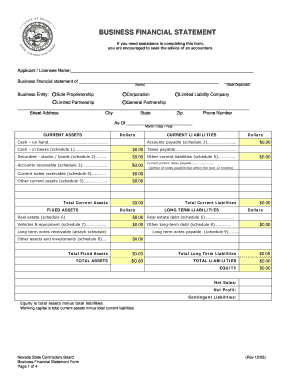
The balance sheet is built around a simple yet vital equation: Assets = Liabilities + Shareholders Equity. This equation forms the basis of double-entry bookkeeping, a time-tested method used worldwide. Lets explore the key components of a balance sheet. Assets: An asset is anything of value a company owns.
The Balance Sheet Template for Excel is a pre-designed spreadsheet that allows users to enter their companys financial information, including assets, liabilities, and equity. This template is useful for businesses of all sizes, as it can be customized to fit each companys specific needs.
The balance sheet displays the companys total assets and how the assets are financed, either through either debt or equity. It can also be referred to as a statement of net worth or a statement of financial position. The balance sheet is based on the fundamental equation: Assets = Liabilities + Equity.
How to create a running total in Excel Start with =SUM. Click on the cell where you want your running total to begin. Next, select the SUM function on that cell. Create a running total formula. You must use the dollar sign in this formula, even if the numbers youre tallying are not dollar amounts.
The balance sheet is based on the fundamental equation: Assets = Liabilities + Equity. As such, the balance sheet is divided into two sides (or sections). The left side of the balance sheet outlines all of a companys assets.
Add formulas to calculate totals for each section. For example, sum the current assets and long-term assets to get the total assets. Repeat this process for liabilities and equity. Include a formula at the bottom to ensure the balance sheet adheres to the accounting equation: Assets = Liabilities + Equity.
How To Create A Personal Finance Balance Sheet Gather Financial Documents. Getting all your financial documents ensures you have accurate information. Make Or Use A Free Personal Financial Statement Template. List Your Assets. List Your Liabilities. Categorize The Information And Add Up The Values. Determine Your Net Worth.
Step-by-Step Procedure to Make Stock Balance Sheet in Excel Step 1 - Create an Outline. Step 2 - Input Opening Stock Details. Step 3 - Enter Data in Stock in Column. Step 4 - Enter Data in Stock Out. Step 5 - Calculate Balance Stock.