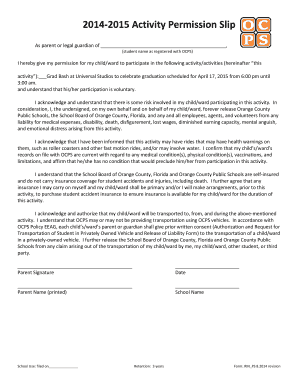
Definition & Meaning
The term "form online" refers to electronic versions of traditional paper forms used for various legal, financial, or administrative purposes. Hosting these forms online allows users to complete, submit, and process information more efficiently through a digital medium. These online forms are designed to be interactive, offering features like drop-down menus, checkboxes, and signature fields to facilitate easier data entry and reduce error rates in comparison to paper forms.
Benefits of Form Online
- Accessibility: Online forms can be accessed from any device with an internet connection, allowing users a flexible and convenient way to fill out necessary paperwork from anywhere.
- Efficiency: Automating parts of the form-filling process can reduce time spent on manual data entry, leading to a quicker turnaround for users and businesses alike.
- Accuracy: Features like mandatory fields and real-time validation help ensure that users complete forms accurately, reducing the likelihood of errors or omissions.
How to Use the Form Online
Using an online form involves several key steps to ensure successful completion and submission. Regardless of the specific type of form, the process generally includes selecting the form, filling out the necessary fields, reviewing entries for accuracy, and submitting it electronically.
Step-by-Step Instructions
- Locate the Form: Access the form by visiting the relevant website or portal where it is hosted. Use search features or navigation menus if necessary.
- Fill Out Fields: Input required information into designated fields, ensuring all mandatory fields are completed to avoid submission errors.
- Use Interactive Features: Take advantage of interactive elements, such as dropdown menus or checkboxes, to streamline your input process.
- Review Submission: Double-check all entered data for accuracy and completeness before proceeding to submission.
- Submit: Electronically submit the form by clicking the 'submit' button, confirming any prompts for final consent, or providing digital signature if required.
Steps to Complete the Form Online
Completing a form online involves understanding the required information and correctly navigating through each section. This process ensures data accuracy and efficient submission.
Detailed Guidelines for Form Completion
- Read Instructions Carefully: Before starting, carefully read any instructions provided at the top or within the form to understand specific requirements or constraints.
- Prepare Documents: Have all necessary documents or information on hand to ensure that you can complete all fields without delay.
- Utilize Help Prompts: If available, use help icons or tooltips provided within the form to clarify any confusing sections or unfamiliar terminology.
- Save Progress: For lengthy forms, use the save function if available to prevent data loss and allow for continued completion later.
Why Should You Form Online
Choosing to fill out forms online offers multiple advantages that cater to modern needs for efficiency, security, and convenience.
Key Benefits
- Time Savings: Eliminate the need for mailing documents, allowing for faster processing and feedback.
- Eco-friendly: Reduce environmental impact by cutting down on paper consumption and related waste.
- Enhanced Security: Protect sensitive data through encrypted submission processes, offering more security than traditional mail.
Legal Use of the Form Online
Using an online form must comply with specific legal standards to ensure its validity and enforceability. These requirements are especially crucial when the forms involve contracts, agreements, or official submissions.
Compliance and Considerations
- Digital Signatures: Ensure that electronic signatures meet the standards set by relevant laws, such as the ESIGN Act in the U.S., to be considered legally binding.
- Data Protection: Use platforms that adhere to stringent data privacy standards, safeguarding user information against unauthorized access or misuse.
- Record-keeping: Maintain digital copies of submitted forms and related confirmations for future reference or in case of disputes.
Key Elements of the Form Online
Understanding the key elements that make up an online form facilitates better user comprehension and efficient data collection.
Main Components
- User Inputs: Fields where users input their data, which may be text boxes, sliders, or dropdowns depending on the required response type.
- Interactive Features: Elements like checkboxes and radio buttons designed to guide user inputs and make the process more intuitive.
- Submission Confirmations: Automatic confirmations ensure that users receive immediate feedback on the status of their submission, whether it was successful or requires further modifications.
State-Specific Rules for the Form Online
Different states may have unique regulations and requirements regarding the use and submission of online forms, impacting the way forms are filled and processed.
Customized State Requirements
- Varied Legal Standards: Depending on the state, legal standards for electronic transactions and digital signatures may vary, affecting the form's validity.
- State-specific Data: Some forms may require additional information or fields pertinent to state-specific laws or regulations.
- Compliance with Local Laws: Ensure the form meets all necessary state statutes and regulations for it to be accepted and processed successfully.
Software Compatibility
Compatibility with various software platforms is a crucial factor for users looking to integrate form submissions with other applications, streamlining processes and improving efficiency.
Common Software Integrations
- Accounting Software: Integration with programs like QuickBooks for seamless data transfer related to financial forms and transactions.
- Cloud Storage Services: Ability to save and manage completed forms through platforms like Google Drive or Dropbox.
- Third-party Applications: Compatibility with popular services such as TurboTax for specialized form types like tax submissions, facilitating accurate data handling.