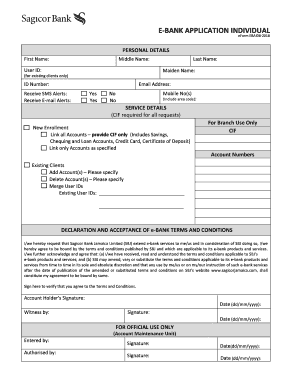
Definition and Purpose of the Promotional Exam Registration Form
The Promotional Exam Registration Form is a critical document used primarily within the Dallas County Human Resources/Civil Service to facilitate the registration of candidates seeking the position of Captain. This form collects essential personal information, educational background, and demographic data needed for the application process and Equal Employment Opportunity reporting. By filling out this form, applicants express their intent to participate in merit-based promotion exams that assess their eligibility and qualifications for advancement within their current career path.
How to Use the Promotional Exam Registration Form
To effectively use the Promotional Exam Registration Form, applicants need to carefully follow several steps:
- Download the form from the official Dallas County Human Resources/Civil Service website or access it directly through .
- Fill out your personal information, such as your name, address, and contact number, ensuring accuracy and completeness.
- Provide details of your educational background, including degrees obtained and any relevant certifications.
- Complete the demographic section if you wish to provide optional information for Equal Employment Opportunity purposes.
- Review the form thoroughly to ensure all required fields are filled accurately.
- Submit the form as per the designated method outlined by the organization, whether electronically or via mail.
Obtaining the Promotional Exam Registration Form
The Promotional Exam Registration Form can be acquired through several channels:
- Online Access: Visit the Dallas County Human Resources/Civil Service website or access a digital version via document management platforms like DocHub.
- Physical Copies: Request a paper version from the Dallas County HR office if internet access is unavailable.
- Internal Distribution: For current employees, the form might be distributed directly through internal communication channels or HR departments.
Steps to Complete the Promotional Exam Registration Form
Effective completion of the Promotional Exam Registration Form requires attention to detail across several sections:
- Personal Information: Ensure that all contact details are current and correctly spelled.
- Employment History: Include your current position and highlight relevant experience that supports your application for promotion.
- Educational Background: Detail any relevant academic achievements that qualify you for the Captain position.
- Demographic Data: Opt in to provide information that supports equal opportunity reporting—though this is optional.
Reasons to Use the Promotional Exam Registration Form
Utilizing this form is essential for those looking to advance within their professional environment:
- Career Advancement: It provides a formal method of applying for a higher position.
- Organizational Requirement: Submission ensures you're considered for promotion opportunities internally.
- Data Collection: Facilitates compiling necessary documentation to assess candidate eligibility objectively.
Typical Users of the Promotional Exam Registration Form
This form is commonly used by professionals within Dallas County's public sectors who meet specific criteria:
- Current Employees: Those seeking promotion to the rank of Captain must complete the form.
- Eligible Civil Service Members: Individuals within the civil service framework meeting the application criteria.
Key Elements of the Promotional Exam Registration Form
The form is composed of several parts, each vital for successful submission:
- Applicant Identification: Personal data for contacting the candidate.
- Educational Credentials: Verifiable details of academic qualifications.
- Experience Summary: Professional history relevant to the desired promotion.
- Optional Demographics: Fields that support diversity and opportunity metrics within staffing processes.
Legal Use of the Promotional Exam Registration Form
Using the form is governed by guidelines ensuring transparency and fairness:
- Confidentiality Agreements: Information entered into the form is treated with confidentiality and used solely for the intended purpose.
- Regulatory Compliance: Must adhere to Dallas County policies regarding civil service promotions and hiring practices.
Required Documents for the Promotional Exam Registration Form
Submission might require supplementary documents to ensure full application transparency:
- Proof of Identity: A government-issued ID for verification.
- Educational Transcripts: Official records from educational institutions.
- Employment Verification: Letters or records confirming relevant work experience.
By providing comprehensive, detailed information and supporting documents, candidates ensure their application for promotion is considered thoroughly and equitably by the Dallas County Human Resources/Civil Service department.