01. Edit your form online
Type text, add images, blackout confidential details, add comments, highlights and more.

Type text, add images, blackout confidential details, add comments, highlights and more.

Draw your signature, type it, upload its image, or use your mobile device as a signature pad.

Send it via email, link, or fax. You can also download it, export it or print it out.
Online forms are digital versions of traditional paperwork that allow users to input and submit data electronically. Unlike paper forms, these digital alternatives enable real-time data entry and validation, facilitating efficient information collection and processing. Key characteristics of online forms include interactive elements such as text fields, checkboxes, and dropdown menus, which guide users in providing accurate details. This format is widely adopted across various industries, including healthcare, finance, and education, due to its ability to streamline operations and reduce reliance on physical paperwork.
Utilizing forms online is a straightforward process that can be broken down into several steps. Users typically start by accessing the form through a link provided via a website or email. Once opened, the form's digital format allows users to enter information directly into designated fields without needing additional software. Interactive features such as auto-complete, dynamic adjustment based on previous answers, and real-time error checking help ensure the data's accuracy and completeness. After completing all required sections, users submit the form online, where it is processed and stored in a digital database. This simplicity and efficiency make online forms a preferred choice for individuals and businesses alike.
Access the Form: Locate the form via a URL link or email attachment.
Review Instructions: Carefully read any instructions or guidelines provided at the beginning of the form to ensure you understand the requirements.
Fill Out Required Fields: Input information into mandatory fields, marked with an asterisk or highlighted differently to indicate necessity.
Utilize Interactive Features: Use dropdown menus, checkboxes, and other interactive elements to accurately capture information.
Double-Check Entries: Before submission, verify all entered data for accuracy and completeness.
Submit the Form: Click the submit button to send your completed form electronically. You may receive an email confirmation or a submission acknowledgment on the webpage.
Save a Copy: If provided, download a copy of your completed form for your records.
Filling out forms online offers numerous advantages over traditional paper methods. The most significant benefit is efficiency; online forms eliminate the need for physical storage and manual data entry, reducing errors and processing time. Additionally, online forms can be accessed and completed from anywhere with an internet connection, providing flexibility and convenience to users. Enhanced security is another critical advantage, as digital forms often employ encryption and secure authentication methods to protect sensitive information. Lastly, the environmental impact is minimized due to reduced paper usage, contributing to more sustainable practices in personal and professional environments.
Online forms often have specific legal considerations to ensure compliance with regulations and retain the same validity as physical documents. Many industries utilize them for obtaining electronic signatures, which the Electronic Signatures in Global and National Commerce (ESIGN) Act recognizes as legally binding in the United States. Online forms used in banking, healthcare, and legal services must comply with industry-specific standards, such as the Health Insurance Portability and Accountability Act (HIPAA) for healthcare forms. Understanding these legal frameworks is vital for ensuring that online forms are both compliant and enforceable.
Key elements of online forms are designed to facilitate accurate data collection and maximize user experience:
These elements are critical for achieving a smooth and efficient form completion process, thereby enhancing user satisfaction.
Online forms are utilized across various scenarios, often tailored to the specific needs of an industry or organization. In healthcare, patient intake forms collect personal and medical history information before appointments. In the finance sector, loan application forms gather financial information necessary for credit decisions. Educational institutions use enrollment forms to manage student data for admissions efficiently. These examples highlight the versatility and widespread adoption of online forms, underscoring their ability to meet diverse operational needs while maintaining user-friendly interfaces.
Compatibility with various software solutions is a critical consideration for users and organizations utilizing online forms. Many online forms are designed to seamlessly integrate with popular office and productivity tools like Google Workspace, Microsoft Office, and CRM systems, enhancing their utility and applicability. For instance, compatibility with platforms such as TurboTax or QuickBooks ensures efficient data importation for tax filing or financial management tasks. These integrations save time by eliminating manual data entry and fostering a more cohesive workflow across different applications.
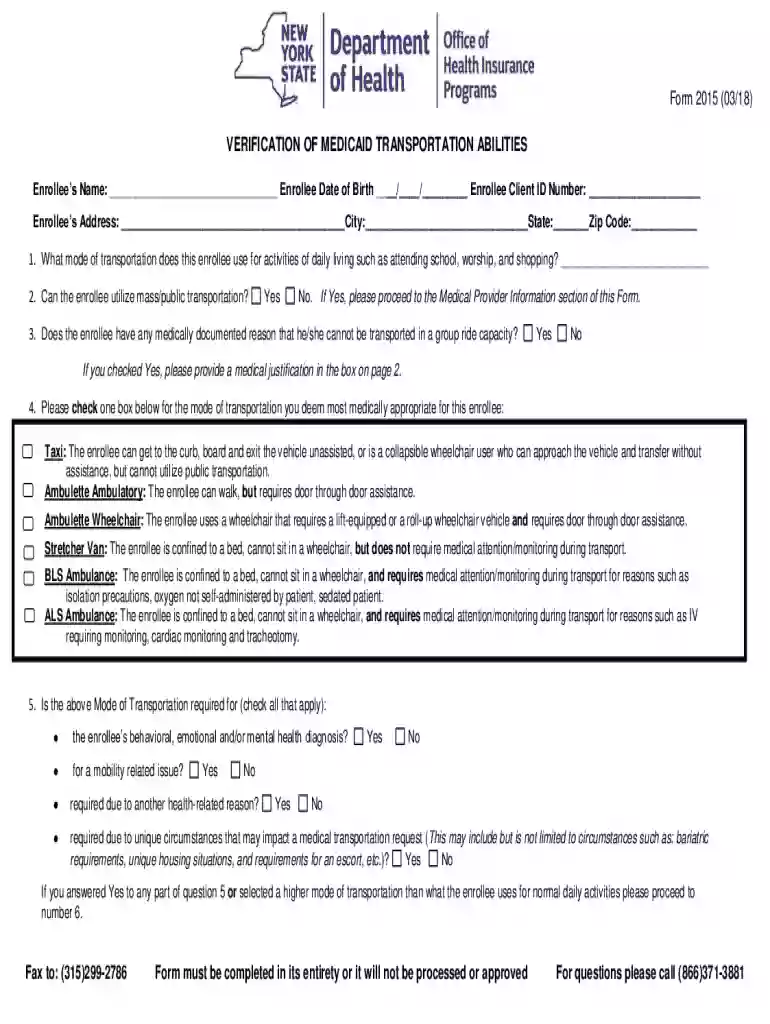
We've got more versions of the Medicaid Transportation Verification Form 2015 form. Select the right Medicaid Transportation Verification Form 2015 version from the list and start editing it straight away!
At DocHub, your data security is our priority. We follow HIPAA, SOC2, GDPR, and other standards, so you can work on your documents with confidence.