




Here's how it works

01. Edit your dgr motion calendar online
Type text, add images, blackout confidential details, add comments, highlights and more.

02. Sign it in a few clicks
Draw your signature, type it, upload its image, or use your mobile device as a signature pad.

03. Share your form with others
Send nj motion days 2023 via email, link, or fax. You can also download it, export it or print it out.
How to use or fill out 2022 nj civil motion with DocHub

- Click ‘Get Form’ to open the 2022 NJ Civil Motion in our editor.
- Begin by filling out the Notice of Motion (Form A). Clearly state what you are requesting from the court and include your case's docket number. Ensure you sign where indicated.
- Next, complete the Certification in Support of a Motion (Form B). This section should explain why you believe your request is justified. Attach any supporting documents that may strengthen your case.
- Proceed to fill out the top portion of the Order (Form C). This document will reflect the court's decision on your request. Leave the bottom half blank for judicial completion.
- Complete the Certification of Service found on page 2 of Form A. This certifies that all parties involved have received copies of your motion.
- Review all completed forms for accuracy and completeness, ensuring all necessary signatures are present before submitting them to the court.
Start using our platform today to streamline your document editing and filing process for free!
Fill out 2022 nj civil motion online
It's free
It's free
See more 2022 nj civil motion versions
We've got more versions of the 2022 nj civil motion form. Select the right 2022 nj civil motion version from the list and start editing it straight away!
Got questions?
We have answers to the most popular questions from our customers. If you can't find an answer to your question, please contact us.
Contact us
What is the five day rule in NJ?
12 Steps for Filing a Motion: Fill out the Notice of Motion (Form A) Get a court date for your motion Court Calendar. Fill out the Confidential Litigant Information Sheet. Fill out the Certification in Support of Motion (Form B) Fill out the Proposed Order (Form C)
How late can you file a motion to dismiss?
A motion to dismiss can be filed at any time. They are usually filed by defendants early on in the lawsuit, before they have filed an answer. Often a motion to dismiss is alleging that the claim should not proceed because of an issue unrelated to the facts.
How to write a civil motion?
How to Write a Motion for Court? Step-by-Step Guide Step 1: Understand the Purpose of Your Motion. Step 2: Research Court Rules and Requirements. Step 3: Start with a Clear and Concise Title. Step 4: Draft the Introduction. Step 5: Present the Relevant Facts. Step 6: Provide Legal Arguments.
How long do you have to file a motion in NJ?
5:5-4(c) (post judgment motions), a notice of motion shall be filed and served not later than 16 days before the specified return date unless otherwise provided by court order, which may be applied for ex parte.
Are NJ courts backed up?
The judicial shortage in Essex was so bad in early 2022 that it had the largest backlog of any county. The statewide backlog became a bit worse in July, with the Judiciary reporting 51,824 backlogged cases, an increase of 476 over the previous month and still more than double the states prepandemic backlog.
Security and compliance
At DocHub, your data security is our priority. We follow HIPAA, SOC2, GDPR, and other standards, so you can work on your documents with confidence.
Learn more


Related forms
DEATH TAX ELIMINATION ACT - Congress
The document discusses the debate surrounding the estate tax, particularly focusing on proposals to repeal or reform it. ...
Feder al Benefits
The document provides comprehensive information on line of duty death benefits available to the families of law enforcem ...

PROM IS NEXT WEEK! Guest pass forms are due to Mr Rettig by 3
The document provides important announcements and updates for students at Bryan High School, including details about the ...
Monetary policy and the measurement of inflation: prices,
The document contains the minutes of the Shaker Heights Board of Education meeting held on December 14, 2006. It include ...
The Shaker Heights Board of Education met in regular session on Friday, June 13, 2008
The document contains the minutes of the Shaker Heights Board of Education meeting held on June 13, 2008. It includes at ...
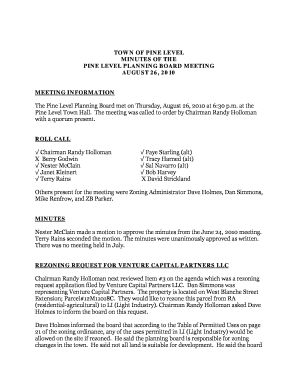
TOWN OF PINE LEVEL MINUTES OF THE PINE LEVEL PLANNING - pinelevel
The Pine Level Planning Board meeting held on August 26, 2010, addressed a rezoning request from Venture Capital Partner ...
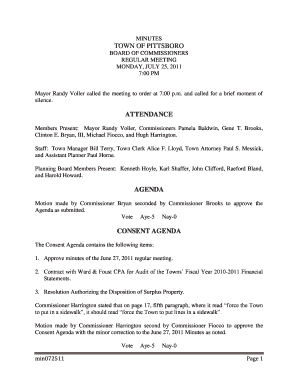
TOWN OF PITTSBORO ATTENDANCE AGENDA - Pittsboro, NC - pittsboronc
The minutes from the Town of Pittsboro Board of Commissioners regular meeting on July 25, 2011, detail discussions on va ...
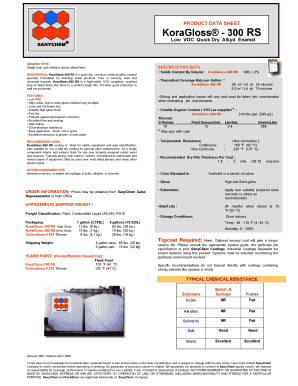
KoraGloss 300 RS - oocities
The document is a product data sheet for KoraGloss® - 300 RS, a low VOC quick-dry alkyd enamel designed for finishing me ...
People also ask
How long do you have to file a motion in New Jersey?
You must serve your adversary no later than 16 days before the specified return date on your notice of motion. [If you are filing a motion for summary judgment, you must file it not later than 28 days before the time specified for the return date].


