Mv347 form 2026

Get Form
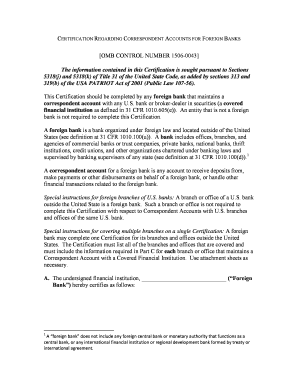
mv347 form Preview on Page 1

Here's how it works

01. Edit your form online
Type text, add images, blackout confidential details, add comments, highlights and more.
02. Sign it in a few clicks
Draw your signature, type it, upload its image, or use your mobile device as a signature pad.
03. Share your form with others
Send it via email, link, or fax. You can also download it, export it or print it out.

How to use or fill out mv347 form with our platform

Form edit decoration
9.5
Ease of Setup
DocHub User Ratings on G2
9.0
Ease of Use
DocHub User Ratings on G2
  1. Click ‘Get Form’ to open the mv347 form in the editor.
  2. Begin by filling in your personal information, including your name as it appears on the title, street address, city, zip code, and social security number. Ensure all fields are completed legibly.
  3. Next, provide details about the new vehicle you purchased. Fill in the tag number, make/model/year, and VIN/serial number accurately.
  4. If applicable, complete the section regarding the vehicle you sold. Include its tag number, make/model/year, VIN/serial number, buyer's name and address, purchase price, and date of sale.
  5. Review all entries for accuracy before signing and dating the application at the bottom of the form.
  6. Once completed, save your document and submit it as instructed on the form to ensure timely processing.

Start using our platform today to fill out your mv347 form easily and for free!

See more mv347 form versions

We've got more versions of the mv347 form form. Select the right mv347 form version from the list and start editing it straight away!
Versions Form popularity Fillable & printable
2018 4.8 Satisfied (127 Votes)
2008 4.3 Satisfied (78 Votes)
be ready to get more

Complete this form in 5 minutes or less

Get form

Got questions?

We have answers to the most popular questions from our customers. If you can't find an answer to your question, please contact us.
Contact us

With DocHub, it’s quite simple. The editor offers users an add-on called DocHub for Gmail, which you can locate in the Google Workspace Marketplace without being charged. Install it and grant it access to your Google account. Open your email with your mv347 form attached and click on the add-on button in the right-side panel. Sign in to your DocHub account, and upload the form to our editor, where you can complete it and sign.

When you edit your mv347 form with DocHub, you only need a steady web connection and virtually any browser installed on your device. No need to install any third-party applications or research guides. Simply open a tab with DocHub, drag and drop your file, and modify it on the spot.

Delaware law allows a vehicle owner who trades in a Delaware-titled vehicle when purchasing another vehicle, to deduct the value of the trade-in vehicle from the purchase price of the new vehicle. Certain limitations apply to this credit.
What should you include in your vehicle bill of sale? Date of sale. Purchase price. Payment structure (whether the purchase price was paid in full or in installments) Payment method (cash, check, card) Odometer reading from when the sale took place. Make and model of the car, including model year and color.
Renew Delaware Car Registration in Person Go to any Delaware DMV office. Bring the following: Proof of Delaware car insurance, proof of passing a vehicle inspection (if applicable), Delaware drivers license, current vehicle registration card. Pay the fees.

Security and compliance

At DocHub, your data security is our priority. We follow HIPAA, SOC2, GDPR, and other standards, so you can work on your documents with confidence.

Learn more
ccpa2
pci-dss
gdpr-compliance
hipaa
soc-compliance
be ready to get more

Complete this form in 5 minutes or less

Get form

People also ask

For Delaware, youll fill out the state Application for Title. Pay applicable fees, and provide any information your DMV requires, such as a valid ID, proof of insurance, and a bill of sale for your vehicle.
DMV recommends that all parties appear at our office to complete the transfer. The vehicle may not be operated until a new title is issued in the buyers name. Failure to transfer a title within 30 days of purchase will result in a $35.00 late fee.
You will need to have or obtain a Delaware DMV bill of sale, DE DMV transfer registration, DE DMV title transfer and proof of insurance (if you have it). If you dont have proof of identity or residence then you will also need to bring in one of the following: A valid drivers license from another state.
A Delaware vehicle bill of sale is a personal property document used during the transfer of ownership of a motor vehicle. It includes several details related to the transaction, such as the buyers and sellers information, a description of the vehicle, purchase information, and an odometer reading.
A bill of sale certifies a big transaction usually of a large purchase like a vehicle or livestock. It frees the seller from liability and proves the buyers ownership.

Related links