Type text, add images, blackout confidential details, add comments, highlights and more.
02. Sign it in a few clicks
Draw your signature, type it, upload its image, or use your mobile device as a signature pad.
03. Share your form with others
Send free warranty deed form via email, link, or fax. You can also download it, export it or print it out.
How to use or fill out warranty deed form with DocHub
Ease of Setup
DocHub User Ratings on G2
Ease of Use
DocHub User Ratings on G2
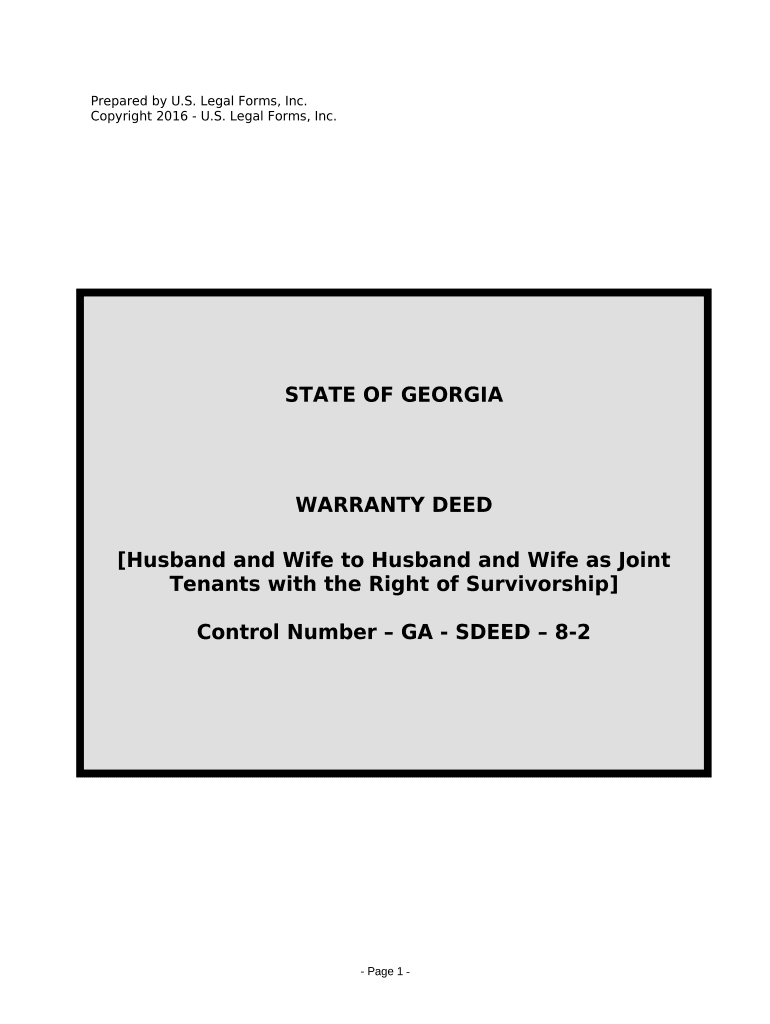
Click ‘Get Form’ to open the warranty deed form in our editor.
Begin by entering the date at the top of the form. This is essential for legal documentation.
In the 'Grantors' section, input the names of both husband and wife as they will appear on the deed.
Next, fill in the 'Grantees' section with the names of both parties receiving the property, ensuring they are listed as joint tenants with right of survivorship.
Provide a detailed legal description of the property in the designated area. If you have an attachment (Exhibit A), ensure it is referenced correctly.
Complete any additional fields regarding prior instrument references and encumbrances if applicable.
Finally, ensure that both grantors sign and date where indicated, and include notary information as required for validation.
Start using our platform today to easily complete your warranty deed form online for free!
warranty deed form near denver, coWarranty deed form pdfPrintable warranty deed formWarranty deed form pdf free DownloadFree warranty deed formWarranty Deed example filled outSpecial Warranty Deed FormColorado warranty deed form
Security and compliance
At DocHub, your data security is our priority. We follow HIPAA, SOC2, GDPR, and other standards, so you can work on your documents with confidence.
SPECIAL WARRANTY DEED. NOTICE OF CONFIDENTIALITY RIGHTS: IF YOU ARE A NATURAL PERSON, YOU MAY. REMOVE OR STRIKE ANY OR ALL OF THE FOLLOWING INFORMATION FROMRead more
A deed in substance following the form set forth in this section, when duly executed in accordance with Chapter 5301. of the Revised Code, has the force andRead more
Cookie consent notice
This site uses cookies to enhance site navigation and personalize your experience.
By using this site you agree to our use of cookies as described in our Privacy Notice.
You can modify your selections by visiting our Cookie and Advertising Notice.