Enhance your template administration with Corporate finance Balance Sheet Templates

Your workflows always benefit when you can get all of the forms and files you need at your fingertips. DocHub supplies a wide array of document templates to alleviate your day-to-day pains. Get a hold of Corporate finance Balance Sheet Templates category and easily discover your document.

Begin working with Corporate finance Balance Sheet Templates in a few clicks:

  1. Access Corporate finance Balance Sheet Templates and find the form you require.
  2. Click on Get Form to open it in our editor.
  3. Begin editing your file: add fillable fields, highlight paragraphs, or blackout sensitive data.
  4. The application saves your modifications automatically, and once you are ready, you are able to download or share your file with other contributors.

Enjoy effortless document administration with DocHub. Discover our Corporate finance Balance Sheet Templates online library and find your form today!

Video Guide on Corporate finance Balance Sheet Templates management

video background

Commonly Asked Questions about Corporate finance Balance Sheet Templates

The balance sheet is based on the fundamental equation: Assets = Liabilities + Equity. As such, the balance sheet is divided into two sides (or sections).
Overview: The balance sheet - also called the Statement of Financial Position - serves as a snapshot, providing the most comprehensive picture of an organizations financial situation. It reports on an organizations assets (what is owned) and liabilities (what is owed).
The U.S. Securities and Exchange Commissions Electronic Data Gathering, Analysis and Retrieval (EDGAR) database provides free public access to corporate information including registration statements, prospectuses, and periodic reports filed on Forms 10-K (audited annual financial statements) and 10-Q (unaudited
How to create a balance sheet Choose the time period and reporting date. The first step involves determining the period you plan to record. Identify and total the assets. Identify and total the liabilities. Determine equity. Combine all three values.
The term balance sheet refers to a financial statement that reports a companys assets, liabilities, and shareholder equity at a specific point in time. Balance sheets provide the basis for computing rates of return for investors and evaluating a companys capital structure.
How to make a balance sheet in 8 steps Step 1: Pick the balance sheet date. Step 2: List all of your assets. Step 3: Add up all of your assets. Step 4: Determine current liabilities. Step 5: Calculate long-term liabilities. Step 6: Add up liabilities. Step 7: Calculate owners equity.
Financial information can be found on the companys web page in Investor Relations where Securities and Exchange Commission (SEC) and other company reports are often kept. The SEC has financial filings electronically available beginning in 1993/1994 free on their website. See EDGAR: Company Filings.
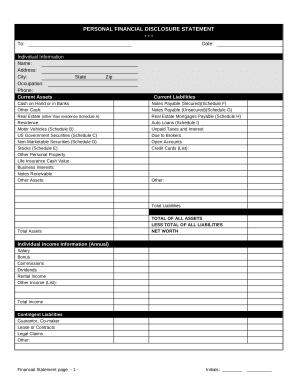
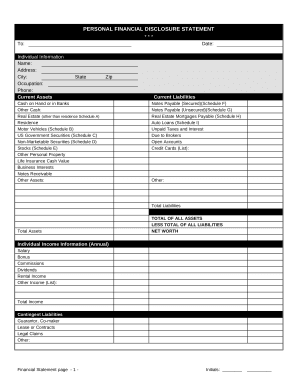
What is a balance sheet template? Balance sheets summarize and present the equation: Assets = Liabilities + Equity (alternatively Equity = Assets Liabilities), for your organization at a certain date. These statements are generated regularly and will likely contain many of the same fields over the long term.
The Balance Sheet Template for Excel is a pre-designed spreadsheet that allows users to enter their companys financial information, including assets, liabilities, and equity. This template is useful for businesses of all sizes, as it can be customized to fit each companys specific needs.
In the U.S., if a companys stock is publicly traded, it is legally required to file public financial disclosures to Securities and Exchange Commission.