




Here's how it works

01. Edit your financial form online
Type text, add images, blackout confidential details, add comments, highlights and more.

02. Sign it in a few clicks
Draw your signature, type it, upload its image, or use your mobile device as a signature pad.

03. Share your form with others
Send it via email, link, or fax. You can also download it, export it or print it out.
How to Use or Fill Out Financial Form with Our Platform

- Click ‘Get Form’ to open the Personal Financial Disclosure Statement in the editor.
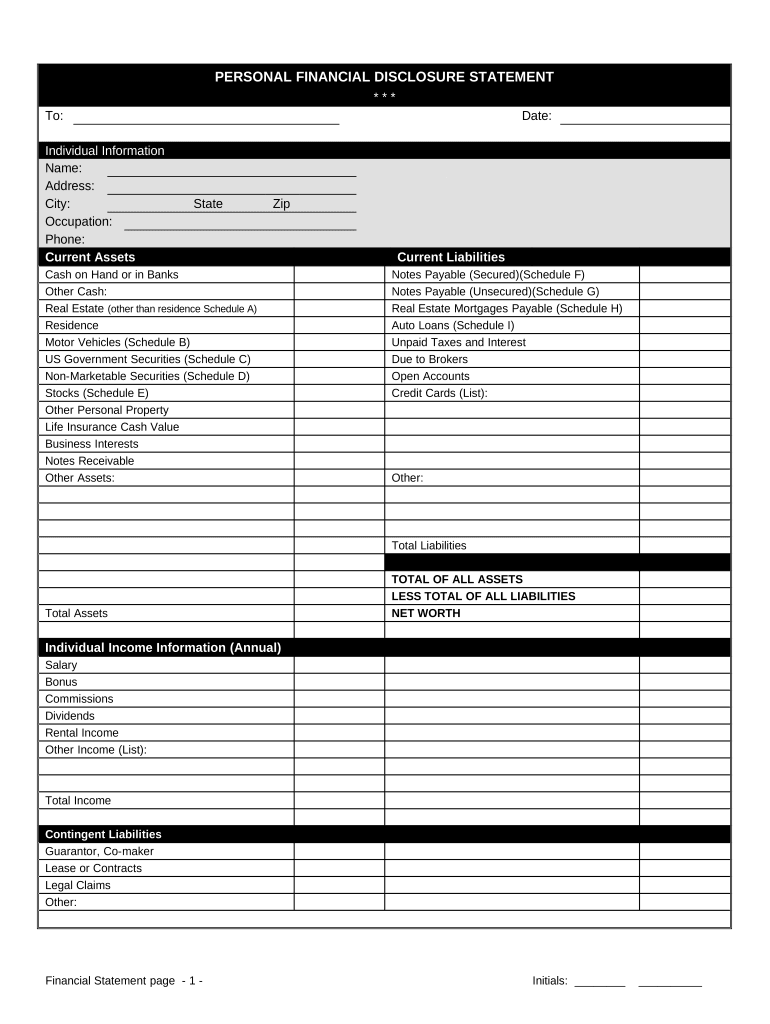
- Begin by filling out your Individual Information. Enter your name, address, city, occupation, phone number, and the date. Ensure all details are accurate for a complete disclosure.
- Next, move to the Current Assets section. List your cash on hand or in banks, real estate holdings (including residence), motor vehicles, and any securities you own. Be thorough in detailing each asset's value.
- Proceed to Current Liabilities. Document any notes payable (secured and unsecured), mortgages, auto loans, unpaid taxes, and credit card debts. This will help calculate your total liabilities accurately.
- In the Individual Income Information section, provide details about your annual salary, bonuses, commissions, dividends, rental income, and any other sources of income.
- Complete the Schedules A through I by providing specific descriptions and values for real estate, motor vehicles, government securities, non-marketable securities, stocks, and notes payable.
- Finally, certify your statement by signing and dating it at the bottom of the form to confirm its accuracy.
Start using our platform today to fill out your financial forms easily and for free!
Fill out financial form online
It's free
It's free
Security and compliance
At DocHub, your data security is our priority. We follow HIPAA, SOC2, GDPR, and other standards, so you can work on your documents with confidence.
Learn more


