01. Edit your form online
Type text, add images, blackout confidential details, add comments, highlights and more.

Type text, add images, blackout confidential details, add comments, highlights and more.

Draw your signature, type it, upload its image, or use your mobile device as a signature pad.

Send it via email, link, or fax. You can also download it, export it or print it out.
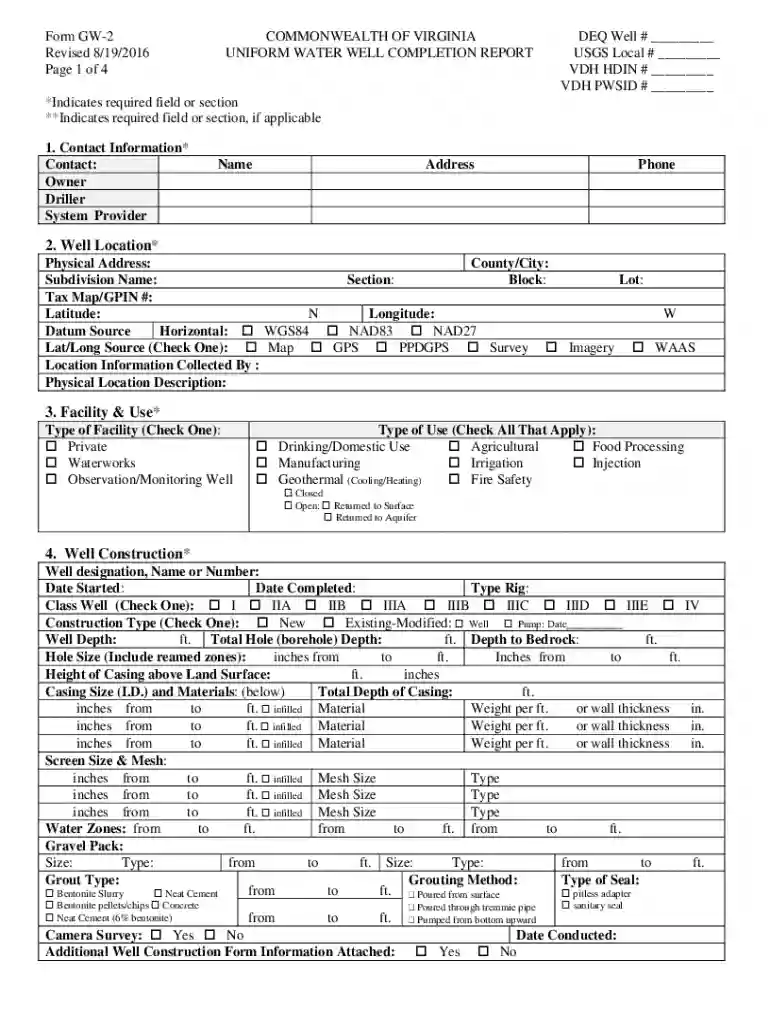
The GW-2 Uniform Water Well Completion Report/Abandonment Form, commonly referred to as the GW-2 form, is a crucial regulatory document used in the management of water wells in Virginia. This form serves to document essential details about well construction, completion, or abandonment, ensuring compliance with state water well regulations. It captures specific data points such as well location, construction details, and pump testing results. By standardizing this information, the GW-2 form facilitates accurate record-keeping and reporting for both regulatory bodies and stakeholders involved in water well operations.
The GW-2 form must be completed in accordance with Virginia's groundwater regulations. It serves as a vital compliance document, ensuring that all water wells are constructed, maintained, or abandoned according to legal standards. Proper completion of this form mitigates the risk of legal issues related to non-compliance and helps protect water quality in the region. Regulatory bodies rely on the information in this form to monitor and manage groundwater resources effectively.
Virginia requires the GW-2 form for any water well activity, whether it involves new construction or abandonment of existing wells. The state mandates the accurate reporting of well specifications, construction methods, and abandonment activities to safeguard water resources. Adherence to Virginia's specific statutes and regulations is critical for the legal operation and documentation of water wells within the state.
Platforms designed for document editing and management, such as DocHub, facilitate the handling of the GW-2 form by allowing users to fill out, sign, and store the document digitally. Compatibility with popular tools like Google Workspace enables seamless document workflow, from importing the form to exporting the completed version for submission. These platforms ensure the form is handled efficiently without unnecessary conversion steps.
When completing the GW-2 form, supplementary documents are often required to support the data entered. These may include:
The GW-2 form can be submitted through various channels to accommodate different preferences and resources. Options include:
Failure to complete and submit the GW-2 form accurately and on time can result in severe penalties. These may include fines, suspension of drilling permits, and other legal actions. Non-compliance undermines regulatory efforts to safeguard water quality and can lead to legal liabilities for involved parties. It is crucial to adhere strictly to submission guidelines and deadlines to avoid such penalties.
We've got more versions of the GW-2 Uniform Water Well Completion ReportAbandonment Form FINAL072916 docx form. Select the right GW-2 Uniform Water Well Completion ReportAbandonment Form FINAL072916 docx version from the list and start editing it straight away!
At DocHub, your data security is our priority. We follow HIPAA, SOC2, GDPR, and other standards, so you can work on your documents with confidence.