




01. Edit your form online
Type text, add images, blackout confidential details, add comments, highlights and more.

Type text, add images, blackout confidential details, add comments, highlights and more.

Draw your signature, type it, upload its image, or use your mobile device as a signature pad.

Send it via email, link, or fax. You can also download it, export it or print it out.
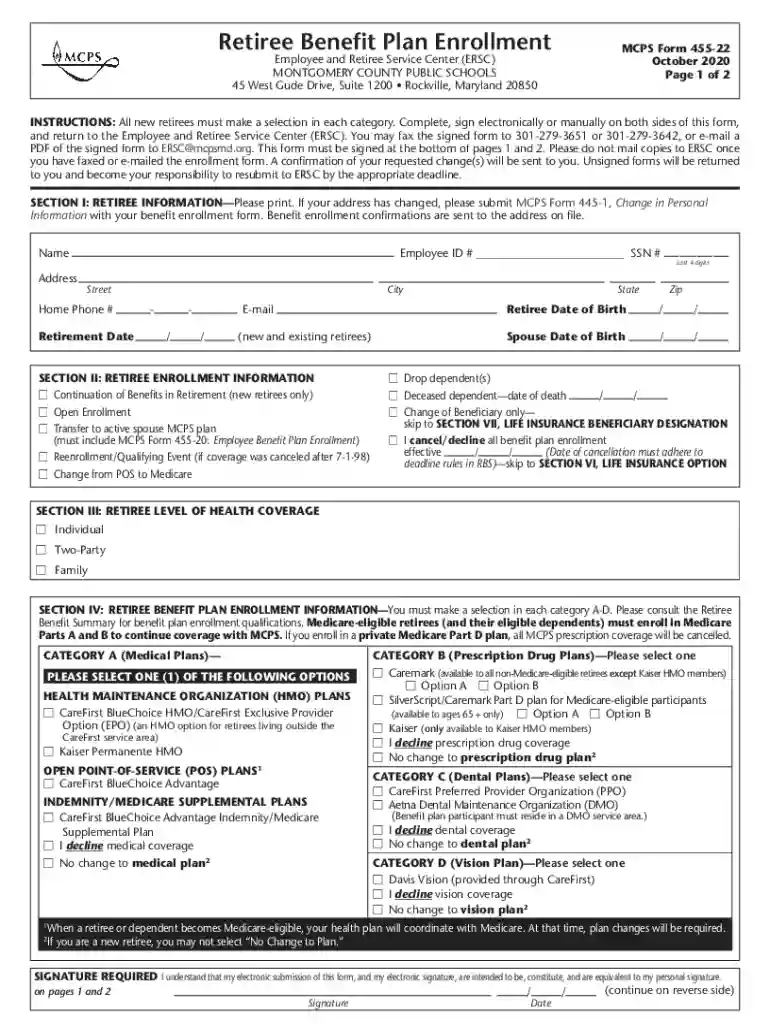
The Employee and Retiree Service Center in Rockville, Maryland, is a crucial hub for managing the enrollment and benefits of employees and retirees of Montgomery County Public Schools. It facilitates the administration of various benefits, enabling users to navigate through the complexities of options such as medical, prescription drug, dental, and vision plans. The service center ensures that both employees and retirees have seamless access to resources necessary for understanding and enrolling in the available benefit plans.
Understanding the terminology associated with the Employee and Retiree Service Center is vital for maximizing its benefits:
Using the Employee and Retiree Service Center is straightforward, thanks to its structured processes and user-centric resources:
Filling out enrollment forms through the Employee and Retiree Service Center involves several critical steps to ensure accurate and complete submission:
Several critical components are included in the enrollment form for the Employee and Retiree Service Center, each serving a specific purpose in the benefits administration process:
The Employee and Retiree Service Center adheres to strict legal and regulatory requirements regarding the handling of sensitive personal data and the administration of benefit plans:
The Employee and Retiree Service Center offers multiple submission methods to accommodate varying user needs and preferences:
Primarily, the Employee and Retiree Service Center serves a specific demographic within the Montgomery County Public Schools system:


Applicants must provide specific documentation to complete their enrollment process accurately:
We've got more versions of the Employee and Retiree Service Center Rockville, Maryland form. Select the right Employee and Retiree Service Center Rockville, Maryland version from the list and start editing it straight away!
At DocHub, your data security is our priority. We follow HIPAA, SOC2, GDPR, and other standards, so you can work on your documents with confidence.


From sustainability to jobs, you can expect more from Target. Learn about our history, values and mission.
MC Employees and Retirees Access fitness discounts, mental health support, mindfulness tools, and recovery resources available to our MC community.
Montgomery County Employee Retirement Plans. 101 Monroe Street, 6th Floor. Rockville, MD 20850. Hours of Operation. Monday Friday: 8:30 a.m. 5 p.m.. Contact.Read more


