






Definition and Meaning of "Form Online"
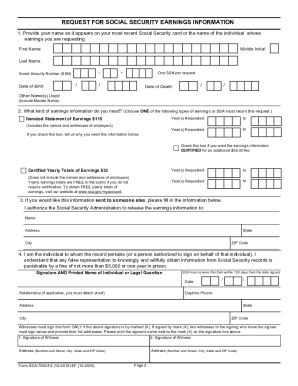
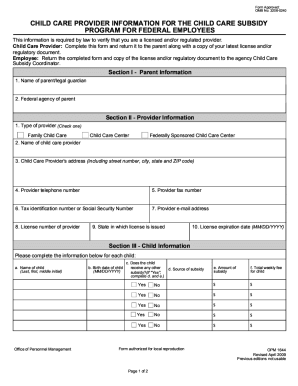
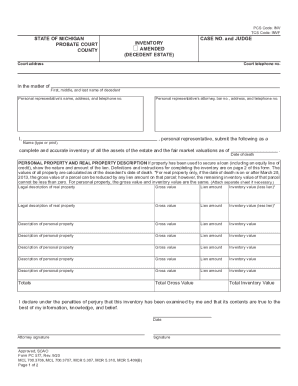
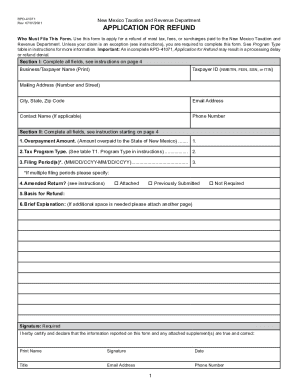
Forms online refer to digital versions of documents that can be filled out and submitted over the internet. These forms can range from tax documents and legal contracts to application forms and surveys. With electronic forms, users can easily enter data, make selections, and submit their information from any location with internet access. This convenience reduces the need for physical paperwork and allows for faster processing and storage.
Characteristics of Online Forms
- Accessibility: Available anytime and anywhere, allowing users to fill them out on their own schedule.
- Compatibility: Can be accessed on various devices such as desktops, laptops, tablets, and smartphones.
- Efficiency: Often includes features like auto-fill, dropdown selections, and validation checks to streamline the user experience.
- Integration: Can be synced with databases or software for automatic data entry and updates.
How to Use the Form Online
Utilizing online forms is a straightforward process, yet optimizing usage involves understanding various functionalities offered by the platform.
Basic Steps for Using the Form
- Locate the Form: Find the specific online platform or link that hosts the form you need to complete.
- Access the Form: Click the form link to open it in your browser. Ensure you have a stable internet connection.
- Fill Out the Required Fields: Enter necessary personal or professional information, ensuring accuracy.
- Review and Submit: Check entries for mistakes, confirm section completions, then submit your form.
Advanced Features and Tools
- Autofill Options: Use browser or third-party extensions to autofill common fields to save time.
- Real-time Feedback: Many forms provide real-time validation or error-checking feedback to ensure data accuracy.
- Saving and Continuing: Some platforms allow saving progress to return to it later, which is useful for lengthy forms.
How to Obtain the Form Online
Obtaining a form online involves knowing the exact type of document you need, then accessing it through the correct channel.
Methods to Access Forms
- Official Websites: Visit the website of the organization issuing the form, often government, educational, or business sites provide downloadable versions.
- Online Form Builders: Websites like DocHub offer various forms that can be customized and used for different purposes.
- Email Requests: Some businesses may send forms directly via email when requested. Ensure the sender is verified to avoid phishing scams.
Steps to Complete the Form Online
Following a structured approach to completing an online form ensures accuracy and compliance with any specific requirements.
Detailed Steps for Completion
- Preparation: Gather all required documents and information before starting the form.
- Data Entry: Enter details into the form fields, paying close attention to specific formatting requirements.
- Attachments: Upload additional files if the form requires supporting documents.
- Verification: Double-check all fields and attachments for accuracy to avoid potential errors.
- Submission Confirmation: After submitting, check for confirmation emails or messages to ensure the form was received successfully.
Common Errors to Avoid
- Incomplete Sections: Omitting mandatory fields can result in submission errors.
- Incorrect Information: Double-check numbers and names for typos that could lead to delays.
- File Format Issues: Ensure all uploads meet the required file format and size.
Why You Should Use Forms Online
Utilizing online forms brings several advantages beyond mere convenience, affecting efficiency and operational effectiveness.
Benefits of Online Forms
- Time Savings: Reduces time spent on physical paperwork, printing, and mailing.
- Cost Efficiency: Eliminates costs related to paper, postage, and physical storage.
- Easier Data Management: Simplifies data collection, analysis, and storage.
- Eco-Friendly: Reduces the environmental impact associated with paper use and waste.
Who Typically Uses Forms Online
Numerous individuals and organizations leverage online forms for various purposes, reflecting their versatility and adaptability.
Common Users of Online Forms
- Businesses: For processes like hiring, client onboarding, and service feedback.
- Educational Institutions: To manage admissions, course enrollments, and evaluations.
- Government Agencies: Facilitate taxpayer information, benefits applications, and licensing processes.
- Healthcare Providers: Patient intake forms, medical history updates, and consent forms.


Important Terms Related to Forms Online
Understanding terminology related to online forms improves user competence and enhances the experience.
Glossary of Key Terms
- E-Signature: A digital form of a handwritten signature, legally binding in many jurisdictions.
- Captcha: Security feature used to verify that an individual, not a computer, is filling out the form.
- Responsive Design: Ensures forms are usable on various devices with different screen sizes.
- Encryption: Secures data transmitted within forms to protect user privacy.
Legal Use of Forms Online
Compliance with legal standards is crucial when using forms online, especially for personal and sensitive information.
Legal Considerations and Compliance
- Data Protection: Ensure forms comply with data protection laws like GDPR in Europe, or CCPA in California, to protect user information.
- Export Restrictions: Be aware of form use limitations across different countries, which may impose export controls on data.
- Accessibility Standards: Adhere to guidelines that ensure forms are accessible to individuals with disabilities, following standards like WCAG.
Key Elements of Forms Online
When filling out forms online, several key components are consistently essential across different types of documents.
Fundamental Components
- Title and Instructions: Clearly defined purpose and detailed criteria for form completion.
- Field Labels: Specific labels or prompts that guide what information is required.
- Validation Messages: Inform users of incorrect entries or missing data.
- Submission Button: A definitive call to action to finalize and submit the form for processing.
Form Submission Methods: Online, Mail, and In-Person
While online submission offers substantial benefits, understanding alternative methods ensures flexibility and accessibility.
Methods of Form Submission
- Online Submission: The fastest method, allowing for instant transmission of data without geographic limitations.
- Mail Submission: Suitable for documents requiring physical signatures or where digital submission isn't accepted.
- In-Person Submission: Ideal for sensitive documents requiring immediate verification or where online options are unavailable.
Advantages and Disadvantages
- Speed and Efficiency: Online methods are typically quicker, whereas mail and in-person may involve delays.
- Access Considerations: Online forms are accessible from anywhere, while mail and in-person submissions depend on location.
- Security Options: Online submissions can be encrypted, but mail and in-person often provide tangible proof of delivery.
Penalties for Non-Compliance
Failing to adhere to requirements when submitting forms online can result in various consequences, particularly when dealing with formal entities.
Understanding the Consequences
- Fines and Fees: Non-compliance often results in financial penalties, such as late fees or processing charges.
- Delayed Processing: Incorrect or late submissions can lead to delays in processing or acceptance.
- Legal Repercussions: For critical forms, such as tax filings or legal documents, non-compliance might lead to legal action or revocation of benefits.
Common Non-Compliance Scenarios
- Late Submissions: Not adhering to deadlines may incur penalties.
- Incorrect Information: Providing false or inaccurate data can invalidate the submission.
- Unauthorized Access: Failing to follow security protocols, potentially leading to data breaches.