01. Edit your form online
Type text, add images, blackout confidential details, add comments, highlights and more.

Type text, add images, blackout confidential details, add comments, highlights and more.

Draw your signature, type it, upload its image, or use your mobile device as a signature pad.

Send it via email, link, or fax. You can also download it, export it or print it out.
In the context of document management and workflow optimization, "form online" refers to digital forms available on web platforms which can be completed and submitted electronically. These forms encompass a variety of uses, including applications, surveys, requests, and transaction disputes. They offer convenience by eliminating the need for paper handling and streamlining data collection. Platforms like DocHub optimize this process by enabling users to create, edit, and manage these forms efficiently. Such online forms often include interactive fields, making data submission straightforward and accessible from any internet-enabled device.
Using an online form involves several straightforward steps, starting with accessing the form on a compatible platform. Users begin by navigating to the website hosting the form, such as DocHub, where they can either select a provided template or upload their document to be converted into a form. Users can then fill out various fields, including text boxes, checkboxes, and signature areas. Once completed, the form can be electronically signed, if necessary, and submitted through the platform itself. Many systems also offer features like saving drafts, printing, or downloading forms as PDFs for offline use.
Obtaining a form online is a simple process that starts by accessing a platform like DocHub. Users can search for specific form templates using keywords and download relevant templates. Alternatively, they can upload their document to create an interactive form. For specific forms like government documents, it's often best to visit official websites where they are available for download. Integration with cloud storage services such as Google Drive and Dropbox also allows users to import documents seamlessly into platforms for editing and form creation.
Completing an online form involves accessing the document either from your own files or via a provided template on platforms like DocHub. Once you have the document open, you'll interact with the fillable fields by typing or selecting options, depending on the field type. Review the form-related instructions, fill in every required section, and double-check for completeness and accuracy. Afterward, add your electronic signature to finalize the process. Platforms often allow real-time collaboration, where multiple parties can amend or sign within their permissions.
Filling out forms online presents numerous advantages over traditional paper forms. It enhances efficiency by reducing the time spent on printing, mailing, and manual data entry. Online forms are usually designed to be intuitive, reducing the likelihood of incomplete submissions. Furthermore, electronic forms offer significant environmental benefits by minimizing paper use. They also enhance security and data integrity, as many forms are protected with encryption, reducing the risk of unauthorized access and data breaches.
Online forms cater to a wide range of users, from individual consumers to large organizations. Businesses often employ online forms for applications, surveys, and transaction processing, while government agencies offer them for tax filing, applications, and permits. Educational institutions use them for admissions and assessments. These forms are also prevalent among legal entities for contract executions and collaborative agreements. The primary appeal lies in the ease of access and efficiency that fits the workflow of different sectors seamlessly.


When working with online forms, certain terms are critical to understanding their functionality:
Electronic forms are increasingly recognized as legally valid tools for data submission and contract agreements. In the U.S., the ESIGN Act gives electronic signatures the same legal status as traditional ones, provided certain conditions are met. Forms processed online must comply with regulations on data protection, such as GDPR and HIPAA, depending on the user's jurisdiction and the nature of the data. It's essential for users to ensure that online forms meet all legal requirements for data handling and storage.
An effective online form typically includes several components:
In conclusion, online forms are integral tools in modern digital workflows across various domains. They offer practical solutions for streamlining processes, enhancing security, and ensuring compliance with legal standards.
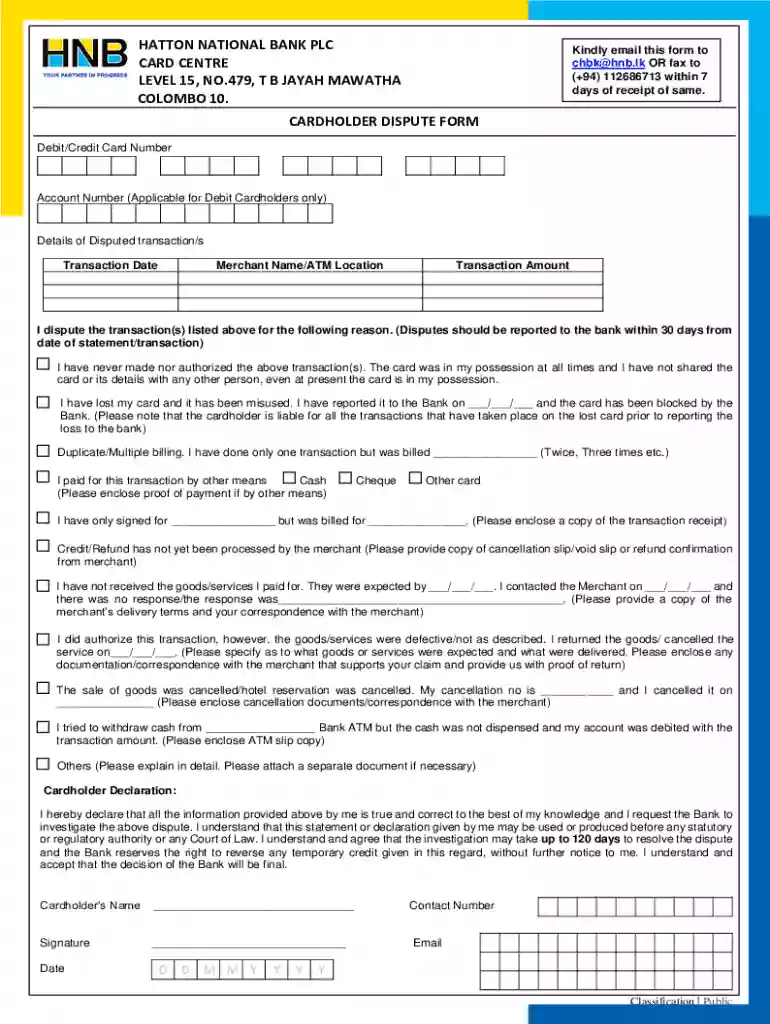
We've got more versions of the Cardholder Dispute Form form. Select the right Cardholder Dispute Form version from the list and start editing it straight away!
At DocHub, your data security is our priority. We follow HIPAA, SOC2, GDPR, and other standards, so you can work on your documents with confidence.