01. Edit your form online
Type text, add images, blackout confidential details, add comments, highlights and more.

Type text, add images, blackout confidential details, add comments, highlights and more.

Draw your signature, type it, upload its image, or use your mobile device as a signature pad.

Send it via email, link, or fax. You can also download it, export it or print it out.
Understanding "form online" is key to navigating digital documentation efficiently. The term "form online" refers to any electronic version of a form that traditionally existed on paper. These forms are designed to be completed and submitted via the internet, eliminating the need for physical copies and allowing for a faster, more efficient process. Online forms can be interactive, meaning users can input their responses directly into a digital document, which can then be processed or stored as needed. This transition has been pivotal in reducing the ecological footprint and increasing accessibility for users worldwide.
Utilizing an online form involves several straightforward steps. Begin by accessing the specific form you need through a relevant website or platform offering the form online. Once accessed, carefully read all instructions to ensure you understand the fields and requirements before entering your information. If the form is interactive, input your data directly into the designated fields, ensuring accuracy to avoid potential delays or rejections. Many platforms, including DocHub, offer features such as auto-saving, making it easier to prevent data loss. After completing the form, review all entries before proceeding to submit or save the form online according to the instructions provided.
Finding a form online is generally simple. Start by identifying the issuing authority or organization associated with the form you need. Check their official website, as most governmental or organizational bodies provide downloadable forms. For example, you can access forms directly from official sites such as the IRS for tax-related documents or DMV websites for vehicle-related forms. Alternatively, online document management platforms like DocHub may provide templates or direct access to various forms. Ensure that you are downloading forms from a secure and legitimate source to protect your personal data.
Filling out forms online provides numerous advantages. One of the primary benefits is the convenience of completing necessary paperwork without physical constraints or the need for mailing. Online forms typically allow for quicker processing times, as digital submissions can be received and reviewed instantly. Many online platforms also offer real-time data validation, decreasing the likelihood of errors and ensuring forms are filled out correctly. Additionally, submitting forms online significantly reduces paper usage, aligning with environmental sustainability goals.
Online forms contain several integral elements designed to facilitate a smooth completion process. These typically include text fields for entering personal or business information, checkboxes for selecting multiple-choice options, and dropdown menus to streamline selection processes. Submit buttons, integrated with verification prompts, ensure that the form's data is complete before it is sent. Many forms also include helpful tooltips or instructions next to fields, guiding users on what information is required, and validation messages that alert users to errors or omissions in their entries.
Utilizing an online form carries the same legal weight and responsibilities as its paper counterpart. It is crucial to understand the legal implications associated with the particular form you are completing. For instance, digital signatures provided on forms such as those required by the ESIGN Act are considered legally binding, similar to handwritten signatures. It is essential to ensure accuracy and truthfulness when providing information, as inaccurate or false data can lead to legal consequences. Properly understanding and adhering to the form's requirements can help maintain compliance and avoid potential penalties.
Several practical examples illustrate the application of online forms in various domains. In a business context, companies often use them for employee onboarding, where the requisite forms are completed online for new hires. In a personal context, individuals may fill out tax forms online to streamline the filing process, avoiding the lengthy wait times typical of mailing paper forms. Educational institutions utilize online forms for student enrollment, allowing parents and guardians to complete necessary documentation without visiting the school physically. Each scenario highlights how online forms improve efficiency and accessibility.
Understanding certain terms can aid in effectively using forms online. Terms such as "digital signature," which refers to an electronic method of signing a document, and "encryption," a security measure that protects data, are crucial. "Auto-save" refers to a feature that automatically saves your progress, reducing data loss risk. "Interactive fields" describe form sections where users directly input information. Familiarity with these and other relevant terms can enhance the user experience when dealing with online forms.
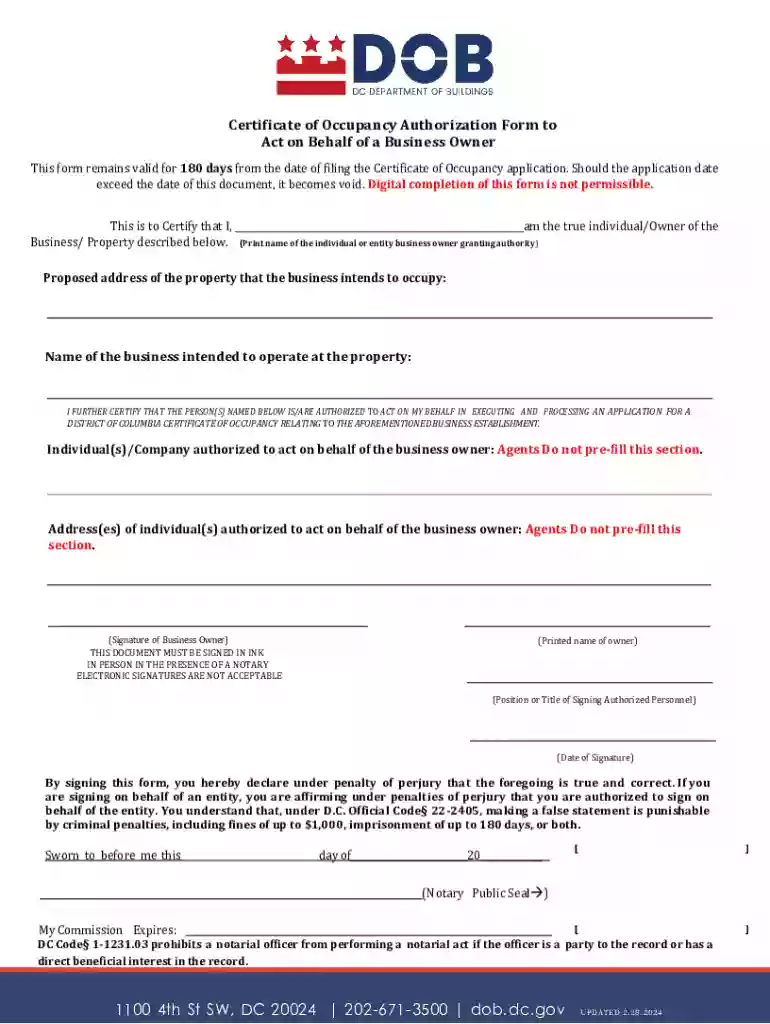
We've got more versions of the Certificate of Occupancy Authorization Form form. Select the right Certificate of Occupancy Authorization Form version from the list and start editing it straight away!
| Versions | Form popularity | Fillable & printable |
|---|---|---|
| 2025 | 4 Satisfied (34 Votes) | |
| 2025 | 4.8 Satisfied (31 Votes) | |
| 2025 | 4.3 Satisfied (34 Votes) | |
| 2025 | 4.2 Satisfied (34 Votes) | |
| 2025 | 4.6 Satisfied (55 Votes) | |
| 2025 | 4.5 Satisfied (44 Votes) | |
| 2025 | 4.2 Satisfied (37 Votes) | |
| 2025 | 4.7 Satisfied (34 Votes) | |
| 2024 | 4.3 Satisfied (21 Votes) | |
| 2024 | 4.6 Satisfied (51 Votes) | |
| 2024 | 4.5 Satisfied (23 Votes) | |
| 2024 | 4.8 Satisfied (29 Votes) | |
| 2024 | 4.1 Satisfied (28 Votes) | |
| 2024 | 4.9 Satisfied (51 Votes) | |
| 2024 | 4.4 Satisfied (31 Votes) |
At DocHub, your data security is our priority. We follow HIPAA, SOC2, GDPR, and other standards, so you can work on your documents with confidence.