




01. Edit your form online
Type text, add images, blackout confidential details, add comments, highlights and more.

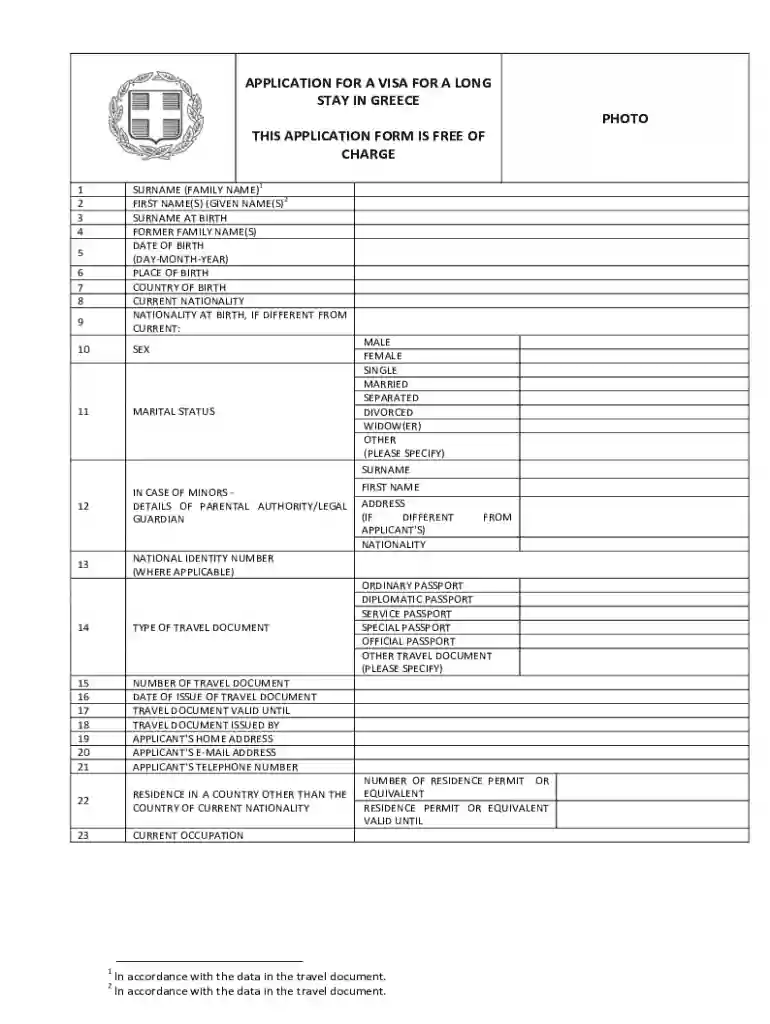
Type text, add images, blackout confidential details, add comments, highlights and more.

Draw your signature, type it, upload its image, or use your mobile device as a signature pad.

Send it via email, link, or fax. You can also download it, export it or print it out.
Forms online are digital representations of traditional paper forms that can be completed and submitted over the internet. These forms typically enable users to enter and save information electronically, facilitating tasks such as applications, data collection, and transactions without needing to print or mail physical documents. The primary advantage is the convenience and efficiency they bring to processes that traditionally required more time and resources.
Using forms online generally involves filling out required fields digitally, often through a web browser. Below is a typical process:
Obtaining a form online typically involves navigating to the website offering the form or using search engines to locate it.
Completing forms online involves navigating digital interfaces designed to guide users through inputting necessary information.
Online forms simplify the process of data entry and communication across various sectors by using technology to revolutionize how forms are completed.
Forms online are utilised across numerous demographics and industries. Users range from individuals submitting personal applications to corporations handling business processes.
Understanding key terms associated with online forms provides clarity on their use and compliance.
Online forms possess essential features that differentiate them from traditional forms, enhancing user experience and data management.
By adhering to these principles while offering extensive explanations and practical examples throughout each section, this content aims to be informative, precise, and highly valuable for users seeking comprehensive knowledge about forms online.
We've got more versions of the Greece Long Stay Visa Application form. Select the right Greece Long Stay Visa Application version from the list and start editing it straight away!
At DocHub, your data security is our priority. We follow HIPAA, SOC2, GDPR, and other standards, so you can work on your documents with confidence.


If you wish to stay in Greece for longer than 90 days within a 180-day period, you should apply for a visa at Greek Embassy or Greek Consulate prior to your
APPLICATION FOR A VISA FOR A LONG. STAY IN GREECE. THIS APPLICATION FORM IS FREE OF. CHARGE. PHOTO. 1. SURNAME (FAMILY NAME)1. 2. FIRST NAME(S) (GIVEN NAME(S)2.


