01. Edit your maine 700 online
Type text, add images, blackout confidential details, add comments, highlights and more.

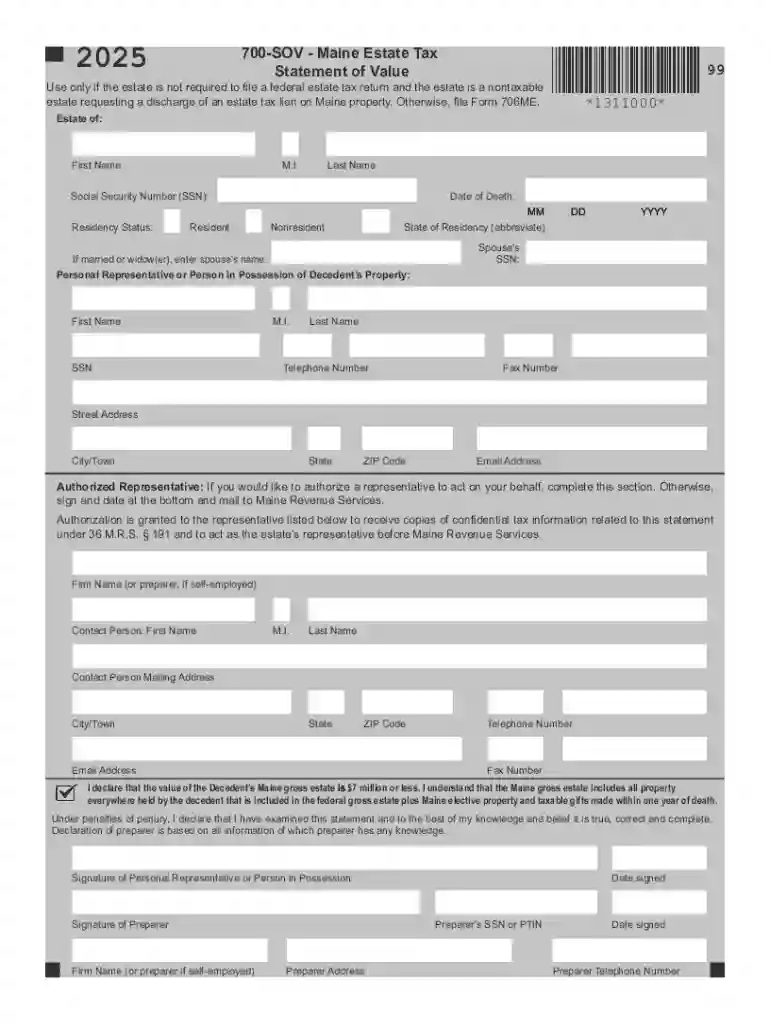
Type text, add images, blackout confidential details, add comments, highlights and more.

Draw your signature, type it, upload its image, or use your mobile device as a signature pad.

Send it via email, link, or fax. You can also download it, export it or print it out.
The term "form online" refers to digital versions of forms that can be accessed, completed, and submitted electronically through web-based platforms. This process typically allows users to interact with forms over the internet, providing a convenient option for individuals and organizations to manage their documentation without the need for physical paperwork. The online form aims to streamline various administrative processes by offering features such as automated data entry, validation, and immediate submission. These forms can range from simple contact forms to complex tax filings. By leveraging electronic forms, users can reduce errors, save time, and improve overall efficiency.
Utilizing an online form involves several steps that are designed to be user-friendly. Users typically start by accessing the form on the provider's website, where they can fill out the required fields directly within their web browser. Platforms like DocHub offer intuitive interfaces that allow users to enter information easily, attach necessary documents, and even save their progress if they need to return to the task later. With DocHub, you have tools to edit and sign documents, ensuring all form fields are filled accurately before submission. This digital process negates the need for physical signatures, as electronic signatures can be applied with ease.
Completing a form online through DocHub or similar platforms involves a series of actions designed to facilitate a successful submission. The interface guides users through each step, ensuring that all necessary information is provided and that any mistakes are minimized. These platforms often include features such as auto-save, error-checking, and helpful prompts to prevent common errors.
An effective online form includes specific features and elements that facilitate ease of use and compliance with various requirements. Key components typically include clear instructions, interactive fields, secure submission protocols, and user guidance for completion. These features ensure that users can complete and submit their forms with a minimal learning curve.
The transition to online forms necessitates adherence to specific legal guidelines and standards. Forms completed and signed electronically are considered legally binding under the ESIGN and UETA acts. These regulations affirm that electronic signatures hold the same legal weight as traditional handwritten signatures, ensuring online transactions and document submissions are enforceable in a court of law.
Online forms are utilized across various fields and purposes, showcasing their versatility. From personal tax submissions to business applications, the scope of their use is vast. For instance, individuals can file IRS forms electronically during tax season, avoiding the hassle of paper-based submissions. Similarly, businesses often utilize online forms for customer feedback or client onboarding processes, streamlining operations and enhancing user accessibility.
Familiarity with relevant terminology is critical for users interacting with online forms. Understanding terms such as "e-signature," "form field," "data validation," and "zero UI" contributes to a smoother, more informed user experience. Each of these terms pertains to aspects of form interaction and submission, highlighting the attributes that make online forms efficient and legally compliant.
Forms can typically be submitted via three main methods, each suited to different user preferences or institutional requirements. Online submissions offer speed and convenience, mail submissions provide a traditional approach, and in-person submissions cater to scenarios requiring physical documentation or verification.
We've got more versions of the maine 700 form. Select the right maine 700 version from the list and start editing it straight away!
| Versions | Form popularity | Fillable & printable |
|---|---|---|
| 2026 | 4.6 Satisfied (34 Votes) | |
| 2025 | 4.1 Satisfied (53 Votes) | |
| 2024 | 4.8 Satisfied (31 Votes) | |
| 2023 | 4.3 Satisfied (30 Votes) | |
| 2022 | 4.8 Satisfied (63 Votes) | |
| 2021 | 4.3 Satisfied (164 Votes) | |
| 2020 | 4.4 Satisfied (160 Votes) | |
| 2019 | 4.3 Satisfied (142 Votes) | |
| 2018 | 4.2 Satisfied (29 Votes) | |
| 2017 | 4.1 Satisfied (38 Votes) | |
| 2016 | 4.3 Satisfied (115 Votes) | |
| 2015 | 4.3 Satisfied (48 Votes) | |
| 2013 | 4.3 Satisfied (62 Votes) |
At DocHub, your data security is our priority. We follow HIPAA, SOC2, GDPR, and other standards, so you can work on your documents with confidence.