
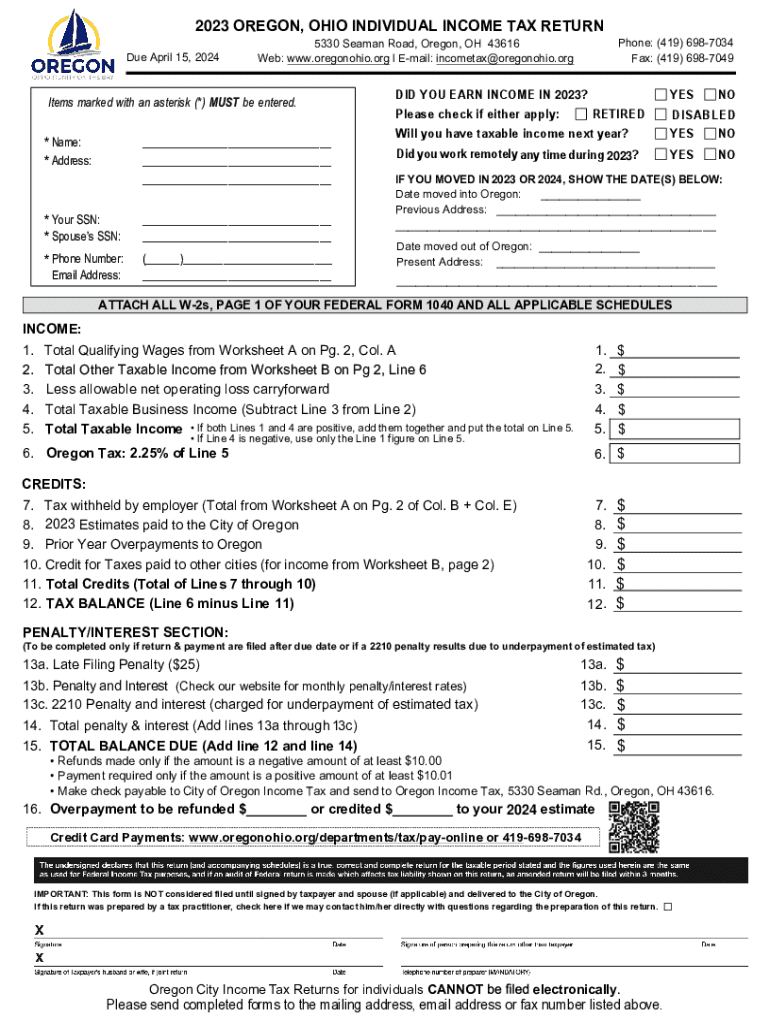







Definition and Meaning of Form Online
A "form online" refers to a digital version of a document that can be filled out and submitted through the internet. This type of form has become increasingly popular due to the convenience it offers users in various applications, from tax filing to job applications. Online forms are designed to streamline data collection processes, allowing users to input information directly into fields that are often validated in real-time to prevent errors. These forms typically support a range of inputs, including text, checkboxes, dropdown menus, and digital signatures, enhancing their utility for diverse purposes.
Steps to Complete the Form Online
Completing a form online generally involves a few straightforward steps that ensure accuracy and thoroughness:
-
Access the Form: Locate the specific form you need by visiting the website that hosts it. This often involves logging into an account if personal or sensitive information will be required.
-
Fill in Personal Information: Start by entering basic details like your name, address, and contact information. Ensure that all information is accurate to prevent delays in processing.
-
Enter Specific Details: Depending on the purpose of the form, this could involve employment history, income details, or educational background. Use dropdown menus and checkboxes where applicable to streamline the process.
-
Review Instructions and Requirements: Carefully read any guidelines attached to the form, as they often contain important instructions and deadlines.
-
Attach Required Documents: Upload necessary files as attachments if the form requires supporting documentation. This could include identification documents, resumes, or financial statements.
-
Sign the Form: Use a digital signature tool to sign the form electronically. This step is crucial for forms that require verification of identity.
-
Submit the Form: Once all sections are completed and verified, submit the form online. Confirmation is usually provided via email or through an on-screen message.
Legal Use of the Form Online
Online forms must comply with legal standards related to electronic communications and data protection. In the United States, the Electronic Signatures in Global and National Commerce (ESIGN) Act provides a legal framework that ensures electronic signatures and records hold the same weight as their paper counterparts. This means that when you sign a form online using a verified electronic signature tool, it's legally binding. Organizations must protect personal information collected via these forms using encryption and secure access protocols to prevent unauthorized disclosure.
Key Elements of the Form Online
Online forms are composed of various components that facilitate effective and error-free submissions:
-
Form Fields: These are interactive sections where users input data. Fields often involve text boxes, radio buttons, and drop-down menus.
-
Instructions: Detailed guidelines accompany many forms, providing descriptions of what information is required and how it should be entered.
-
Validation Checks: Systems in place to ensure data is entered correctly. This typically involves adjustment controls that prevent submission if required fields are incomplete.
-
Submission Button: Finalizing the process, this feature submits the completed form for processing once all data entries are verified.
-
Confirmation of Submission: A notification that confirms receipt of the form, often accompanied by a reference number.
Examples of Using the Form Online
Online forms find applications across various fields, and some practical examples include:
-
Tax Returns: Individuals and businesses use online tax forms to report earnings and deductions efficiently, ensuring compliance with IRS guidelines.
-
Job Applications: Employers utilize digital forms to streamline the hiring process, enabling candidates to submit resumes and respond to questionnaires conveniently.
-
Surveys and Feedback: Organizations use these forms to collect customer or employee feedback, streamlining data collection and analysis.
-
Registration Forms: From events to scholarly courses, registration forms are pivotal for managing attendance and gathering participant details.
Penalties for Non-Compliance
Failing to submit online forms on time or providing inaccurate information can lead to penalties, depending on the form's purpose. For example, late tax filings may result in financial penalties and interest on unpaid balances. It's essential to adhere to stated deadlines and ensure that all submissions are accurate to avoid such repercussions. Understanding the specific requirements and consulting guidelines can help avoid these issues and ensure compliance with legal standards.
Form Submission Methods: Online vs. Traditional
Submitting forms online as opposed to traditional paper methods offers several advantages:
-
Speed and Efficiency: Online submissions are processed faster, reducing waiting times associated with postal services.
-
Access Anytime, Anywhere: Users can complete and submit forms from any location with internet access, eliminating the need to travel or handle physical paperwork.
-
Immediate Confirmation: Submissions provide instant feedback and confirmation, helping users avoid uncertainty regarding the receipt and status of their forms.
Despite these benefits, some users still prefer paper submissions in situations where digital access is limited or when they are more familiar with traditional methods.
Software Compatibility with Online Forms
Compatibility with software applications like TurboTax or QuickBooks can enhance the usability of online forms:
-
Seamless Integration: These programs often support form imports, allowing for data pre-filling to streamline complex submissions such as tax returns.
-
Data Accuracy: Software solutions provide real-time calculations and error-checking features, enhancing the accuracy of entries.
-
Convenience: Users benefit from easy data transfer between applications, reducing the likelihood of input errors and improving overall efficiency.
Choosing software that aligns with the form's structure can greatly simplify and enhance the user experience, providing an efficient pathway to completing necessary documentation effectively.




