
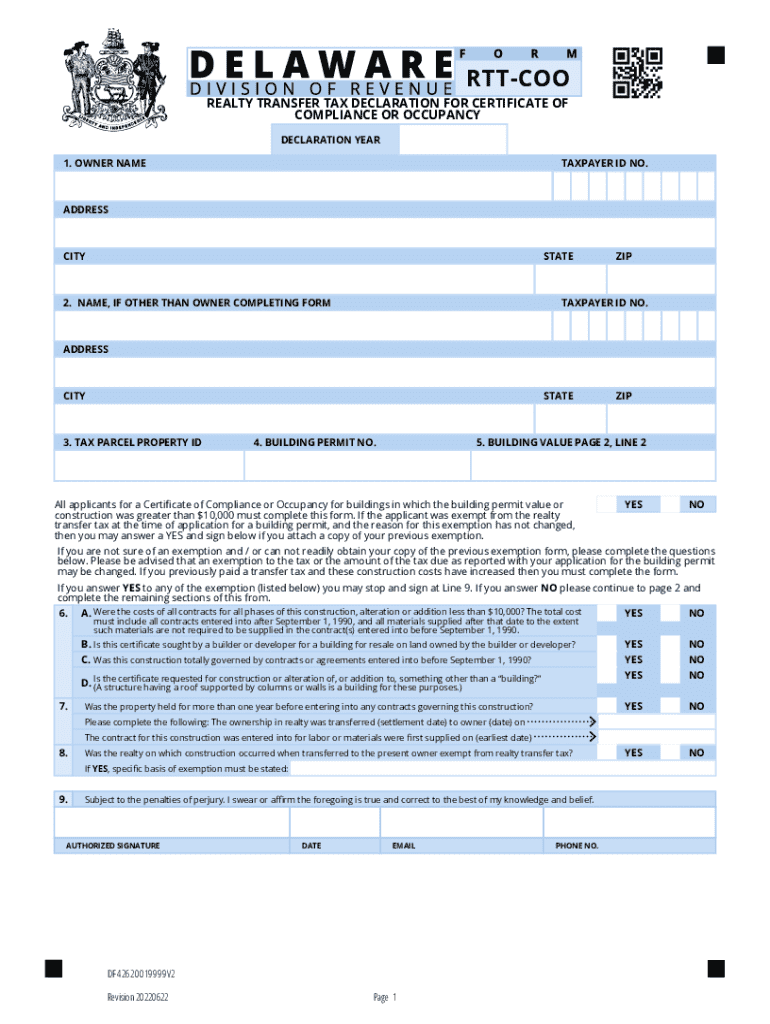







Understanding the "Form Online" Concept
Digital forms have become indispensable in today’s fast-paced, digital-centered world. The term "form online" refers to electronic documents that replace traditional paper forms. These digital forms can be edited, signed, and submitted over the internet, facilitating a more efficient workflow. The benefits of using forms online are manifold, ranging from ease of access to streamlining data collection processes. Whether you're signing a contract or filling out a tax return, forms online offer significant advantages over physical documents by providing instant access, reducing paper waste, and ensuring timely submission.
Steps to Complete the Form Online
Completing forms online is generally straightforward, but understanding the step-by-step process ensures accuracy and efficiency:
- Access the Form: Begin by accessing the form through a secured platform like DocHub, which offers robust compatibility with various file formats, including PDF, DOC, and XLS.
- Review Instructions: Carefully read through any instructions provided to understand the form's requirements fully, paying attention to required fields and directives.
- Fill in Information: Input your information into the designated fields. Some platforms allow you to autofill repetitive information, like contact details, to save time.
- Insert Electronic Signature: Utilize DocHub's feature to insert a legally binding electronic signature. Options include drawing with a mouse or trackpad, typing your name and choosing a font, or using your smartphone’s touchscreen.
- Review for Accuracy: Double-check all entered information to correct errors and ensure accurate data submission.
- Submit the Form: Upon completion, submit the form via the same platform. Platforms like DocHub offer options for downloading the completed form, sharing it via email, or saving it to integrated cloud services like Google Drive.
Obtaining Forms Online
Acquiring forms online is often straightforward and accessible. Many government agencies and businesses provide electronic forms directly through their websites. Here’s how you can generally obtain a form online:
- Official Websites: Visit the official website of the organization that issues the form. Government forms are often available on federal or state websites, like the IRS or DMV sites.
- Digital Platforms: Use digital document platforms such as DocHub, which may offer forms that are commonly used, such as tax forms or real estate documents.
Legal Use of Forms Online
Electronic forms have legal standing, particularly when they involve electronic signatures. In the U.S., the ESIGN Act ensures that electronic signatures are legally binding, provided the signer intends to sign and consent to do so electronically. Platforms like DocHub are designed to meet these legal requirements, providing an audit trail that tracks each step of the signing process, such as when the document was viewed, signed, and by whom. This legal framework offers peace of mind and convenience for both personal and business transactions.
Important Terms Related to Forms Online
Understanding key terminology related to online forms can enhance user experience and ensure proper completion of forms:
- Fillable Fields: Designated sections within forms where users input data, such as text boxes for personal details or checkboxes for selection.
- Signature Field: A specific field where users can apply their electronic signature.
- Submission Protocols: Guidelines on how forms should be submitted, including encryption and secure transmission practices.
State-Specific Rules for Forms Online
Laws and practices related to forms can vary by state, especially concerning state-specific tax forms or legal documents:
- Tax Forms: States may have unique tax forms that are distinct from federal forms, requiring residents to fill out both state and federal documentation.
- Legal Documents: Documents such as real estate transfers might have different requirements based on state laws.
Examples of Using Forms Online
Forms online are versatile and can be employed for various purposes across different sectors:
- Tax Filing: Taxpayers can use forms online for both federal and state tax submissions, incorporating automatic calculations and error checks.
- Human Resources: Employers can distribute onboarding documents and employment contracts to new hires electronically, utilizing electronic signatures to complete the paperwork swiftly.
- Commercial Transactions: Businesses regularly send out purchase orders and invoices electronically, streamlining the procurement and billing processes.
Digital vs. Paper Version
Comparing digital forms to traditional paper versions provides insight into the efficiencies gained through online processes:
- Accessibility: Digital forms can be accessed from anywhere with an internet connection, whereas paper forms must be physically transported.
- Time Efficiency: Online forms often feature tools for automatic entry and duplication of repeated data, reducing completion time.
- Eco-friendly: Transitioning to digital forms reduces paper usage, promoting more sustainable business practices.
Online forms serve as a pivotal shift toward more streamlined and secure document management, fulfilling various professional needs while aligning with contemporary technological advancements.




