



Here's how it works



How to use or fill out blank fillable 1003DocHubcom 1992 form with our platform

- Click ‘Get Form’ to open the blank fillable 1003DocHubcom 1992 form in the editor.
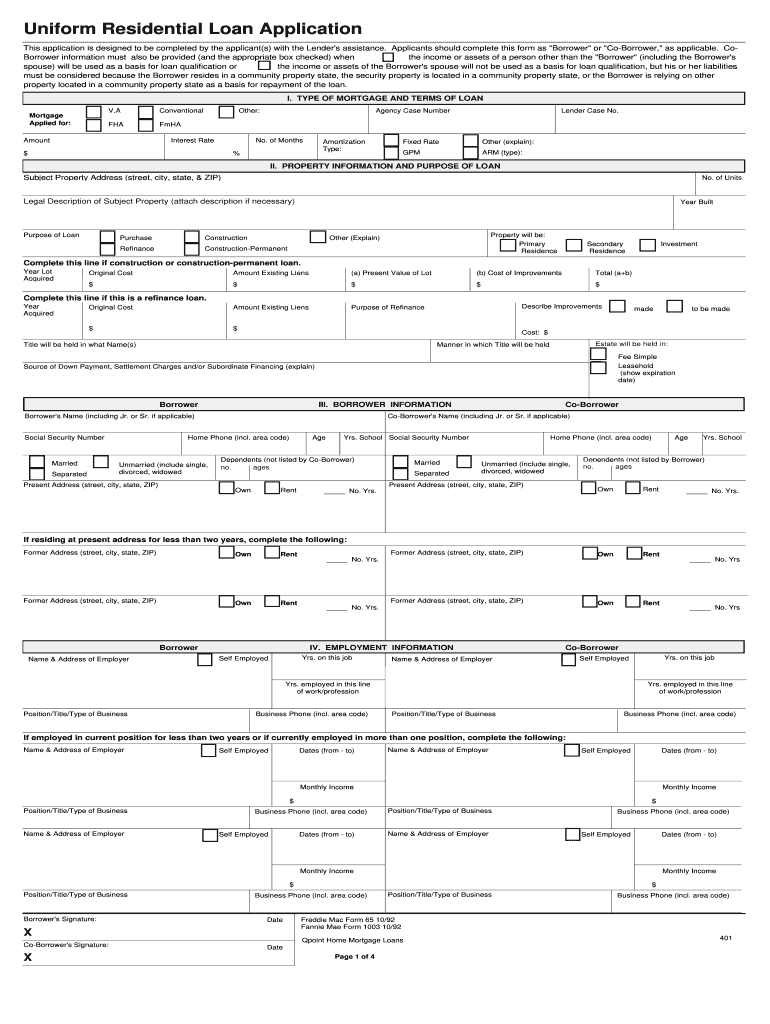
- Begin by filling out the 'Type of Mortgage and Terms of Loan' section. Specify the mortgage type, amount, interest rate, and loan term.
- Proceed to the 'Property Information and Purpose of Loan' section. Enter the subject property address, number of units, and purpose of the loan (purchase, refinance, etc.).
- In the 'Borrower Information' section, provide details for both Borrower and Co-Borrower including names, addresses, social security numbers, and employment information.
- Complete the 'Monthly Income and Combined Housing Expenses Information' section by detailing gross monthly income and housing expenses.
- Fill out the 'Assets and Liabilities' section with your financial details including cash deposits, liabilities, and any real estate owned.
- Review all sections for accuracy before signing at the end of the document. Ensure all required fields are completed.
Start using our platform today to easily complete your blank fillable forms for free!
It's free
See more blank fillable 1003DocHubcom 1992 form versions
Got questions?
What do I need to sign my blank fillable 1003DocHubcom 1992 form electronically?
Electronic document signing requires a software solution that works in compliance with data protection and eSignature standards. DocHub is a perfect tool for that, since it fulfills all the previously mentioned requirements. Whatever method you like to sign your blank fillable 1003DocHubcom 1992 form in DocHub, your eSignature will be legally binding and court-admissible.
How do you edit blank fillable 1003DocHubcom 1992 form in Chrome?
If you use Chrome, there are two simple ways to modify your blank fillable 1003DocHubcom 1992 form online. First, visit the DocHub website, add your document, and modify it using our toolbar. You can also set up our Chrome extension and modify any document by dragging and dropping it in your browser tab.
Security and compliance
At DocHub, your data security is our priority. We follow HIPAA, SOC2, GDPR, and other standards, so you can work on your documents with confidence.
Learn more


Related forms