Earth treks waiver 2026

Get Form
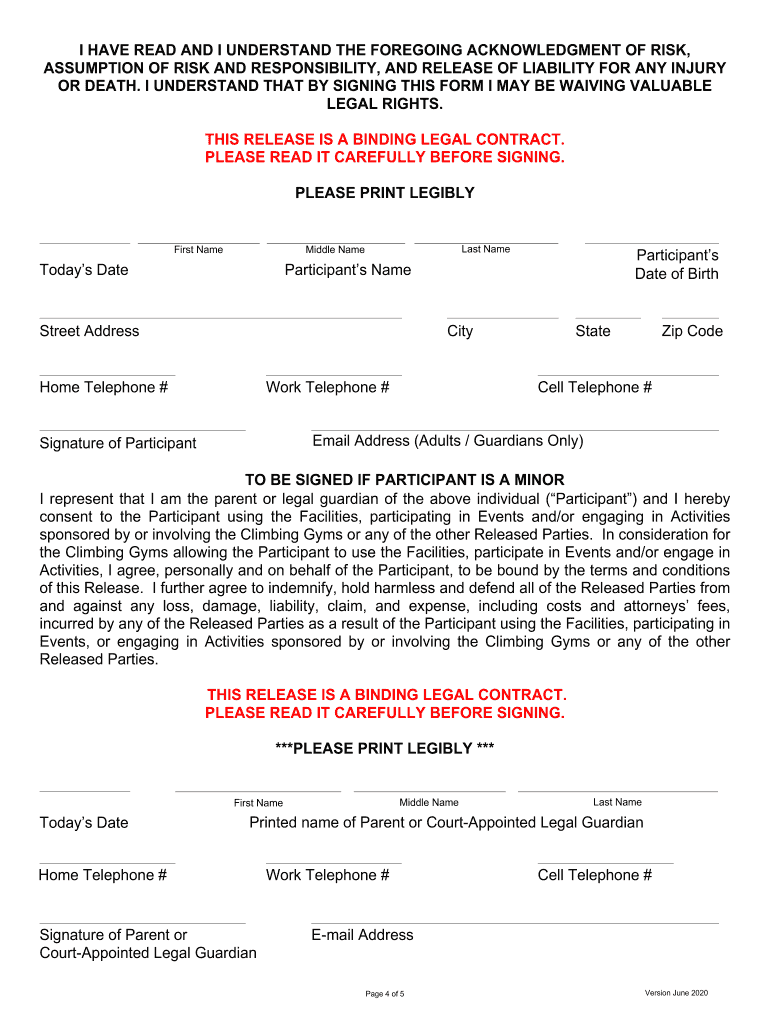
earth treks waiver Preview on Page 1

Here's how it works

01. Edit your earth treks waiver online
Type text, add images, blackout confidential details, add comments, highlights and more.
02. Sign it in a few clicks
Draw your signature, type it, upload its image, or use your mobile device as a signature pad.
03. Share your form with others
Send it via email, link, or fax. You can also download it, export it or print it out.

How to use or fill out earth treks waiver with our platform

Form edit decoration
9.5
Ease of Setup
DocHub User Ratings on G2
9.0
Ease of Use
DocHub User Ratings on G2
  1. Click ‘Get Form’ to open the earth treks waiver in the editor.
  2. Begin by entering your personal information in the designated fields, including your first name, last name, and date of birth. Ensure that all details are accurate for proper identification.
  3. Read through the waiver carefully. It includes important sections about liability, risk assumption, and indemnification. Understanding these terms is crucial before proceeding.
  4. If you are signing on behalf of a minor, ensure to fill out their details as well as your relationship to them in the appropriate sections.
  5. Sign the document electronically using our platform’s signature feature. Make sure to date your signature accurately.
  6. Review all entered information for accuracy before submitting the form. This ensures that there are no errors that could affect your participation.

Start filling out your earth treks waiver today for free and enjoy a seamless experience with our platform!

See more earth treks waiver versions

We've got more versions of the earth treks waiver form. Select the right earth treks waiver version from the list and start editing it straight away!
Versions Form popularity Fillable & printable
2024 4.3 Satisfied (21 Votes)
2024 4.6 Satisfied (51 Votes)
2024 4.5 Satisfied (23 Votes)
2024 4.8 Satisfied (29 Votes)
2023 4.7 Satisfied (42 Votes)
2023 4.4 Satisfied (48 Votes)
2023 4 Satisfied (63 Votes)
2023 4.5 Satisfied (26 Votes)
2023 4.6 Satisfied (34 Votes)
2023 4.2 Satisfied (30 Votes)
2023 3.9 Satisfied (31 Votes)
2023 4.3 Satisfied (42 Votes)
2023 4.7 Satisfied (39 Votes)
2023 4.4 Satisfied (22 Votes)
2023 4.2 Satisfied (51 Votes)
be ready to get more

Complete this form in 5 minutes or less

Get form

Got questions?

We have answers to the most popular questions from our customers. If you can't find an answer to your question, please contact us.
Contact us
A fitness class waiver is a legal document that releases the fitness studio or instructor from liability for injuries or damages that may occur during a class. It serves as a defense against potential lawsuits and holds participants accountable for their own actions during physical activity.
Members who are 15-17 years old (15-18 in regions where 19 is the age of majority) must have a signed waiver from a parent or guardian.
Members who are 15-17 years old (15-18 in regions where 19 is the age of majority) must have a signed waiver from a parent or guardian. For further questions or clarifications regarding age policy, docHub out to your local club for more details.
At Planet Fitness, typically, individuals under the age of 18 need a parent or guardian to sign a waiver for them to obtain a membership. However, the policy generally does not allow non-members to use the facilities without a membership, regardless of age.
You can avoid the annual fee by choosing a no- commitment membership plan, taking advantage of promotional offers that waive the fee, or signing up during special events when the fee is temporarily waived. Can I cancel my Planet Fitness membership before the annual fee is charged?

Security and compliance

At DocHub, your data security is our priority. We follow HIPAA, SOC2, GDPR, and other standards, so you can work on your documents with confidence.

Learn more
ccpa2
pci-dss
gdpr-compliance
hipaa
soc-compliance