Health sfn request 2026

Get Form
north dakota immunization record Preview on Page 1

Here's how it works

01. Edit your north dakota immunization record online
Type text, add images, blackout confidential details, add comments, highlights and more.

02. Sign it in a few clicks
Draw your signature, type it, upload its image, or use your mobile device as a signature pad.

03. Share your form with others
Send nd immunization request via email, link, or fax. You can also download it, export it or print it out.

How to use or fill out health sfn request with our platform

Form edit decoration
9.5
Ease of Setup
DocHub User Ratings on G2
9.0
Ease of Use
DocHub User Ratings on G2
  1. Click ‘Get Form’ to open the health sfn request in the editor.
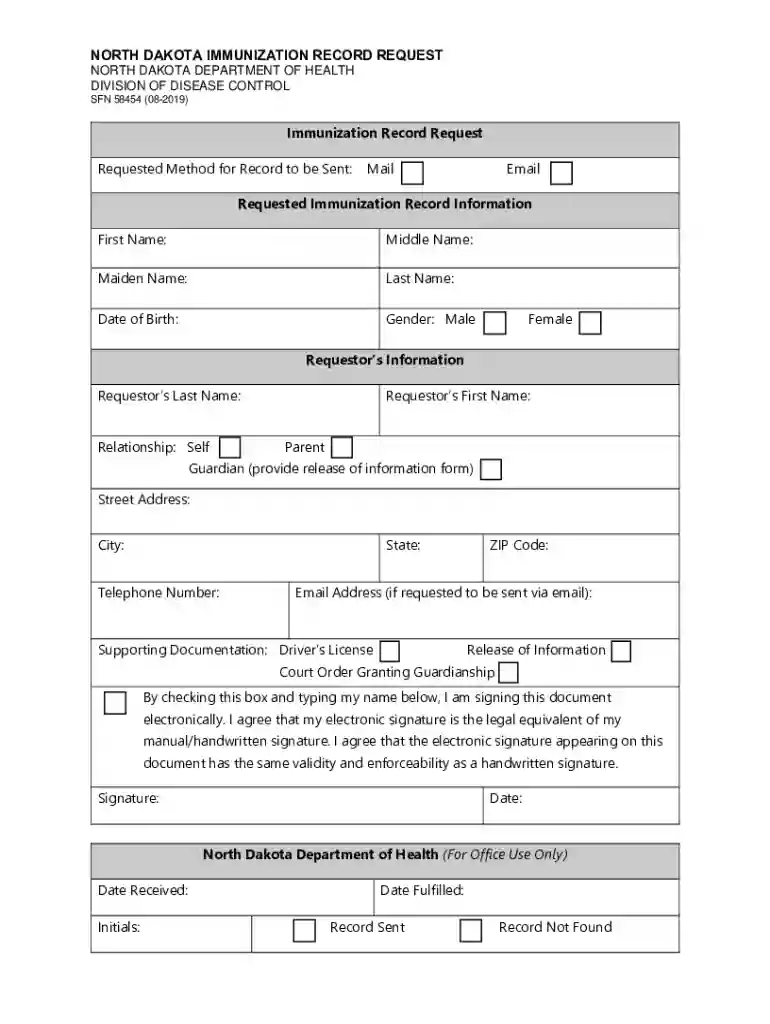
  2. Begin by filling out the 'Requested Immunization Record Information' section. Enter the first name, middle name, maiden name (if applicable), last name, date of birth, and select gender.
  3. Next, complete the 'Requestor’s Information' section. Provide your last name, first name, relationship to the individual (self, parent, guardian), street address, city, state, telephone number, and ZIP code.
  4. If you wish to receive the record via email, include your email address in the designated field.
  5. Attach any required supporting documentation such as a photocopy of your driver’s license or release of information form if applicable.
  6. Finally, electronically sign the document by checking the box and typing your name. Ensure all information is clear before submitting.

Start using our platform today for free to streamline your health sfn request process!

See more health sfn request versions

We've got more versions of the health sfn request form. Select the right health sfn request version from the list and start editing it straight away!
Versions Form popularity Fillable & printable
2019 4.8 Satisfied (39 Votes)
2017 4.3 Satisfied (39 Votes)
2014 4 Satisfied (43 Votes)
be ready to get more

Complete this form in 5 minutes or less

Get form

Got questions?

We have answers to the most popular questions from our customers. If you can't find an answer to your question, please contact us.
Contact us
Client Information: Businesses often hold sensitive data about their clients, such as contact details, preferences, and financial details, which should be carefully protected to maintain trust and respect privacy.
This includes past, current, and future information about individuals medical or physical/mental health-related conditions as contained in physical records, electronic records, and even conversations that take place among patients and clinicians.
IMPORTANT INFORMATION: If you apply for benefits, please add North Dakota Customer Support Center (ND CSC) and the number of 866-614-6005 to your phone contacts so you dont miss important calls regarding your benefits.
PHI often contains sensitive data such as a patients date of birth, social security number, and home address. If this data gets into the wrong hands, it can hamper the patients life and result in fraud. It may expose sensitive medical history to the public, like family members and business associates.
How do I fill out a HIPAA release form? Provide instructions. Name the patient and individual authorized to use or disclose their PHI. Describe the information. Specify recipients. Specify the purpose of disclosure. Specify the time period. Detail their revocation rights. Obtain the patients signature.

Security and compliance

At DocHub, your data security is our priority. We follow HIPAA, SOC2, GDPR, and other standards, so you can work on your documents with confidence.

Learn more
ccpa2
pci-dss
gdpr-compliance
hipaa
soc-compliance