




01. Edit your form online
Type text, add images, blackout confidential details, add comments, highlights and more.

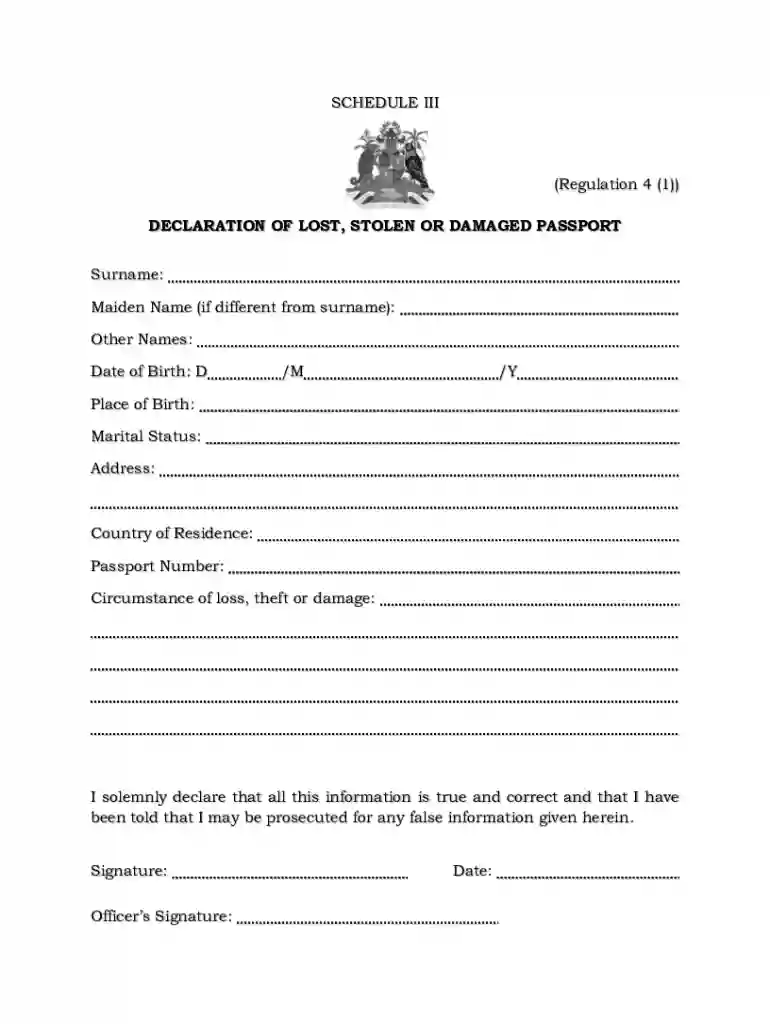
Type text, add images, blackout confidential details, add comments, highlights and more.

Draw your signature, type it, upload its image, or use your mobile device as a signature pad.

Send it via email, link, or fax. You can also download it, export it or print it out.
"Form online" refers to documents that are created, edited, and submitted over the internet without using physical paper. These forms can range from simple registration or contact forms to complex legal or tax documents requiring detailed information and multiple pages. Online forms can be static, with fields filled out by hand, or dynamic, allowing for interactive elements such as dropdowns, checkboxes, and signatures. This digital format enables users to complete and submit forms from anywhere with internet access, facilitating rapid and efficient processing.
Online forms are widely adopted in various industries, including government agencies, educational institutions, and businesses, due to their flexibility and ease of use. They help streamline processes, reduce manual errors, and improve data collection and organization. By providing a consistent format and automating certain tasks, online forms save time and resources for both users and administrators.
Using an online form typically involves a few straightforward steps. Users must first access the form through an online platform like DocHub. Once accessed, the user can begin filling out required fields, which may include personal information, selections from dropdown menus, or annotations. Online forms are often designed with instructions or tooltips to guide users through the completion process, ensuring that all necessary information is provided accurately.
After completing the form, users can review their entries for accuracy before submitting. Many platforms offer a preview mode to ensure all details are correct. Submission methods vary but usually include a simple button to send the form to the designated recipient or store it in a cloud service. The system might provide confirmation of the submission, either via email or directly on the website, ensuring that the form has been received and is in process.
Access the Form: Start by logging into the platform, such as DocHub, and locate the desired form either from a direct link or a file storage service.
Fill Out Required Fields: Use the platform’s editor to enter information into mandatory fields. This may include text inputs, numerical data, or selections from predefined options.
Attach Supporting Documents: If the form requires additional documentation, such as identification or proof of address, these can be attached using the document upload feature.
Review: Check all entered data for accuracy. Use the platform’s preview feature to view the form as it will appear to the recipient.
Sign the Form: Use the digital signature feature if required. Ensure that the signature is placed correctly according to the form’s guidelines.
Submit: Send the form through the submission button. Make sure to save a copy of the completed form for your records.
Online forms often consist of several key elements designed to collect data efficiently and accurately:
Forms completed and submitted online often carry the same legal weight as their paper counterparts. For the form to be considered legally binding, certain conditions must be met, such as accurate completion and a valid electronic signature. Platforms like DocHub ensure compliance with legal standards through features that adhere to regulations such as the ESIGN Act, confirming that online forms and digital signatures are acceptable in legal and business contexts.
Users should be aware of their rights and obligations when dealing with legally binding online forms. It's important to thoroughly read and understand the terms and conditions, privacy policies, and any legal disclaimers that accompany the form. Maintaining a copy of the completed form can also help protect against future disputes or claims of non-compliance.
Online forms are utilized across various sectors and for numerous purposes:
These examples illustrate the versatility and convenience of online forms in managing and processing information quickly and effectively.
When completing an online form, especially for legal or governmental purposes, certain supporting documents may be required:
Providing accurate and timely documentation is critical to ensuring the smooth processing of the form.
Online forms offer several methods of submission, each with its own advantages:
Each method provides convenience and efficiency, enabling users to choose the most suitable option based on their needs and preferences.
We've got more versions of the Declaration of Lost Stolen or Damaged Passport form. Select the right Declaration of Lost Stolen or Damaged Passport version from the list and start editing it straight away!
| Versions | Form popularity | Fillable & printable |
|---|---|---|
| 2025 | 4 Satisfied (34 Votes) | |
| 2025 | 4.8 Satisfied (31 Votes) | |
| 2025 | 4.3 Satisfied (34 Votes) | |
| 2025 | 4.2 Satisfied (34 Votes) | |
| 2025 | 4.6 Satisfied (55 Votes) | |
| 2025 | 4.5 Satisfied (44 Votes) | |
| 2025 | 4.2 Satisfied (37 Votes) | |
| 2025 | 4.7 Satisfied (34 Votes) | |
| 2024 | 4.3 Satisfied (21 Votes) | |
| 2024 | 4.6 Satisfied (51 Votes) | |
| 2024 | 4.5 Satisfied (23 Votes) | |
| 2024 | 4.8 Satisfied (29 Votes) | |
| 2024 | 4.1 Satisfied (28 Votes) | |
| 2024 | 4.9 Satisfied (51 Votes) | |
| 2024 | 4.4 Satisfied (31 Votes) |
At DocHub, your data security is our priority. We follow HIPAA, SOC2, GDPR, and other standards, so you can work on your documents with confidence.
Passport Corrections, Non-Receipt/Undeliverable Passports, and Lost/Stolen Passport: For more information visit travel.state.gov or contact NPIC. SpecialRead more
May 12, 2026 Ways to report your lost or stolen passport Online By mail While applying for a new one.Read more


