AMENDED AND RESTATED LICENSE AGREEMENT ... 2026

Get Form
AMENDED AND RESTATED LICENSE AGREEMENT ... Preview on Page 1

Here's how it works

01. Edit your form online
Type text, add images, blackout confidential details, add comments, highlights and more.

02. Sign it in a few clicks
Draw your signature, type it, upload its image, or use your mobile device as a signature pad.

03. Share your form with others
Send it via email, link, or fax. You can also download it, export it or print it out.

How to use or fill out AMENDED AND RESTATED LICENSE AGREEMENT with our platform

Form edit decoration
9.5
Ease of Setup
DocHub User Ratings on G2
9.0
Ease of Use
DocHub User Ratings on G2
  1. Click ‘Get Form’ to open the AMENDED AND RESTATED LICENSE AGREEMENT in the editor.
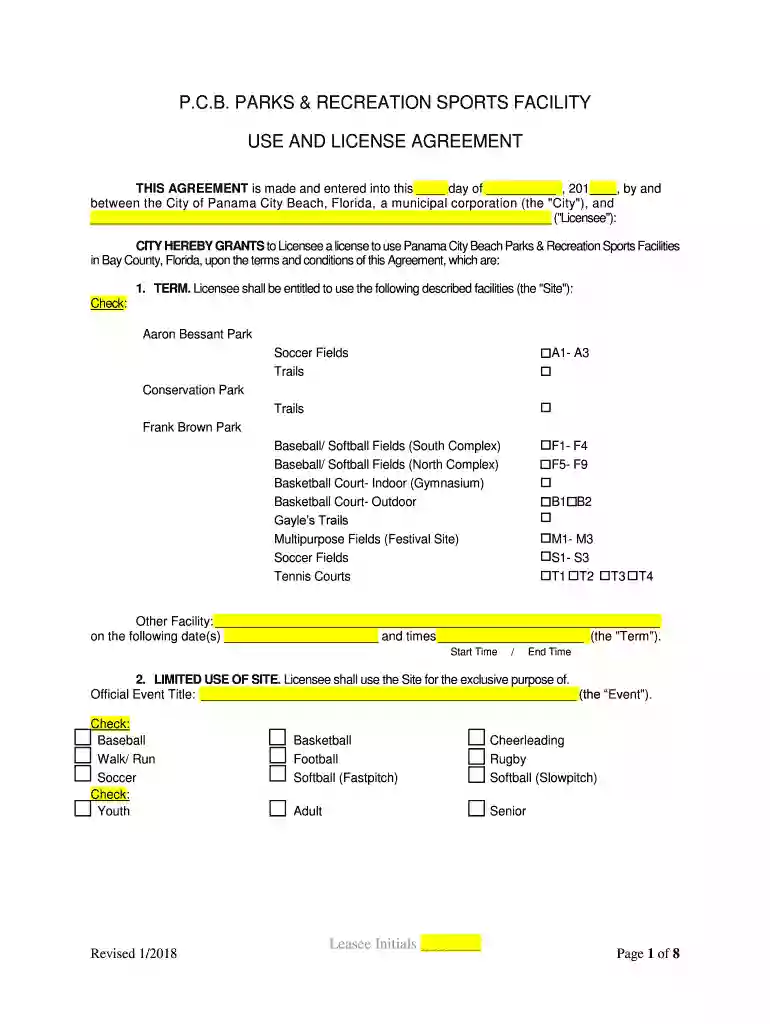
  2. Begin by filling in the date and the name of the Licensee at the top of the form. Ensure that all information is accurate for proper identification.
  3. In Section 1, select the facilities you wish to use by checking the appropriate boxes. Specify your desired dates and times for usage in the provided fields.
  4. Proceed to Section 2 and clearly state the purpose of your event. Choose from options like Baseball, Soccer, or other activities as applicable.
  5. In Section 3, calculate and enter any required fees based on your selected facilities and event type. Refer to Exhibit A for detailed fee structures.
  6. Review Sections 4 through 21 carefully, ensuring compliance with all terms outlined in the agreement. Make any necessary notes or comments directly in the document.
  7. Once completed, save your changes and utilize our platform’s signing feature to securely sign and send your agreement for processing.

Start using our platform today for free to streamline your document editing and signing process!

See more AMENDED AND RESTATED LICENSE AGREEMENT ... versions

We've got more versions of the AMENDED AND RESTATED LICENSE AGREEMENT ... form. Select the right AMENDED AND RESTATED LICENSE AGREEMENT ... version from the list and start editing it straight away!
Versions Form popularity Fillable & printable
2022 4.1 Satisfied (31 Votes)
2022 4.8 Satisfied (116 Votes)
2022 4.1 Satisfied (60 Votes)
2022 4.8 Satisfied (112 Votes)
2022 4.5 Satisfied (52 Votes)
2021 4.5 Satisfied (41 Votes)
2021 4.9 Satisfied (26 Votes)
2021 4.8 Satisfied (66 Votes)
2021 4.9 Satisfied (40 Votes)
2021 4.8 Satisfied (179 Votes)
2020 4.4 Satisfied (24 Votes)
2020 4.7 Satisfied (56 Votes)
2020 4.8 Satisfied (127 Votes)
2020 4.7 Satisfied (43 Votes)
2020 4.2 Satisfied (44 Votes)
be ready to get more

Complete this form in 5 minutes or less

Get form

Got questions?

We have answers to the most popular questions from our customers. If you can't find an answer to your question, please contact us.
Contact us
An Amended and Restated Agreement is a contractual document that consolidates and replaces a previously existing agreement and all its subsequent amendments, modifications, or supplements, creating a new, integrated, and updated agreement.
Certainty and risk reduction An Amendment Restatement Agreement creates certainty as to the latest contract terms between the parties, helps avoids future confusion and reduces the risk of potential future contractual disputes.
A trust restatement creates an entirely new trust document that preserves the original trusts name and date but comprehensively updates its contents. Unlike amendments that modify specific sections, a restatement gives you a fresh, complete document.
An amendment sets forth specific changes to a grant but otherwise keeps all of its provisions intact. A restatement of a grant substitutes an entirely new document for the original grant.

Security and compliance

At DocHub, your data security is our priority. We follow HIPAA, SOC2, GDPR, and other standards, so you can work on your documents with confidence.

Learn more
ccpa2
pci-dss
gdpr-compliance
hipaa
soc-compliance