




Here's how it works

01. Edit your standard form 600 rev 6 97 online
Type text, add images, blackout confidential details, add comments, highlights and more.

02. Sign it in a few clicks
Draw your signature, type it, upload its image, or use your mobile device as a signature pad.

03. Share your form with others
Send sf 600 example via email, link, or fax. You can also download it, export it or print it out.
How to use or fill out army chronological record of medical care form 1997 with DocHub

- Click ‘Get Form’ to open the army chronological record of medical care form 1997 in our editor.
- Begin by entering the patient's identification details. Fill in the name (last, first, middle), ID number or SSN, sex, date of birth, and rank/grade in the designated fields.
- Next, complete the sections for each medical entry. For every visit, document the date, symptoms, diagnosis, treatment provided, and the treating organization. Ensure to sign each entry for authenticity.
- Indicate the hospital or medical facility where care was received and include any relevant status information. This helps maintain a clear record of treatment history.
- Finally, review all entries for accuracy before saving your completed form. Utilize our platform's features to export or share your document as needed.
Start using our platform today to effortlessly fill out your army chronological record of medical care form for free!
Fill out army chronological record of medical care form 1997 online
It's free
It's free
See more army chronological record of medical care form 1997 versions
We've got more versions of the army chronological record of medical care form 1997 form. Select the right army chronological record of medical care form 1997 version from the list and start editing it straight away!
Security and compliance
At DocHub, your data security is our priority. We follow HIPAA, SOC2, GDPR, and other standards, so you can work on your documents with confidence.
Learn more


Related forms
INCOME TAX IMPLICATIONS OF LONG-TERM PER DIEM
The document discusses the income tax implications of long-term per diem payments for employees. It explains that per di ...
MN 325 MN 525 User's Manual - Radio Shack
The MN 325/MN 525 User's Manual provides comprehensive instructions for the installation, operation, and maintenance of ...

Understanding Accessible Customer Service
The document outlines the Accessibility Standards for Customer Service in the City of Mississauga, established under the ...
Rate of return and information asymmetry around multiple
The document OC13085 presents an empirical analysis of the market reactions to multiple restatement announcements by fir ...

HERo ANNUAl REPoRt 2002 - EQS Group AG
The Hero Annual Report 2002 outlines the company's strong market positions in various food categories across Europe, Ame ...
PARKS AND WILDLIFE CODE CHAPTER 11 PARKS AND
Chapter 11 outlines the general provisions related to State Parks in Pennsylvania, detailing regulations on park usage, ...
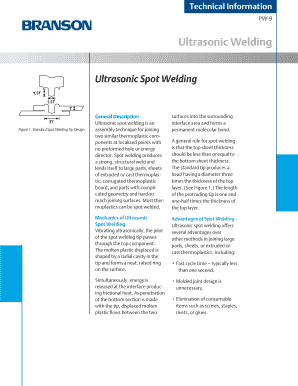
Ultrasonic Welding
The document provides a comprehensive overview of ultrasonic spot welding, a technique for joining thermoplastic compone ...
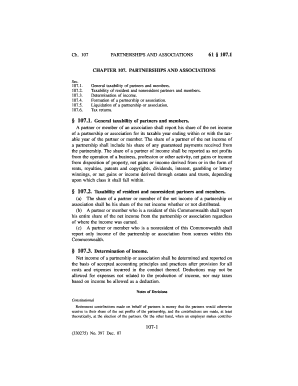
PARTNERSHIPS AND ASSOCIATIONS
Chapter 107 outlines the tax regulations for partnerships and associations, detailing the taxability of partners and mem ...


