Codicil will form 2026

Get Form
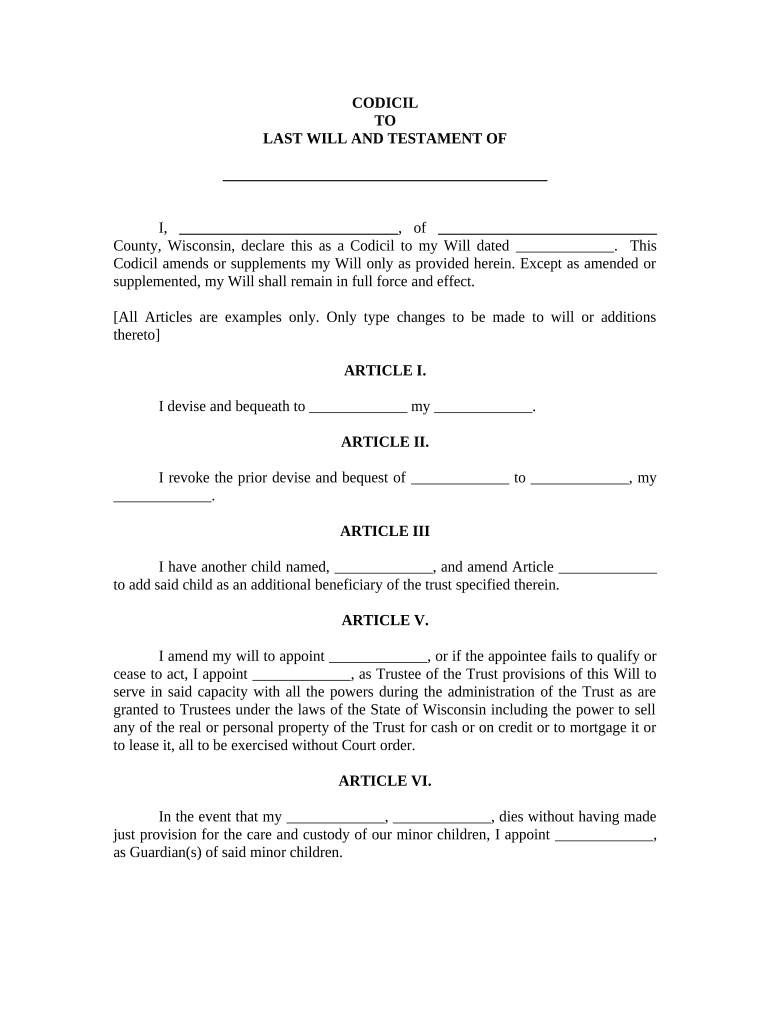
codicil form Preview on Page 1

Here's how it works

01. Edit your codicil form online
Type text, add images, blackout confidential details, add comments, highlights and more.
02. Sign it in a few clicks
Draw your signature, type it, upload its image, or use your mobile device as a signature pad.
03. Share your form with others
Send codicil to will form via email, link, or fax. You can also download it, export it or print it out.

How to use or fill out codicil will form with our platform

Form edit decoration
9.5
Ease of Setup
DocHub User Ratings on G2
9.0
Ease of Use
DocHub User Ratings on G2
  1. Click ‘Get Form’ to open the codicil will form in the editor.
  2. Begin by filling in your name and address at the top of the form. This identifies you as the testator/testatrix.
  3. In Article I, specify the name of the beneficiary and what you are bequeathing to them. Ensure accuracy to avoid confusion.
  4. For Article II, indicate any prior bequests you wish to revoke. Clearly state both the previous beneficiary and what is being revoked.
  5. In Article III, add any new beneficiaries by naming them and referencing which article they are being added to.
  6. Complete Articles V and VI by appointing a trustee and guardian for minor children, respectively. Fill in their names carefully.
  7. Finally, sign the document in front of witnesses as required, ensuring all signatures are collected before submission.

Start editing your codicil will form online for free today!

be ready to get more

Complete this form in 5 minutes or less

Get form

Got questions?

We have answers to the most popular questions from our customers. If you can't find an answer to your question, please contact us.
Contact us
The codicil must be signed by you and witnessed by two individuals or docHubd to be valid. Ensure the document clearly states the change and references the original will. Proper execution helps avoid disputes. If unsure, consulting a lawyer can provide added assurance, but it is not legally required.
How do I write a Codicil to a Will? Last Will information: Specify the date you signed your Last Will and Testament. Your information: Provide your name, city, and state. Amendments: List your amendments and the clauses they modify. If youre adding clauses, specify where in the Will they apply.
Below, you can view a free codicil to a will sample. Customize this template using Legal Templates document editor, and then download it as a PDF or Word file.
Potential for errors: There is a more docHub potential for errors when using a codicil than when creating a new will. A codicil might introduce conflicting terms with the original will, creating ambiguity and a lack of clarity. Limited scope: Codicils can only be used to make minor changes to your will.
What is a Codicil to Will? A codicil is a legal document that dictates any modifications or amendments to your last Will and Testament. If, for any reason, you feel the need to change some part of your Will which can include adding new arrangements or removing old ones you can easily do so with a codicil.

Security and compliance

At DocHub, your data security is our priority. We follow HIPAA, SOC2, GDPR, and other standards, so you can work on your documents with confidence.

Learn more
ccpa2
pci-dss
gdpr-compliance
hipaa
soc-compliance

People also ask

I, [testator], a resident of the City of [City] County of [county], State of [state], declare that this is the codicil to my last will and testament, which is dated [date original signed]. I add or change said last will in the following manner: [List with particularity all changes to the will.

will codicil template