Cc dr 2026

Get Form
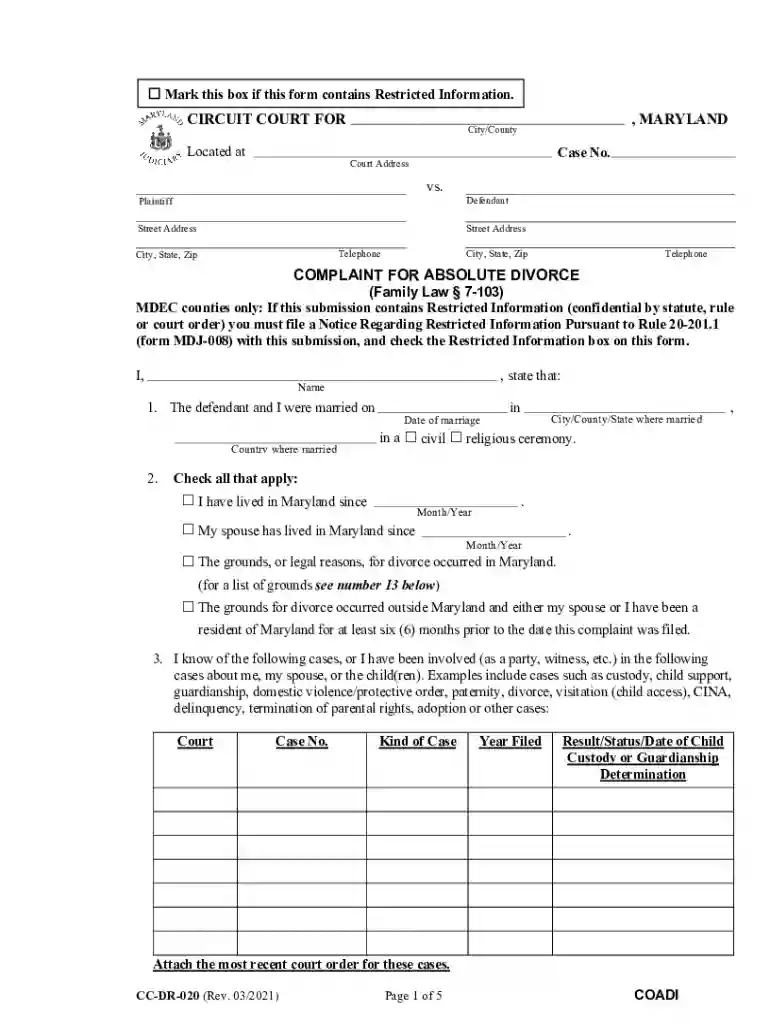
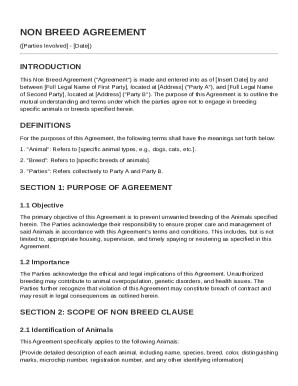
020 form Preview on Page 1

Here's how it works

01. Edit your 020 form online
Type text, add images, blackout confidential details, add comments, highlights and more.

02. Sign it in a few clicks
Draw your signature, type it, upload its image, or use your mobile device as a signature pad.

03. Share your form with others
Send cc divorce via email, link, or fax. You can also download it, export it or print it out.

How to use or fill out cc dr with our platform

Form edit decoration
9.5
Ease of Setup
DocHub User Ratings on G2
9.0
Ease of Use
DocHub User Ratings on G2
  1. Click ‘Get Form’ to open the cc dr in the editor.
  2. Begin by marking the box if your form contains Restricted Information. This is crucial for compliance.
  3. Fill in the Circuit Court details, including location and case number. Ensure accuracy to avoid delays.
  4. Provide your name and marriage details, including date and place of marriage. This establishes jurisdiction.
  5. Indicate residency status by checking applicable boxes regarding living in Maryland. This is important for legal grounds.
  6. List any previous cases related to custody or support involving you or your spouse, providing necessary details.
  7. If applicable, provide information about children, including names and ages. If there are no children, skip to section 10.
  8. Specify custody arrangements desired for minor children and whether a parenting plan has been agreed upon.
  9. Complete sections on child support and alimony as needed, attaching relevant financial statements if required.
  10. Review all entries for accuracy before submitting your form through our platform for a seamless process.

Start using our platform today to simplify your document editing and form completion!

See more cc dr versions

We've got more versions of the cc dr form. Select the right cc dr version from the list and start editing it straight away!
Versions Form popularity Fillable & printable
2023 4.4 Satisfied (30 Votes)
2021 4.8 Satisfied (83 Votes)
2017 4.3 Satisfied (52 Votes)
2008 4 Satisfied (24 Votes)
be ready to get more

Complete this form in 5 minutes or less

Get form

Got questions?

We have answers to the most popular questions from our customers. If you can't find an answer to your question, please contact us.
Contact us
The abbreviation CC is one that is used to denote a measurement of volume, most often for the dosing of medications. This volume unit is the cubic centimeter, which is also equal to the milliliter, abbreviated itself as mL.
Answer and Explanation: The double letters cc stand for cubic centimeters, which can be expressed a cm3. This is a volume unit for a substance, which is most likely a liquid medication that is to be administered to a patient. A cubic centimeter is the exact same volume as a milliliter, mL.
abbreviation for carbon copy: written on a letter, email, etc. before the name or email address of someone who will receive a copy. cc.
It stands for cubic centimeters. This is a way to measure the volume of something, similar to how a cup or a tablespoon is used in cooking to measure ingredients. In the context of a medical report, it could be used to describe the size of an organ, a tumor, or a wound, for example.
Listen to pronunciation. A measure of volume in the metric system. One thousand ccs equal one liter. Also called cubic centimeter, milliliter, and mL.

Security and compliance

At DocHub, your data security is our priority. We follow HIPAA, SOC2, GDPR, and other standards, so you can work on your documents with confidence.
Learn more
ccpa2
pci-dss
gdpr-compliance
hipaa
soc-compliance

People also ask

Carbon copy Carbon copy / Full name

cc dr form