Court declaration template 2026

Get Form
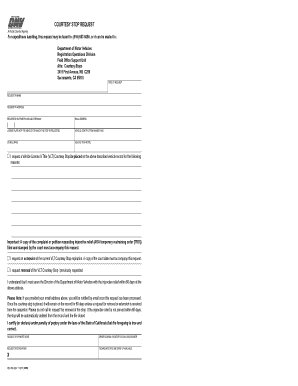
declaration for court example Preview on Page 1

Here's how it works

01. Edit your declaration for court example online
Type text, add images, blackout confidential details, add comments, highlights and more.
02. Sign it in a few clicks
Draw your signature, type it, upload its image, or use your mobile device as a signature pad.
03. Share your form with others
Send court declaration example via email, link, or fax. You can also download it, export it or print it out.

How to use or fill out court declaration template with our platform

Form edit decoration
9.5
Ease of Setup
DocHub User Ratings on G2
9.0
Ease of Use
DocHub User Ratings on G2
  1. Click ‘Get Form’ to open the court declaration template in the editor.
  2. Begin by filling in the NAME OF COURT and STREET ADDRESS at the top of the form. Ensure accuracy as this information is crucial for your case.
  3. Next, provide your MAILING ADDRESS, CITY AND ZIP CODE, and BRANCH NAME. This ensures that all correspondence reaches you promptly.
  4. In the REQUEST FOR TRIAL section, confirm that you have reviewed the Instructions to Defendant (form TR-200) and check the box indicating your request for a trial by written declaration.
  5. Detail your evidence in item 5. List all supporting documents such as photographs, medical records, or receipts that you wish to submit. Be thorough to strengthen your case.
  6. In the DECLARATION OF FACTS section, type or print a clear statement explaining what happened and how each piece of evidence supports your argument.
  7. Finally, sign and date the form at the bottom. Remember to press 'Clear This Form' after printing to protect your privacy.

Start using our platform today for free to streamline your court declaration process!

be ready to get more

Complete this form in 5 minutes or less

Get form

Got questions?

We have answers to the most popular questions from our customers. If you can't find an answer to your question, please contact us.
Contact us
Other tips for writing a declaration letter Before you start writing, create an outline to organize your ideas. Write professionally, but in your own voice dont try to sound like a lawyer. Be specific. Dont ramble or repeat yourself, and dont include irrelevant information.
I hereby declare that the information given above and in the enclosed documents is true to the best of my knowledge and belief and nothing has been concealed therein.
How to Write a Declaration for Your CV or Resume Keep it brief and to the point. Use action words. Highlight your skills and strengths. Be specific. Tailor your statement to the job.
Be Specific and Detailed A good declaration is specific and detailed, focusing on the facts of the situation or event. Avoid general statements or opinions and instead provide concrete details and evidence to support your statement. Use specific dates, times, and locations to make your statement more credible.
1. I am in the above-entitled matter. 2. I declare under penalty of perjury under the laws of the State of California that the foregoing is true and correct.

Security and compliance

At DocHub, your data security is our priority. We follow HIPAA, SOC2, GDPR, and other standards, so you can work on your documents with confidence.

Learn more
ccpa2
pci-dss
gdpr-compliance
hipaa
soc-compliance
be ready to get more

Complete this form in 5 minutes or less

Get form

People also ask

Here are some examples of statements of declarations typically used in resumes: All information in this resume is true and correct to the best of my knowledge and belief. I hereby declare that all the above information is correct and accurate.
Declarations should be as short as possible. Stick to the main points you need to make. Put your most important points first. Put less important points later.

declaration format for court