Type text, add images, blackout confidential details, add comments, highlights and more.
02. Sign it in a few clicks
Draw your signature, type it, upload its image, or use your mobile device as a signature pad.
03. Share your form with others
Send it via email, link, or fax. You can also download it, export it or print it out.
How to use or fill out odorbn with our platform
Ease of Setup
DocHub User Ratings on G2
Ease of Use
DocHub User Ratings on G2
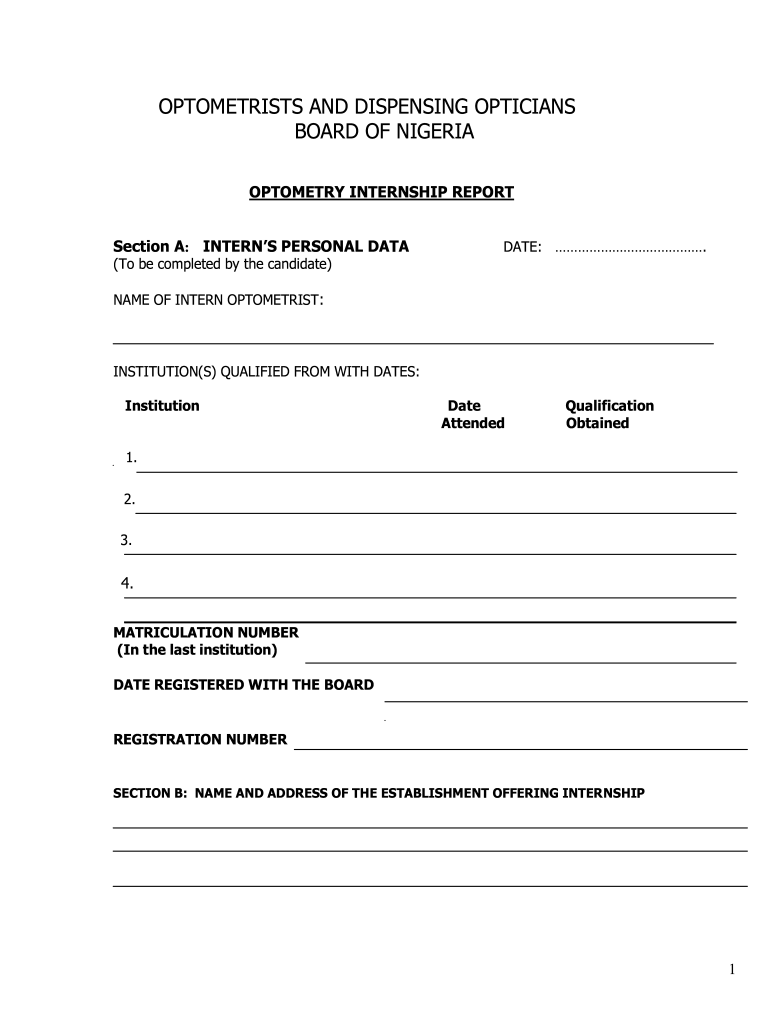
Click ‘Get Form’ to open the odorbn in the editor.
Begin with Section A: INTERN’S PERSONAL DATA. Fill in your date, name, institution(s) qualified from along with dates and qualifications obtained. Ensure accuracy for registration purposes.
Proceed to Section B: NAME AND ADDRESS OF THE ESTABLISHMENT OFFERING INTERNSHIP. Enter the establishment's details and list the eye care services rendered.
In Section C: PERFORMANCE REPORT, document the internship commencement date and expected completion date. Evaluate your presence, punctuality, decorum, activity level, case reports, quality of reports, and number of patients seen using the provided criteria.
Complete Section D: INTERN’S COMMENTS by detailing professional activities engaged in, salary information, grievances if any, and other relevant comments.
Finally, fill out Section E: CONCLUSION AND RECOMMENDATION by scoring your performance based on the criteria provided and obtaining your supervisor's signature.
Start filling out your odorbn form today for free using our platform!
Factors influencing the decision of Nigerian optometry - PMC
by GN Atuanya 2024 Cited by 1 This study explores the factors influencing Nigerian optometry students decision to work in rural settings after graduation.Read more
Managing in early COVID-19: The Nigerian optometry
Jan 26, 2024 This study was designed to assess the knowledge, attitude, and practices of Nigerian optometrists and optometry students with regard to the
Cookie consent notice
This site uses cookies to enhance site navigation and personalize your experience.
By using this site you agree to our use of cookies as described in our Privacy Notice.
You can modify your selections by visiting our Cookie and Advertising Notice.