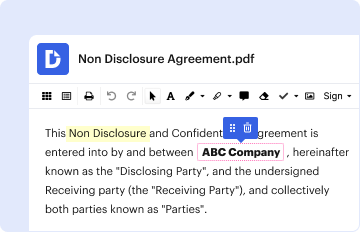
01. Edit your cooking merit badge powerpoint online
Type text, add images, blackout confidential details, add comments, highlights and more.
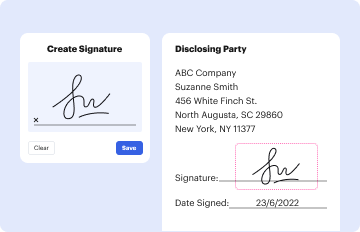
02. Sign it in a few clicks
Draw your signature, type it, upload its image, or use your mobile device as a signature pad.
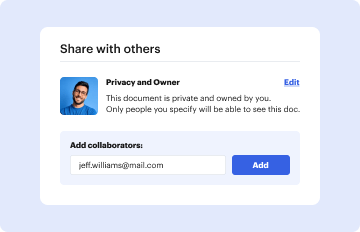
03. Share your form with others
Send cooking merit badge worksheet via email, link, or fax. You can also download it, export it or print it out.
How to use or fill out Cooking - MeritBadge.org with our platform
Ease of Setup
DocHub User Ratings on G2
Ease of Use
DocHub User Ratings on G2
Click ‘Get Form’ to open the Cooking - Merit Badge Workbook in the editor.
Begin by entering your personal information at the top of the form, including your name, unit, counselor's name, and phone number. This ensures that all your details are organized from the start.
Proceed to each section of the workbook. For example, in 'Health and Safety', you will need to explain potential hazards and how to mitigate them. Use the provided spaces to jot down your thoughts clearly.
Continue through sections like 'Nutrition' and 'Cooking Basics', filling in examples and explanations as required. Utilize our platform’s text tools for easy editing and formatting.
Once completed, review your entries for clarity and completeness. You can easily save or share your document directly from our editor.
Start using our platform today for free to streamline your Cooking merit badge experience!
Fill out Cooking - MeritBadge.org online It's free
This Workbook can help you organize your thoughts as you prepare to meet with your merit badge counselor. Merit Badge Counselors may not require the use of thisRead more
Bsa Cooking Merit Badge Worksheet Worksheets Library. This pdf packet can be used to help bsa scouts organize and prepare. Describe how meat, fish, chicken,Read more
Cookie consent notice
This site uses cookies to enhance site navigation and personalize your experience.
By using this site you agree to our use of cookies as described in our Privacy Notice.
You can modify your selections by visiting our Cookie and Advertising Notice.