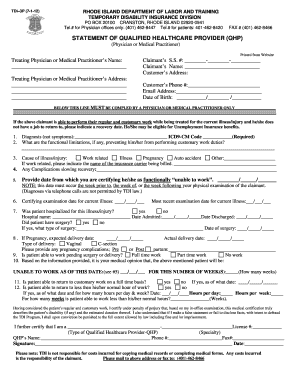
Cmhrs forms 2026

Get Form
virginia service Preview on Page 1

Here's how it works

01. Edit your virginia service online
Type text, add images, blackout confidential details, add comments, highlights and more.
02. Sign it in a few clicks
Draw your signature, type it, upload its image, or use your mobile device as a signature pad.
03. Share your form with others
Send service authorization form via email, link, or fax. You can also download it, export it or print it out.

How to use or fill out cmhrs forms with our platform

Form edit decoration
9.5
Ease of Setup
DocHub User Ratings on G2
9.0
Ease of Use
DocHub User Ratings on G2
  1. Click ‘Get Form’ to open the cmhrs form in the editor.
  2. Begin by filling out the PROVIDER INFORMATION section. Enter your organization name, NPI number, tax ID, and contact details including phone and email.
  3. Next, complete the MEMBER INFORMATION section. Input the member's first and last name, Medicaid number, date of birth, gender, and address.
  4. In the SERVICE REQUESTED section, select the appropriate service type and provide necessary details such as procedure codes and average units of service per week.
  5. Proceed to SECTION I - CARE COORDINATION. Document any other services received by the member and describe care coordination activities since the last authorization.
  6. Move on to SECTION II - TREATMENT PROGRESS. Clearly outline treatment goals, progress made towards these goals, and any barriers encountered.
  7. Finally, complete SECTION III - DISCHARGE PLANNING by identifying support needs for transition and providing an estimated discharge date.

Start using our platform today to easily fill out your cmhrs forms for free!

be ready to get more

Complete this form in 5 minutes or less

Get form

Got questions?

We have answers to the most popular questions from our customers. If you can't find an answer to your question, please contact us.
Contact us

Many software applications are available on the market for document editing and signing. DocHub is one of the most widely used online solutions that comply with all data protection and compliance requirements and guarantees your eSigned paperwork is legally enforceable. All you need to try it out is to create an account, upload your form service request, provide the necessary details, and click Sign. Create your electronic signature by typing, drawing it, uploading its picture to your form, or scanning a unique QR code.

Having a swift editing system like DocHub, you do not need anything but a web browser and connection to the internet to modify your service authorization online easily. Add your document or get the appropriate form in DocHub’s catalog, open our editor with a single click, and finish it digitally. To edit your forms at any time, register a free account with DocHub.

How to fill a CMR form Box 1 Name and complete address of the consignor of the goods. Box 2 Name and complete address of the consignee of the goods. Box 3 Place and date when the goods are taken into charge by the carrier. Box 4 The foreseen place of delivery of the goods. Box 5 Particular instructions of the consignor.
The sender of the goods has certain responsibilities to the carrier with regard to the CMR consignment note and other documentation. The main responsibilities include: completing the consignment note, although he may ask the carrier to do this for him.
Completing the Review Ask the patient to gather all of their medications before you begin, including over- the-counter medicines, inhalers, and topical ointments. Ask the patient what their goals for the visit are. When using video, you could ask the patient to write down their goals and show it to you on the screen.

Security and compliance

At DocHub, your data security is our priority. We follow HIPAA, SOC2, GDPR, and other standards, so you can work on your documents with confidence.

Learn more
ccpa2
pci-dss
gdpr-compliance
hipaa
soc-compliance

People also ask

CMR Delivery - While Completing the Review With Your Patient: Welcome the patient, and summarize what to expect from the review. Review each medication (Even if you dont fill that medication at your pharmacy) Address questions and concerns, both yours and the patients (your notes from pre-work)
Click Create CMR. Select language. Enter which documents the carrier has received from you in the field Documents handed to the carrier by the sender. Enter special conditions or agreements in the field Special agreements between the sender and the carrier (optional).

Related links